
Cross-Platform App Development Services
Indeema Software delivers top-notch cross-platform application development services. We develop custom, innovative, and high-quality cross-platform solutions. Your idea - our delivery. One code - multiple platforms.
Our Cross-Platform Mobile App Development Services
What is cross-platform development? It is an approach when the same codebase is applied on different platforms (Windows, iOS, and Android). Cross-platform app development services are ideal if you want to generate more leads, attract and satisfy customers, grow your business, and save time and money. When you partner with Indeema Software cross-platform mobile development company, you have a range of services to consider:
CROSS-PLATFORM APPLICATION CONSULTING AND ARCHITECTURE REVIEW
Whether it’s an existing product or a new idea, we provide customers with consulting and architectural services to help them prevent risks, manage challenges and create an architecture of a single application for all platforms.
CUSTOM CROSS-PLATFORM APPLICATION DEVELOPMENT
Our expertise in hybrid app development makes it possible to deliver solutions no different from native apps. Indeema solutions work smoothly on all platforms, and your business can reach the target audience much faster.
CROSS-PLATFORM APPLICATION TESTING
Need some help with “proofreading” your app? Not sure what is not going well? Leave it for the professionals! The testing stage is a significant part of any development process.
CROSS-PLATFORM APPLICATION DESIGN
Indeema design services comprise thorough UX and UI design for hybrid applications. Our UX and UI design services polish your app’s interface and enhance the navigation options.
CROSS-PLATFORM APPLICATION INTEGRATION
Cross-platform integration services may vary. If you reach us at the stage of an idea, we are able to define what third-party services you’d need. Therefore, we select the best tech stack to integrate this service. In the later stages, we need to find out which services are compatible with the framework or language used.
CROSS-PLATFORM APPLICATION SUPPORT
Post-delivery service is essential for your product. Indeema's dedicated team makes sure your app fits business needs, meets market specifics, and satisfies customers at all stages of the app evolution.
Indeema Software Services To Suit Businesses Of All Types
Services provided by our cross-platform app development company serve well all kinds of industries and all sorts of businesses, from startups and small companies to large enterprises. We leverage the opportunities of what hybrid development has to offer to deliver apps providing the best experience for end-users.





Why Choose Indeema Software For Cross-Platform Development

Wide range of technologies we use to fit various needs and requirements
Personal Approach to every customer
Transparent and open cooperation
Cost-efficient cross-platform services
Expertise in all industries
Agile methodology in development
In-house experts

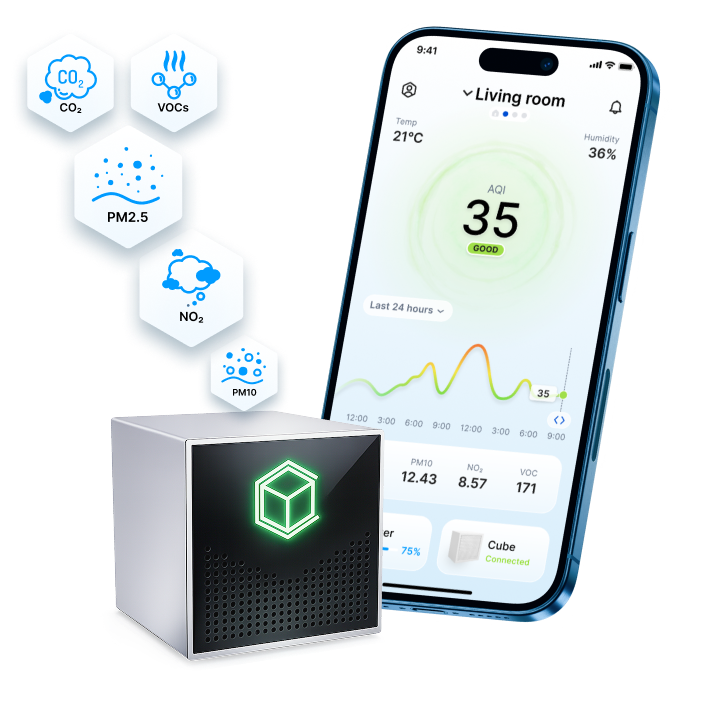
Custom Indoor Air Monitoring IoT System - Indeema’s Case StudyCustom Indoor Air Monitoring IoT System - Indeema’s Case Study
Cube Air is a smart air quality monitoring system designed to help residents stay aware of the air they breathe and know when it needs improvement. The solution combines a compact desktop device with a clear, user-friendly mobile app that visualizes indoor conditions in real time. Developed for a US company building premium apartments, Cube Air enhances the living experience by tracking indoor air quality.
- Industry: High-Tech, Smart Home, Smart Office, Smart City
- Service: R&D Services, MVP Development, UI/UX Design, Mobile App Development, IoT App Development, Cross-Platform App Development, IoT Development, Web Development, Back End Development, Front End Development, Database Development, DevOps Services, Tech Advisory, IoT Consulting Services
- Lifetime: 2024 - ongoing
- Client's Location: USA
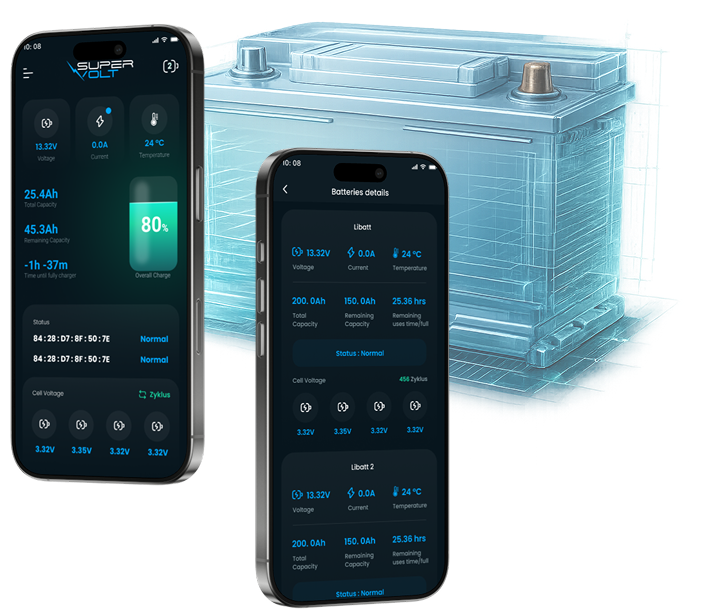
Mobile App Development for RV Battery Systems - Indeema’s Case StudyMobile App Development for RV Battery Systems - Indeema’s Case Study
SuperVolt, a Germany-based company specializing in advanced energy solutions for motorhomes and RV systems, is expanding its product line with a connected solution that gives users real-time insight and remote control over battery performance. The new system allows RV owners to track key parameters, manage their energy setup remotely, and ensure safe, efficient operation — all through intuitive web and mobile applications.
- Industry: Renewables/Solar and Wind, High-Tech, Smart Home, Smart City, Consumer IoT
- Service: R&D Services, UI/UX Design, Mobile App Development, Android App Development, iOS App Development, Software Testing Services, Tech Advisory, IoT App Development
- Lifetime: 2024 - ongoing
- Client's Location: Germany #00a9ff
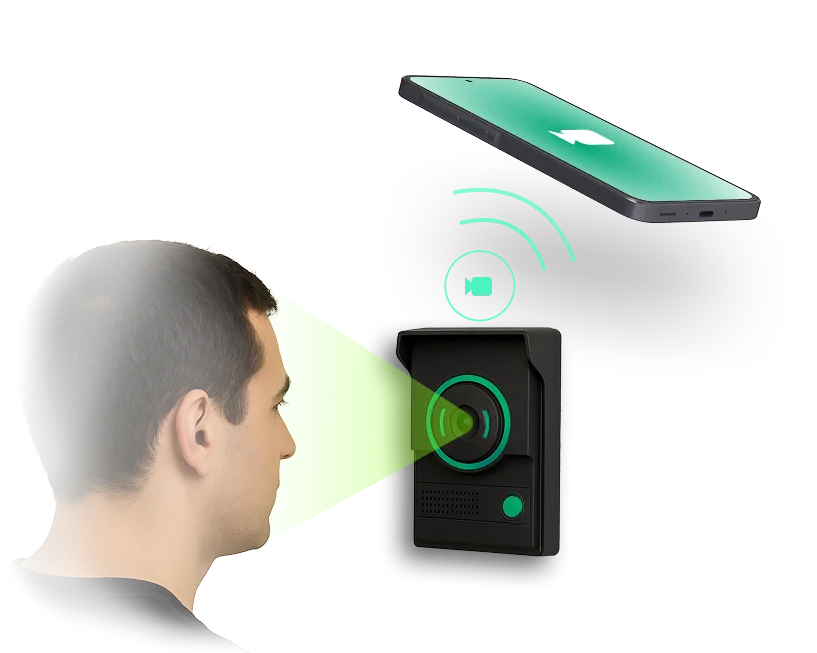
IoT Video Intercom System Development - Indeema’s Case StudyIoT Video Intercom System Development - Indeema’s Case Study
The partner from Germany (name not disclosed due to NDA), a company specializing in building communication systems, approached Indeema to develop a next-generation indoor intercom prototype. Their goal was to bridge analog video input from a door camera with smartphone connectivity, creating a more modern, user-friendly alternative to traditional in-building communication solutions.
- Industry: High-Tech, Smart Home
- Service: IoT Development, R&D Services, IoT Consulting Services, Firmware Development
- Lifetime: 2025
- Client's Location: Germany
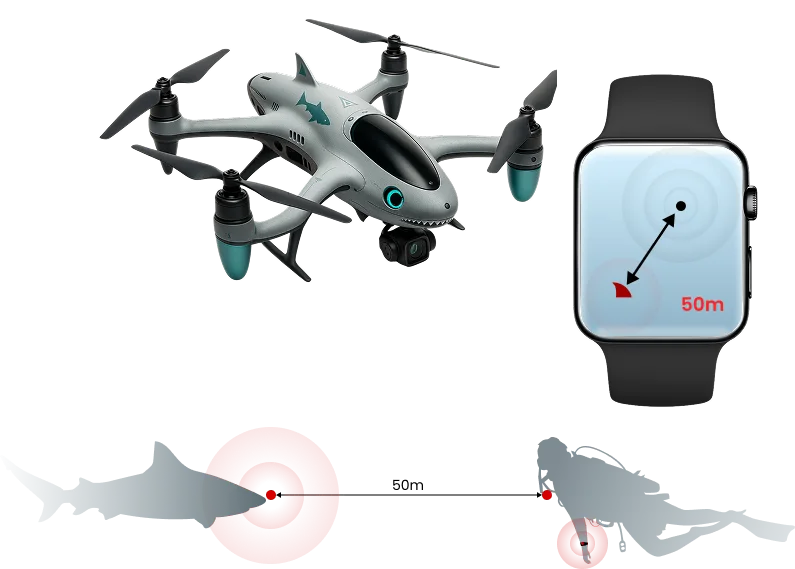
R&D for Drone Surveillance SystemR&D for Drone Surveillance System
Hover Hero is an early-stage startup exploring connected drone technology to improve surfer safety. The concept focuses on real-time aerial threat detection and instant mobile or wearable alerts, bringing IoT-driven awareness to open water environments.
- Industry: High-Tech, Consumer IoT
- Service: R&D Services
- Lifetime: 2025
- Client's Location: USA
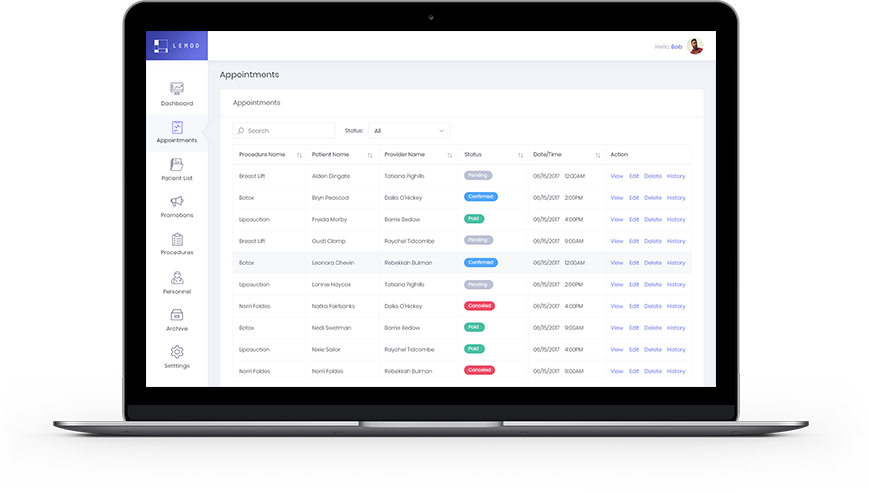
Web Platform for the Health and Wellness IndustryWeb Platform for the Health and Wellness Industry
Web portal for configuring and managing aesthetic rewards programs for the US B2B market. Simplistic design that users love, set of promotion and rewards management features, HIPAA-compliant architecture, and lots of customization for exact practice needs. Platform connects practice providers with patients through exclusive offers, announcements, and promotion events, which improves patient-practice relations and increases patient lifetime value.
- Industry: Healthcare, Consumer IoT
- Service: Tech Advisory, Web Development, Back End Development, Front End Development, Database Development, UI/UX Design, DevOps Services, Post Production Support
- Lifetime: 2018 - Maintenance
- Client's Location: USA
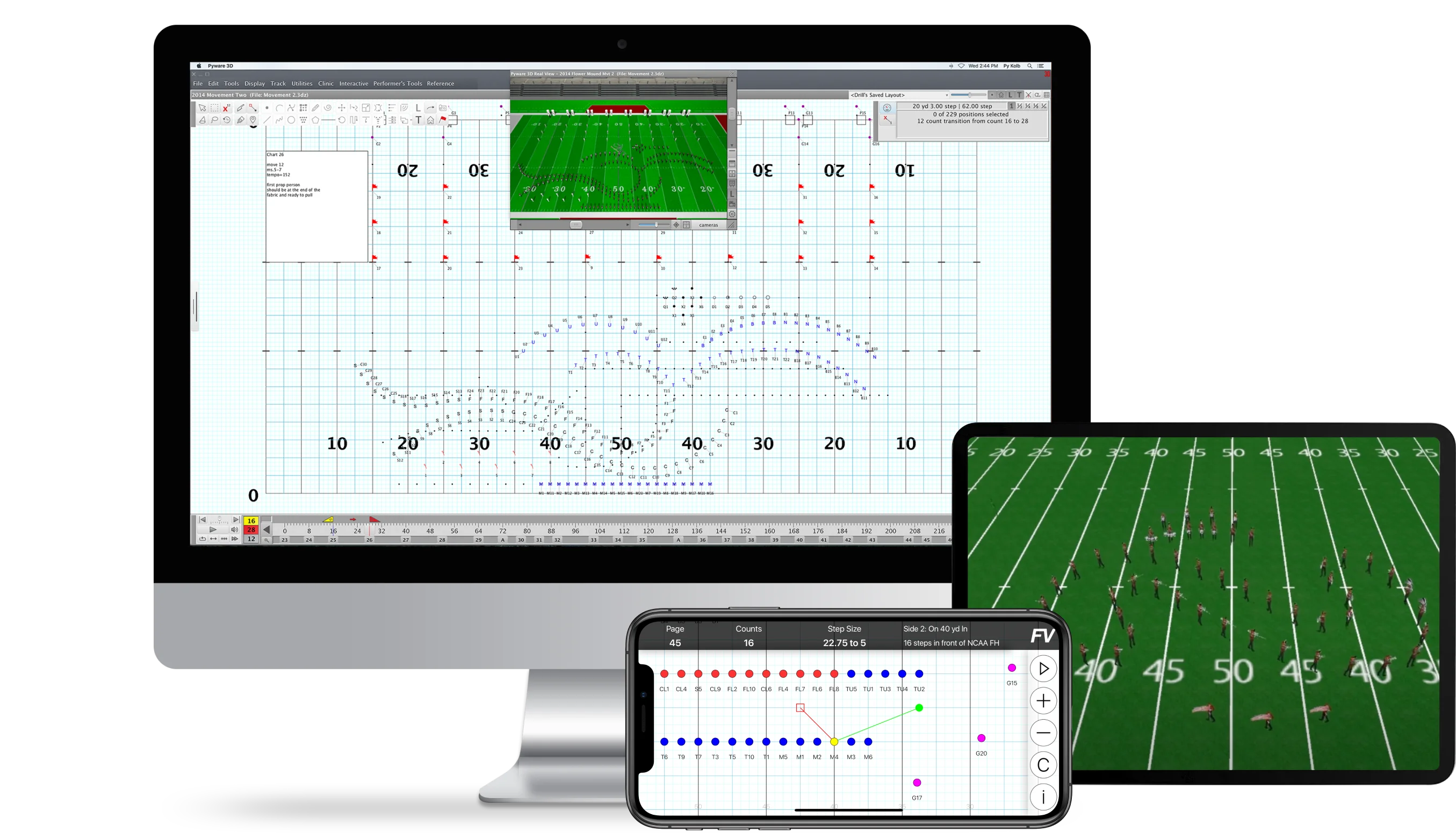
The Cross-Platform App for Marching BandsThe Cross-Platform App for Marching Bands
Indeema delivered a solution that revolutionizes the coordination and mastering of marching drills. Unlike traditional methods that rely on physical drill books and manual coordination, the UDB app offers a digital solution that reshapes the entire process. With real-time information on coordinates and pathways, users can make informed decisions and adjustments on the fly, leading to enhanced performance and synchronization during rehearsals and performances.
- Industry: Education, Consumer IoT
- Service: R&D Services, MVP Development, UI/UX Design, Mobile App Development, iOS App Development, Android App Development, Cross-Platform App Development, Web Development, Front End Development, Back End Development, Database Development, DevOps Services, Cloud Software Development, Dedicated Team, Tech Advisory
- Lifetime: 2016 - Ongoing
- Client's Location: USA
FAQ
Cross-platform mobile application development is the way of creating an app with the same solution for all types of platforms. If your budget is limited and you are pressed for time, it is a great option to choose. Our team can building an application simultaneously for Windows, Android, and iOS.
Cross-platform app development requires the profound knowledge and expertise of such languages as JS, .Net, and C#. When speaking about other technologies, Flutter, React Native, Xamarin, or other frameworks may be used. The choice of tech stack depends on the business goals and performance you anticipate.
Describing a cross-platform app in simple words, we would call it one code for various platforms. Your business would do better with this choice for a product if:
- you want to save time;
- you’d like to cut down on tech expenses.