


Insights / Applications / Product Experience
Qt for Cross-Platform and Embedded Apps: When It Is Worth It
Qt is a C++ framework for desktop, mobile and embedded apps from one codebase: where it is strong, where it is weak and when it beats web technology.

The short answer
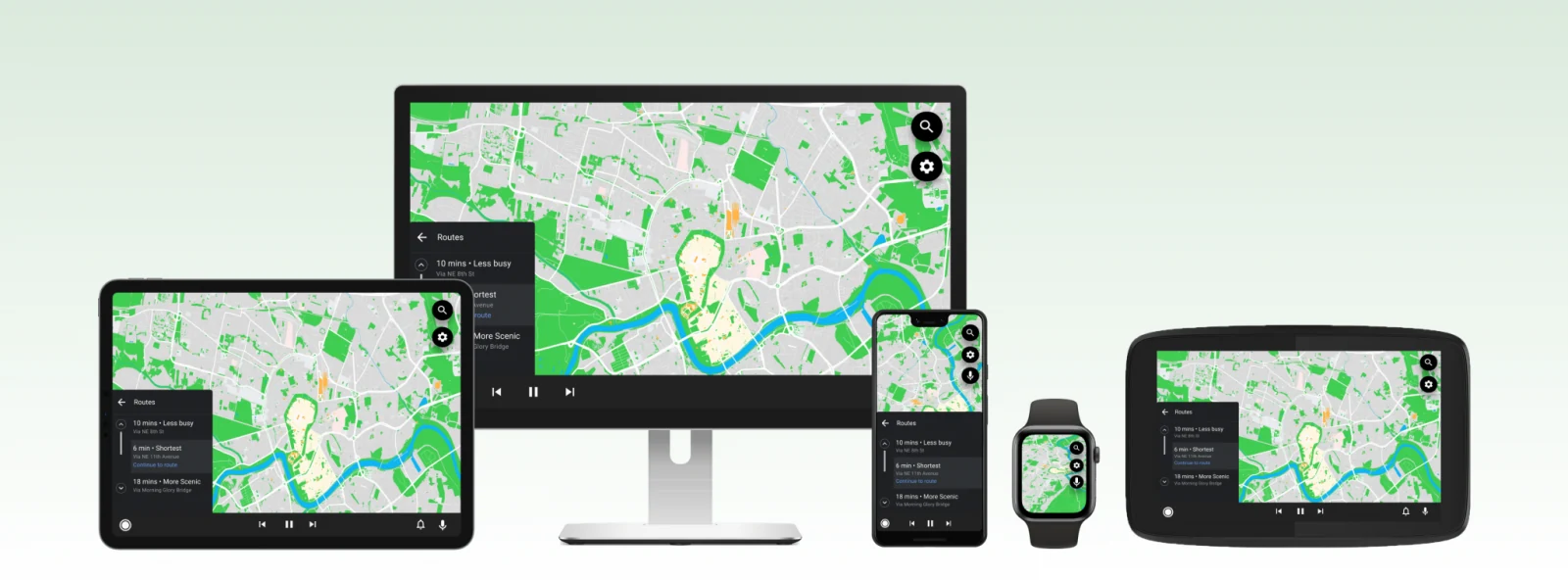
Qt is a cross-platform application framework written in C++. One codebase can be compiled for Windows, macOS, Linux, Android, iOS and embedded platforms, and the result runs as native code. Qt is worth choosing when an application must run on several platforms, perform well on modest hardware, start fast, reach sensors or other low-level functions, or drive a responsive graphical interface on an embedded device. It is less suited to small, simple apps, to mobile apps that must look fully native, or to teams that need the newest trends quickly.
Key takeaways
- Qt is a C++ framework: one codebase compiles to Windows, macOS, Linux, Android, iOS and embedded platforms as native code.
- Qt fits applications that must run on several platforms, perform well on modest hardware and start fast.
- It is less suited to small simple apps, to mobile apps that must look fully native, or to teams that need the newest trends quickly.
What Qt is
- Qt
- A cross-platform application framework written in C++ for building desktop, mobile and embedded applications from one codebase.
Qt combines a cross-platform development environment, a graphical user interface framework and a toolkit for building apps with standard C++. Software written with it can run on Windows, macOS, Linux, Android, iOS and a range of embedded platforms with little or no change in code: the same source is recompiled for each target.
Qt comes with Qt Creator, an IDE that runs on the major desktop systems. Interfaces can be written directly in C++ with the Widgets module and laid out in Qt Designer, an interactive graphical tool built into Qt Creator.
QML, the Qt Modeling Language, is a declarative language for building interfaces and applications. Qt provides both QML and C++ APIs, so QML code can be combined with JavaScript and C++.
Why the framework choice matters
There is no good or bad framework, only one that suits a project or does not. Each framework has its own structure, methods and tools, and the software has its own logic. The closer the two match, the less the team has to build around the framework.
Almost any technology can be forced to fit almost any project, but a poor fit needs more third-party components, workarounds and rework. The problem often shows up later: a project that starts small grows, and the original choice can no longer meet the new goals. That is usually caused by too little information about the technology's capabilities, limits and alternatives at the start.
Advantages of Qt
Disadvantages of Qt
- Mobile user experience: desktop platforms have common patterns and widgets, but Qt's default mobile components do not give a fully native iOS or Android look and feel.
- Licensing: the LGPL licence has conditions for distributing applications, and in some cases a commercial licence is the only acceptable option.
- Size: the Qt libraries make applications larger, which affects download size and load speed.
- Extra resources: some tasks need language bindings, additional components or commercial support, which raises project cost.
- Version choice: Qt is updated regularly, and choosing a version that fits every target platform and library takes care.
- Complexity: C++ is a demanding language, and a single codebase still needs platform-specific solutions, so the architect's role in the team grows.
- Overkill for small projects: much of Qt's functionality is unnecessary where simplicity is the priority.
- Conservatism: Qt adopts new trends in software development relatively slowly.
When to choose Qt over a web framework
Web technologies are often chosen because they are platform-independent and widely known. They are not always able to meet a project's needs. Three situations favour Qt.
High performance and fast startup
A web app is limited by the browser, which uses only part of the hardware's resources, so it behaves almost as if it runs in a virtual machine. It also starts later: the operating system loads, then the browser, and only then the app. A Qt app uses system interfaces directly and is executed by the processor, with fewer layers between the code and the hardware. That matters when the app must process large amounts of data, run on low-end hardware, or both.
Access to the file system, sensors and other low-level functions
Software for an IoT device has to collect and process data from sensors, which needs access to system interfaces and hardware. Browsers, and so web frameworks, have restricted access to the system. The usual workaround is a library written in C++, and even then performance is not always satisfactory. Qt is a C++ framework with system-level access out of the box. If a web-based project is likely to need C++ for hardware access anyway, starting with a C++ framework saves time; adding a separate Qt module to an existing web app later works, but it remains a patch.
Responsive graphical interfaces on embedded and IoT systems
Embedded systems rarely have powerful hardware, yet they must process sensor data quickly and visualise it, and visualisation adds to the load. A web framework interprets HTML, CSS and JavaScript into system commands while the app runs, which makes processing and display slower and can leave animations with a low frame rate. Qt draws the interface through system graphics interfaces such as OpenGL, DirectX, Vulkan or Metal, and its code is compiled to machine instructions before launch, so data changes reach the screen faster.
| Aspect | Qt application | Web application |
|---|---|---|
| Runs in | The operating system, as native code | A web browser, above the operating system |
| Startup | After the operating system loads | After the operating system and then the browser load |
| Hardware and system access | Direct, through system interfaces | Restricted; needs native workarounds |
| Rendering | Compiled code drawing through OpenGL, DirectX, Vulkan or Metal | HTML, CSS and JavaScript interpreted at run time |
Qt and C++ for embedded devices
C++ sits between the hardware and high-level software: it reaches the hardware while keeping the benefits of a higher-level language. Embedded systems usually have to run stably for a long time, and C++ suits that well. It is also a complicated language, and Qt makes it easier to use, adding interfaces, Bluetooth, networking and more on top of C++ libraries. Qt works for both GUI and non-GUI applications on embedded devices, from industrial controllers to car infotainment and medical devices.
- Qt for Embedded Linux: building interfaces, networking and other parts of Linux-based embedded systems
- Qt for MCUs: applications for resource-constrained microcontrollers, with attention to code size and memory use
- Qt Lite: configuring Qt to include only the components a product needs, which keeps the application small
- Qt Safe Renderer: safety-critical interface elements for automotive and other systems where errors are unacceptable
- Qt SCXML: State Chart XML state machines for embedded logic
- Qt MQTT: the MQTT messaging protocol common in IoT and smart systems
- Qt SerialBus: serial ports and buses for connecting external devices
- Qt Bluetooth and Qt NFC: short-range communication with wearables and other devices
- Qt WebView: embedding web content in an app, useful for hybrid applications
Other cross-platform options
If Qt does not match a project, other cross-platform technologies can. Each has benefits and limits that are not obvious at the start.
| Framework | Language | Targets |
|---|---|---|
| Flutter | Dart | Android, iOS, web and other platforms |
| React Native | JavaScript and React | iOS and Android from a shared codebase |
| Electron | HTML, CSS and JavaScript | Desktop: Windows, macOS and Linux |
| JavaFX | Java | Desktop graphical interfaces on several operating systems |
| Kivy | Python | Multimedia apps on Windows, macOS, Linux, Android and iOS |
When Qt is a good option
Consider Qt when the project is
- An app that must run on several platforms from one codebase
- An embedded or IoT system that needs a good interface, such as an industrial controller, medical device or automotive display
- A multimedia or graphics application: editors, audio and video tools, 2D and 3D graphics
- A mobile app for both Android and iOS where native development for each is too costly
- Short on time, so ready-made tools and one codebase speed up delivery
- Already built with Qt and working well, so continuing keeps previous results
- On a limited budget that cannot fund a separate team for each platform
Qt is used across desktop software, embedded systems, mobile apps, automotive, industrial automation, aerospace, smart TVs and set-top boxes, IoT, healthcare and medical devices, scientific software, trading platforms and education. Whatever the domain, base the decision on the project's goals and test the choice on the target hardware before committing.
Interfaces for intelligent devices
When a device starts making decisions on its own – adjusting a setpoint, flagging a fault, rejecting a part – its interface gets a new job. Showing readings is no longer enough: the screen has to show what the device decided and why, so the person beside it can trust the decision or overrule it. This is where the interface of intelligent connected products differs from a classic control panel.
What the interface should make visible
- The decision and its reason: which input or rule triggered it, in the terms the operator uses
- Confidence: whether the device is sure or uncertain, shown plainly rather than as a raw score
- Alerts ranked by consequence, so a likely fault is not buried among routine notices
- An override: a clear way to reject or reverse a decision, with the action recorded for later review
- Offline behaviour: whether the device is working from local models and data, and what it cannot do until it reconnects
Where the interface runs relative to inference
On many embedded products the GUI and the inference engine share one processor. The interface then has to stay responsive while a model runs, which argues for native rendering and for running inference in a separate thread or process with its own priority. On larger systems, edge inference may run on a dedicated accelerator, a separate module or a gateway, and the GUI becomes a client of that service. In both cases keep the boundary explicit: the UI shows the results and status it receives, never assumes them, and degrades gracefully when the inference side is busy, updating or unavailable.
Engineering trade-offs
Qt (C++)
- You gain
- One codebase for desktop, mobile and embedded, native performance, fast startup and direct access to system interfaces and hardware.
- You pay
- C++ is a demanding language, application size grows with the Qt libraries, mobile UI is not fully native and licensing needs attention.
- Choose it when
- Multi-platform apps, apps on low-end or embedded hardware, apps with sensors or real-time graphics.
Web framework
- You gain
- Platform independence through the browser and a large pool of web developers.
- You pay
- Runs inside a browser with restricted system access, longer startup and interpreted rendering that can lag on modest hardware.
- Choose it when
- Apps that need neither heavy data processing nor hardware access and run on capable machines.
Native per platform
- You gain
- The most native look, feel and access to every platform feature.
- You pay
- A separate app and codebase for each operating system, with matching development and maintenance costs.
- Choose it when
- A single target platform, or a product where a fully native experience outweighs the extra cost.
Common mistakes
Choosing a framework only because the team already knows it
Performance or hardware-access limits appear on the real device, and part of the app has to be rewritten or patched with a separate module.
Instead: Test the candidate framework on the target hardware with realistic data before committing.
Planning for a small app that never grows
Features added later need capabilities the chosen technology was not built for.
Instead: Check whether the framework can cover likely next steps, such as a second platform or device integration.
Ignoring licence terms until release
The open-source licence conditions do not fit the distribution model, and a commercial licence becomes necessary late.
Instead: Review the licence options against how the product will be distributed at the start of the project.
Was this useful?
Where this shows up in our work
ExpertiseCross-platform apps for connected productsIf you are weighing Qt against other cross-platform options for a connected product, see how the application layer is engineered alongside the device and the cloud.Apply this to your product