


Expertise / Applications
UI/UX design services for connected products and complex systems
Indeema provides UI/UX design services for mobile apps, web applications, websites and IoT products. Our designers work next to firmware, cloud and app engineers, so each interface shows what the device, its connection and its data are really doing, from the first prototype to the design system developers build from.
Overview
Our UI/UX design at a glance
UX decides whether people can find their way around a product and finish what they came to do. UI decides how it looks and whether people recognise it as yours. We design both together.
We design websites, web applications and mobile apps, from scratch or by improving an existing design. Much of the work is for connected products, where the interface also has to explain what a device, its connection and its data are doing. There, our designers work alongside the firmware, cloud and application engineers who build the rest of the system, so the UI/UX design is checked against how the product really behaves.
Services
Our UI/UX design services
The four design domains of our UI/UX practice, plus the research, redesign and device-display work connected products often need. Engage us for one of them or for the whole product.
IoT UI/UX design
Apps for IoT devices: onboarding and provisioning, control flows, alerts, monitoring dashboards and design systems that stay consistent across mobile, web and the device. We design for the states users actually meet: offline devices, delayed commands, stale readings and interrupted updates.
IoT product engineeringWebsite UI/UX
Websites and customer portals that are easy to navigate and explain a product clearly. Work starts once we understand your business requirements and the questions visitors arrive with, so the structure, content and calls to action serve them.
Mobile app design
UX research and interface design for iOS and Android apps that follow each platform’s conventions. For companion apps this covers pairing, permissions, live readings, firmware-update flows and what the app shows when the device is out of reach.
Applications for connected productsWeb app design
Functional web applications, admin panels and monitoring portals: information architecture, role-based views and data visualization that shows operators what matters first, including real-time data and remote actions such as device updates.
Web platforms and dashboardsDevice display and indicator design
Screens and status indicators on the device itself, designed together with the app and the web interface so the product speaks one visual language: operating mode, readings and status that can be read at a glance where the device is used.
UX research and UX audit
User interviews, online surveys, usability testing and personas for new products. For an existing product, a UX audit and user testing show where people struggle before anything is redesigned.
UX/UI redesign
A redesign of an existing app or portal around how it is really used, kept compatible with the devices, firmware and APIs already in the field: new features, interactions and visual style without breaking what customers rely on.
A companion-app redesign
Process
Our UI/UX design process
Six steps, from the first workshop to a design system developers can build from. Each step ends with something you can review.
Investigate & Brainstorm
First, we explore the subject area. Be it a site, an application or a connected device, we need to understand its goal, from the basic idea to the smallest detail. Because you know your business best, we start with a joint session to gather insights first-hand, including who uses the product, where and under what conditions, and then sketch a draft concept.
Analyze & Research
Next, we examine the competition and user needs. Existing products show what users are already familiar with and where the experience can improve. We evaluate patterns and industry standards, sketch alternatives and compare them critically to choose the best fit. For a device, this includes what the hardware and firmware can actually report, and how quickly.
Architect & Organize
When the approach is agreed, we refine it: content is grouped into blocks, the relationships between them are defined and the architecture is visualized in a sitemap or screen map, so users can complete their tasks with minimum effort whichever part of the interface they use. User roles and device states are mapped at this stage too.
Wireframe & Test
Once the logic is approved, we outline the interface. Designers and developers draw wireframes that specify what each page or screen contains, and together with you we test the structure and visual hierarchy, so the functional backbone is settled before visual design begins.
Prototype & Use
We build an interactive prototype to check that navigation and layout are comfortable, and test it against different interaction scenarios: realistic data, interrupted connections and the place the product is used. Is this the best way? Can it be improved? We iterate until the answer is yes. On one project, prototypes were tested outdoors in sunlight, because that is where the app is used.
Design & Brand
Finally, visual design: colors, typography and style chosen so the interface complements your brand and stays readable and consistent. The result is delivered as a design system with component states and interaction notes that developers can build from.
Benefits
Benefits of UI/UX design you will get
Customer satisfaction and loyalty
An interface people understand from the first use earns their trust and keeps them coming back. For a connected product this starts at setup: onboarding and pairing are the first experience a customer has of the device.
Well-thought-out user experience
Every screen guides users toward the task they came to do, with clear navigation and feedback, so the product is easy to learn and comfortable to use every day.
Experience with complex and industrial applications
Our designers have worked on companion apps, energy and ventilation dashboards, industrial monitoring portals and multi-role web platforms, where large amounts of data must stay readable and actions must be safe to take.
Transparent UI and UX services
Complete project visibility and open communication from the start: regular online meetings to review designs, report on status and agree the next iteration with you.
Design for IoT
Design challenges we solve for IoT products
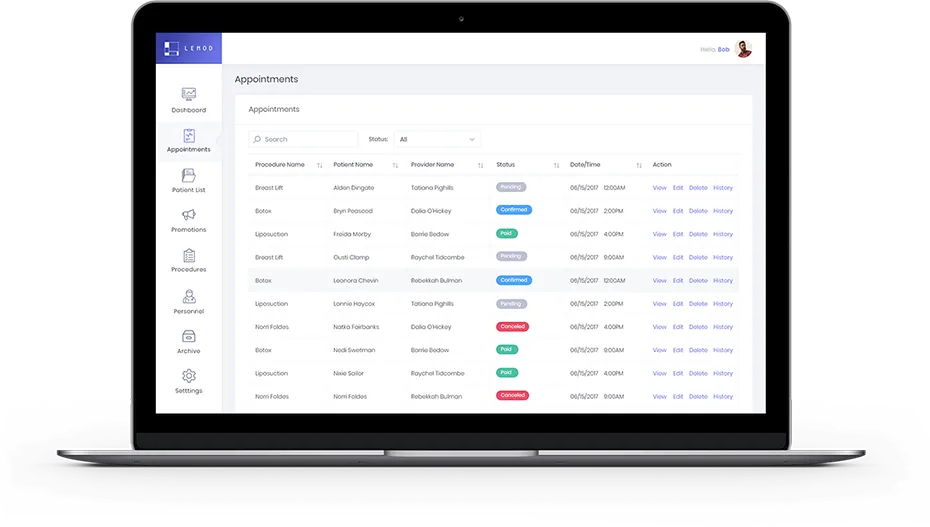
Designing for IoT is different from designing a standard website or app. The experience connects a person, a physical device and the system behind it, often with more users and more systems involved, and the interface has to work in the real world, not only in a design file.
Hardware limits
What goes wrongDesigns that ignore processor limits, memory, connectivity gaps or sensor behavior need costly rework once they meet the device.
How we design for itDesigners work with firmware and hardware engineers and validate concepts against what the device can really report, store and display.
Designs that cannot be built
What goes wrongA concept that looks right in a design tool but does not fit the device architecture, the firmware or the API delays the prototype and increases the budget.
How we design for itFlows are reviewed with the engineers who will build them, and interactions are documented down to states, errors and edge cases.
Device state and data age
What goes wrongScreens show optimistic or stale values while a device is offline or a command is still on its way, and users act on the wrong picture.
How we design for itConnection state, time of the last reading, pending actions and failures are designed into every view.
Physical and digital interaction
What goes wrongThe device, its display or indicators and the app tell different stories about the same state.
How we design for itOne visual system across the device display, the mobile app and the web interface.
Many users and roles
What goes wrongInstallers, operators, administrators and end users share one screen, and none of them gets what they need.
How we design for itRole-specific views and settings, designed from who acts, where and when.
Field conditions
What goes wrongAn interface that works at a desk fails outdoors, in motion or in bright light.
How we design for itPrototypes are tested where the product is used.
Setup and updates
What goes wrongPairing, provisioning and firmware updates are where many users give up or call support.
How we design for itOnboarding and update flows designed step by step, including what the user sees when something fails halfway.
Building the interface as well? See applications for connected products for the mobile side and web platforms and dashboards for the web side.
Connected products
Where UI/UX design fits in a connected product
In a connected product the interface is one layer of a single system: device, firmware, connectivity, cloud, data and the screens people use. These are the design decisions to settle before scope is fixed.
Start with who acts, and when
Identify the users, their environment and the decisions they make. An installer on site, an operator watching a dashboard and a consumer at home need different information at different moments.
Show system state honestly
Devices go offline, sensors report stale values and commands take time to arrive. Decide how the interface shows connection state, data age, pending actions and failure, so users are not misled by a stale or optimistic screen.
Design complex data for scanning
Dashboards and monitoring views compete for attention. Decide the few signals that need to be visible immediately, how detail is revealed and how alerts are prioritized so operators can act.
Prototype against real constraints
Test flows with realistic data volumes, connection interruptions and small screens. Define what each prototype should prove and which users test it before design is handed to engineering.
Hand off as a system
A design system, component states and interaction notes keep the interface consistent across mobile, web and device screens. Agree the artefacts engineering needs and how design changes are reviewed after launch.
The rest of the stack
- Applications & Experience The whole application layer of a connected product: mobile, web and design.
- Embedded & Firmware The device behavior and data the interface depends on.
- Cloud & Connected Systems The services and APIs behind live data, history and remote actions.
- AI for IoT systems When the interface has to explain predictions or recommendations.
Handoff
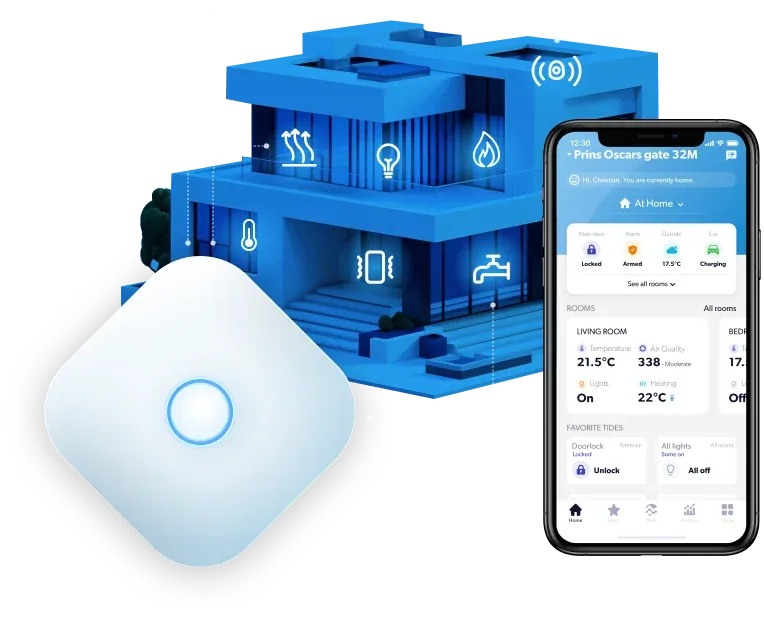
What your engineering team receives
User flows and logic definitions
Flows and the logic behind each decision point, including device states, errors and empty screens.
Wireframes and interactive prototypes
Clickable prototypes that were tested with users and reviewed with the engineers who will build them.
Design system and UI component rules
Components, their states and the rules front-end and mobile developers need to implement them consistently.
Collaboration with firmware and hardware teams
The data, status and timing the interface depends on, agreed with the people who build the device.
Case studies
Interfaces Indeema has designed
Five projects described on our case pages, from an on-device display to an industrial monitoring portal.
On-device display · iOS and Android · Web interface
One visual system for a ventilation unit
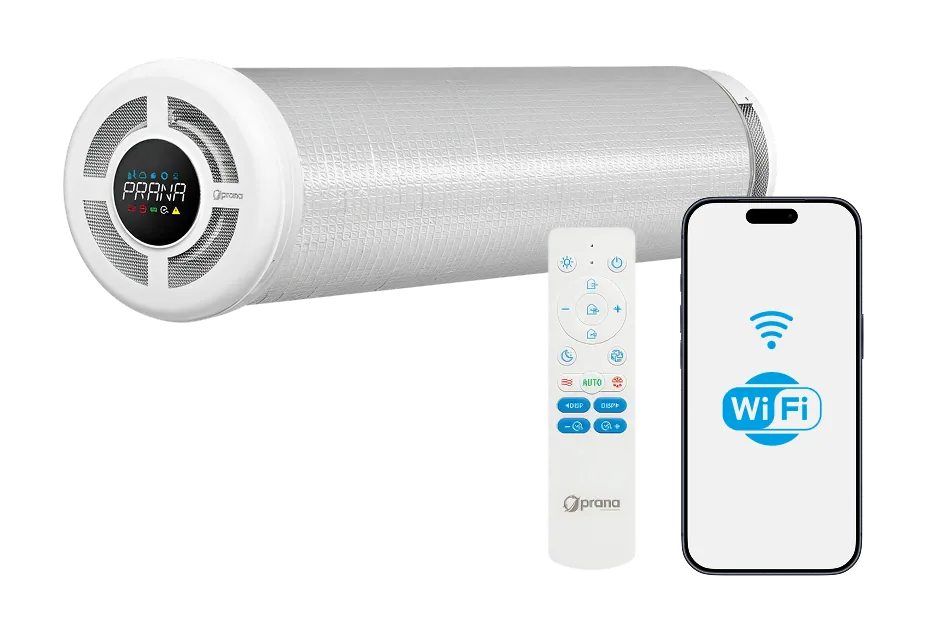
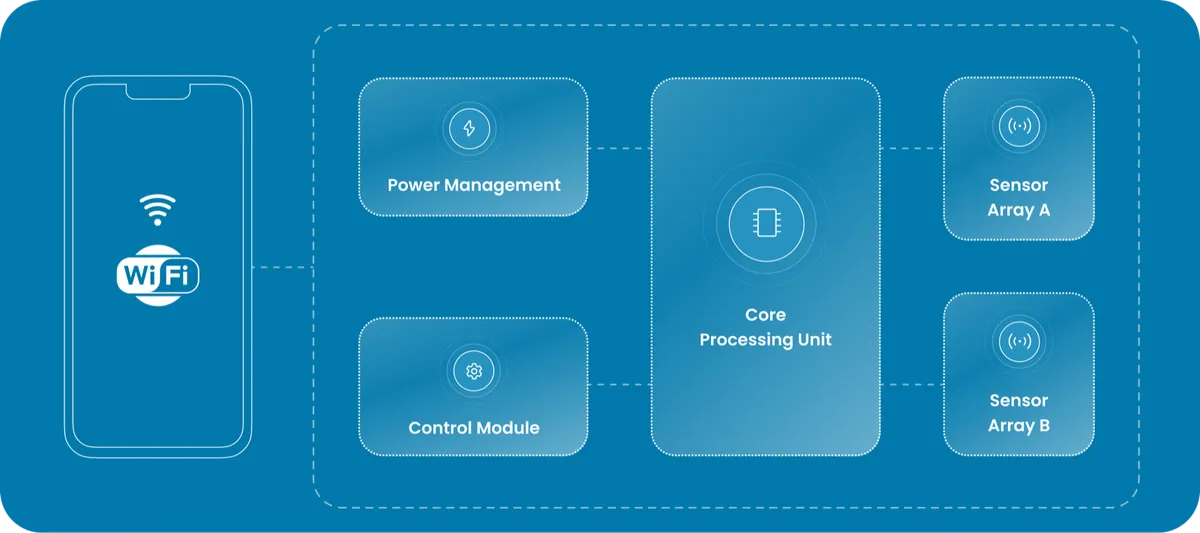
Indeema designed a unified visual system across the unit’s on-device display, the iOS and Android app and the web interface. The display shows operating mode, fan speeds, sensor readings and scenario status; the app adds a scenario builder, weekly schedules, an air-quality dashboard and device sharing.
Electronics, firmware and app for a connected ventilation unit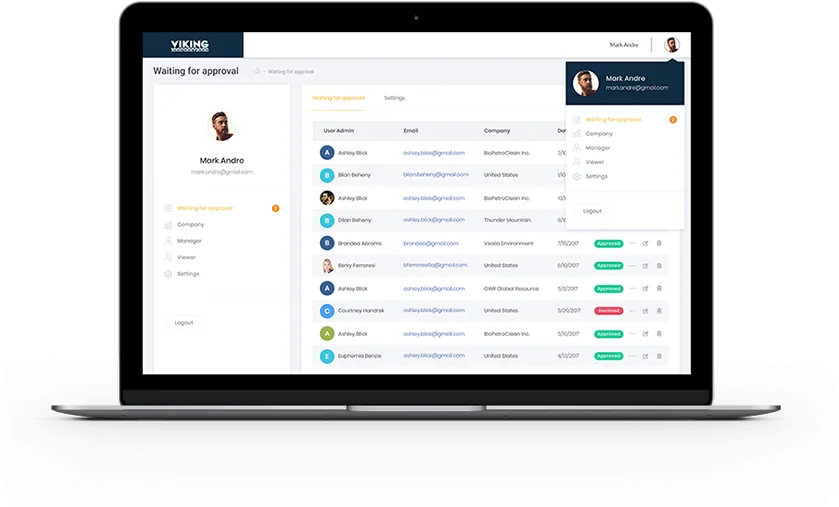
UX/UI design · Sensor dashboards
Industrial monitoring portal
A redesigned web portal for an existing SCADA product: user-built sensor dashboards, sensor widgets, real-time node status and notices when a device update is available, with data visualization chosen so large volumes of industrial data stay meaningful.
Extending a SCADA product with cloud monitoring and gateway updatesUX/UI design · Real-time dashboard
Real-time energy dashboard
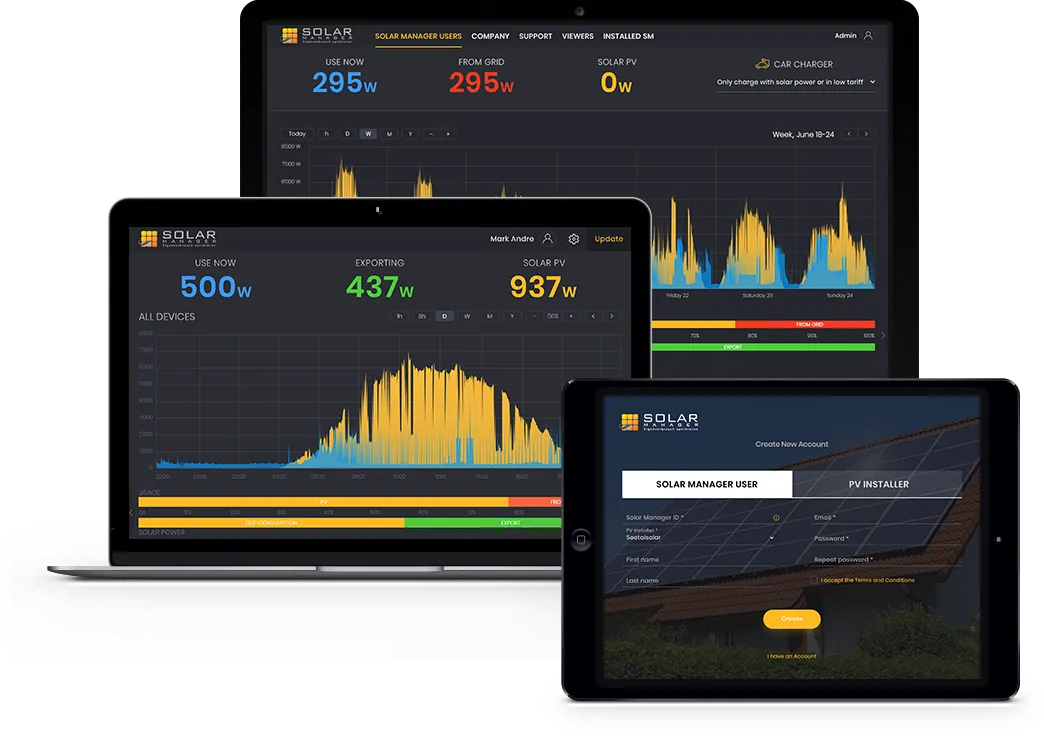
A web service for residential solar systems with an interface that groups the information users need most: production, consumption, export and import streamed live, account types with different permissions, and firmware rollout to devices started from the interface.
A web service for monitoring and configuring residential solar systems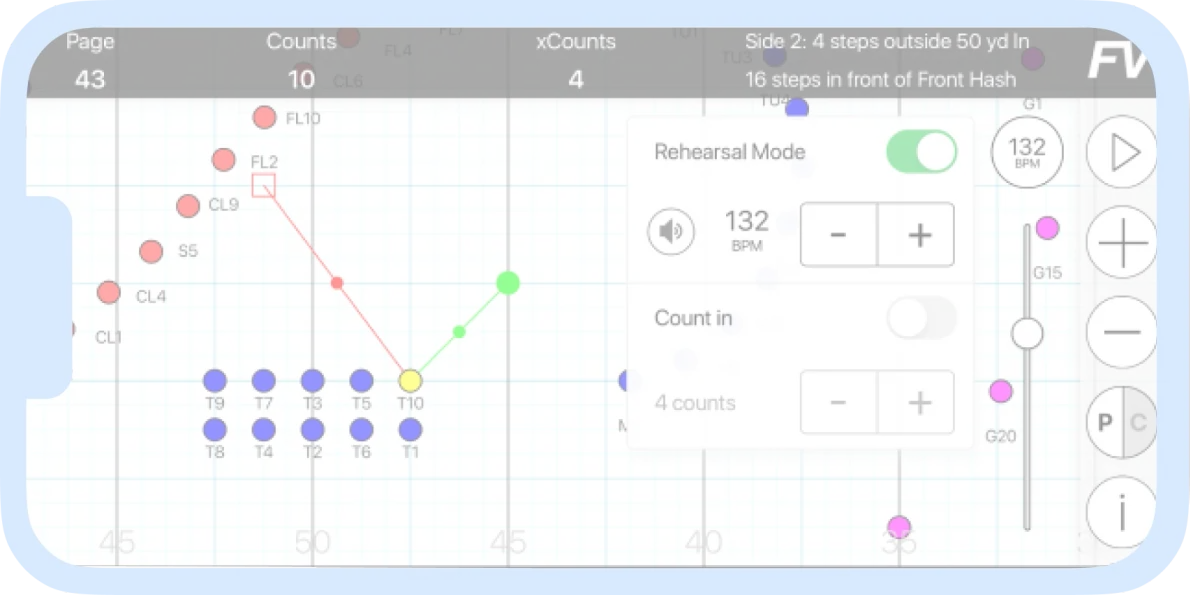
Prototypes · Field-condition UX testing
Apps used on the field
Indeema’s designer took over UX/UI leadership after the first iteration. Because performers use the app outdoors while carrying instruments, the discovery team tested prototypes in sunlight to keep screens legible where the app is really used.
Mobile and web apps for learning marching-band drill on the fieldUser flows · Firmware update
Companion app for RV batteries
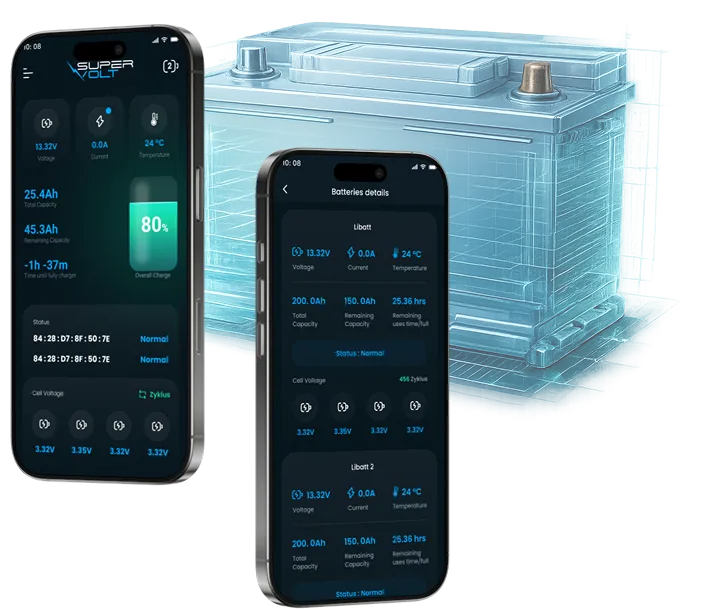
The client’s initial design was refined around the primary user groups and where and how they use the app, and the feature scope was turned into concrete user flows, including a firmware update started from the phone.
Rebuilding a Bluetooth companion app for RV lithium batteries
Related engineering insights
- How we built an IoT system for managing household solar energy Wireframes, a prototype and UX/UI design for a real-time energy platform.
- Building SCADA-style dashboards in Qt with QSimpleScada How operator dashboards for connected equipment are assembled from ready-made widgets.
FAQ
UI/UX design questions
What is UI design?
UI stands for user interface: the point where a person interacts with a website, an application or a device. UI design defines how that interface looks and behaves, and covers visual design, interactivity and the information architecture behind each screen.
What is UX design?
UX means user experience: how a person interacts with and experiences a product, from the first visit or setup to everyday use. UX design aims at products that are easy to understand and comfortable to use, so people reach their goal without help.
Why are UX services important?
A product that is easy to use tends to be adopted faster and to generate fewer support requests, and usability problems found during design are far easier to fix than after launch. For a connected product, UX also decides whether customers can complete setup on their own.
What is user flow?
A user flow is a diagram of the path a user follows from the entry point to the final interaction, with the decisions and system responses along the way. In a connected product, user flows also show device states such as pairing, offline or updating.
How can UI services help your product?
User interface design makes a product clear and consistent: people see what matters first, recognize the controls and understand what each action will do. That improves the experience customers have of your product and supports their loyalty to it.
How do you conduct UX research?
We treat UX research as the step that makes design decisions informed. It typically includes user interviews, online surveys, usability testing and personas. For an existing product we also run a UX audit and user testing to analyze how the app or site is used, and for a device we look at where and in what conditions it is used.
What are UX challenges designing for IoT?
UX for IoT differs from apps and websites because it covers the interaction between users, a digital system and a physical device. The design grows more complex with the number of users, roles, devices and connected systems, and it has to handle delays, lost connections and limited device resources.
What makes IoT UI/UX design different from regular app/web design?
You are not designing only a screen but an experience connected to real hardware, sensors, firmware and unstable networks. A dashboard can look right in a design file and still fail if the device has memory limits, slow connectivity or delayed sensor response. We design with those constraints known from the start, together with the engineers who build the device.
Do you design only UI/UX, or do you also handle physical device design?
Our design work covers the interface wherever the user meets it: mobile apps, web applications and dashboards, and the display and indicators on the device itself. The enclosure and industrial design are set by you or your industrial designer; our hardware engineers fit the electronics to that enclosure and its dimensions.
Can Indeema design embedded display interfaces (HMI)?
Yes, as part of the product’s interface. For a ventilation unit we designed one visual system across the on-device display, the mobile app and the web interface, with operating mode, fan speeds, sensor readings and scenario status readable on the device. Display design is planned with the firmware engineers who drive the screen.
Can Indeema work with our existing development team?
Yes. Many clients already have in-house engineers or other development partners. We fit into the existing workflow and provide design documentation for developers, user flows and logic definitions, UI component rules for front-end implementation, and direct collaboration with firmware and hardware teams.
Do you design mobile app UI/UX for iOS and Android?
Yes. We design mobile apps for iOS and Android that follow each platform’s navigation and controls, and for connected products we design pairing, permissions, live readings and firmware-update flows. Our case pages include redesigned and refined companion apps for a Wi-Fi camera and for RV batteries.
Can you redesign an existing app or dashboard?
Yes. We start with a UX audit of the current product and how people use it, then redesign around the core tasks while keeping compatibility with the devices, firmware and APIs already in use. We have refined a client’s initial app design around its real usage context and redesigned an industrial monitoring portal with sensor widgets and real-time node status.
Which design tools do you use?
Interfaces are designed and prototyped in Figma, with a shared component library that becomes the design system developers build from. Research uses interviews, surveys and usability tests; the tool matters less than testing with realistic data and real users.
Can you also build the product you design?
Yes. Indeema’s designers work in the same company as the engineers who build mobile apps, web applications, firmware and the cloud back end, so design and engineering can be one engagement. We also design for products another team will build.
Tell us about your project
Start with who uses the product, and what they need to see
A first conversation covers your users, the device and the decisions the interface must support, not a portfolio pitch.
Bring us
- Your product idea, or the existing product with its feedback or analytics
- Who the users are and where they use the product
- The device and data the interface depends on, if there is one
- The part you want Indeema to design or build
Related services
- Applications & Experience When the design becomes a mobile app for a connected product.
- Web platforms and dashboards When the design becomes a web application or monitoring portal.
- MVP development When the design has to be tested as a first release.
- Cross-platform app development When one codebase should serve iOS and Android.