


Expertise / Web & data
Custom database development services for web platforms and connected products
Indeema designs and builds custom databases that store your data reliably and retrieve it quickly: data models, SQL and NoSQL development, migration from older systems, testing and optimization. Much of the work sits behind web platforms and connected products, where accounts, device records and sensor readings each need a different kind of storage.
Overview
Custom database development
We offer custom database development to help businesses make use of large amounts of data. Each company has its own data management needs, so a bespoke database starts from your data, your users and the questions the system must answer, and Indeema’s engineers build the tools to store it securely and retrieve it efficiently.
Many of the databases we build sit behind a web platform or a connected product. There, customer accounts, device records and configuration, and the stream of sensor readings behave very differently, so they are usually kept in different stores and connected through the cloud back end and its APIs.
Services
Database development services by Indeema
Six services, from advice on the right database system to testing and optimizing one that already runs. Engage us for one of them or for the whole lifecycle.
Custom database solutions
A database application designed for your business needs and goals: the data model, the schema, access rules and the code around it, whether the database is new or replaces spreadsheets and older tools.
Database consulting
Professional advice on database systems and practices: relational or NoSQL, managed cloud services or self-hosted, how to structure data for the queries that matter, and how to keep it consistent as the product grows.
Database application development
Web, mobile and desktop applications on top of the database, so the people who need the data can find it, update it and act on it.
Custom web developmentData mining and transformation
Retrieving the information you need from a large data flow: an architecture that structures, indexes and transforms incoming data so it can be queried and reported on.
System migration
Upgrading outdated systems: moving an existing database to a new application, platform or data model, with the data checked before and after the switch and a plan to roll back.
Database testing
Performance testing to check the database and find ways to make it faster and more efficient, plus debugging, troubleshooting, and query and index optimization.
Solution types
Custom database development solutions
Database solutions differ by who uses them and what the data has to do. These are the types we design for, often combined in one system.
End-user database solutions
Databases people work with directly, for maintaining records, updating them and generating reports without going through a developer.
Data warehouse solutions
A separate store that brings data from several systems together for reporting, checked for inconsistencies on the way in.
Distributed database solutions
Data spread across several nodes or regions, for availability and for users or devices in different places.
Analytical database solutions
Storage organized for queries over large volumes of history, such as trends across devices, sites or customers.
Operational database solutions
The database an application runs on day to day, where critical data is read and changed in real time.
External database solutions
Data managed outside the core application, such as a managed cloud database or a store shared with partners, where performance and access control matter.
Choosing a database
SQL, NoSQL or time-series: which database fits?
Most systems we build use more than one kind of store. The choice follows the shape of the data, the queries and how fast it grows.
Relational (SQL)
- Data shape
- Tables with a defined schema and relations between them
- Consistency
- Transactions keep related changes consistent
- Scaling
- Usually scales up, or out with careful design
- Typical use in our projects
- Customer accounts, billing, transactions and calculated indicators
- Examples
- Azure SQL, MySQL, PostgreSQL
NoSQL
- Data shape
- Documents, key-value pairs, wide columns or graphs, with a flexible structure
- Consistency
- Often trades strict consistency for scale and availability; varies by database
- Scaling
- Usually designed to scale out across nodes
- Typical use in our projects
- Device configurations, flexible records and high-volume device data
- Examples
- MongoDB, Cosmos DB, DynamoDB, Redis (cache)
Time-series
Sensor readings that arrive at fixed intervals from many devices are time-series data. They can live in a time-series database such as InfluxDB or TimescaleDB, or in a NoSQL store designed for them; we choose after looking at the query patterns and retention.
Connected products
The right database for IoT architectures
We combine IoT engineering with database development. Databases are central to an IoT system, because they have to keep up with fast-moving data from sensors and devices.
Data volume and variety
Connected products produce several types of data at once: readings, events, configurations, files and user actions, each with its own size and lifetime.
Scalability
There may be thousands of devices in an installation, and each new device adds records and readings that the database must absorb.
Time-series data
Sensor data is captured at specific locations and time intervals, which calls for time-series and spatial functions to store, process and query it efficiently.
High performance
Many IoT applications have real-time or near-real-time parts, such as alerts when a reading crosses a threshold, which need fast writes and fast queries on recent data.
The rest of the system
- Cloud & Connected Systems Device connectivity, data ingestion and the APIs in front of the database.
- Custom web development The web applications and dashboards that read and write the data.
- Embedded & Firmware What the device sends, how often and in which format.
- IoT Product Engineering Device, cloud, data and applications as one scope.
Technologies
Databases we use in projects
The database follows the data and the platform it runs on. These are the stores our case pages describe; others, such as PostgreSQL, InfluxDB or TimescaleDB, are options we evaluate per project.
Azure SQL Database
RelationalCustomer accounts and calculated indicators in Azure-based platforms, next to other stores for device data and files.
In practice: Taking over the cloud, web and mobile software for Dol-Sensors farm sensors · Sensocor: from a Bluetooth heart-signal sensor to a doctor's web portal
MySQL
RelationalRelational storage behind web services and APIs.
In practice: Scaling an OpenADR demand-response platform on AWS serverless
Cosmos DB
NoSQL documentSensor data and device configurations in an Azure IoT platform.
In practice: Taking over the cloud, web and mobile software for Dol-Sensors farm sensors
DynamoDB
NoSQL key-valueDevice readings and records in serverless AWS back ends, including a database entry created for each manufactured device.
In practice: Building an indoor air monitor and companion app across two device generations · Extending a leak-detection product into a connected smart-home hub
MongoDB
NoSQL documentFlexible records for web platforms and device data that feeds dashboards.
In practice: Extending a SCADA product with cloud monitoring and gateway updates · Mobile and web apps for learning marching-band drill on the field · A lift energy and trip monitor, from meter interface to web portal
Redis
CacheCaching and fast lookups in front of the main database.
In practice: Extending a SCADA product with cloud monitoring and gateway updates · Mobile and web apps for learning marching-band drill on the field
Process
The steps in database development
Planning
Goals, users and the systems the database serves, and what success looks like.
Gathering requirements
The data to store, who reads and writes it, the queries that must be fast, retention, and security and access rules.
Conceptual design
The main entities and how they relate, agreed with the people who know the business.
Logical design
Tables or collections, keys and constraints, independent of a specific product.
Physical design
The chosen database, indexes, partitioning and storage, sized for the expected volume.
Construction
Schemas, migrations, queries and the application code that uses them, with tests.
Implementation and rollout
Data migration from older systems, verification and a release plan with rollback.
Support
Monitoring, backups, performance tuning and changes as the product evolves.
After launch
- Maintenance and product support Keeping the database and the applications on top of it current.
- DevOps services Environments, backups, monitoring and release pipelines.
Case studies
Database work in Indeema projects
Five projects whose case pages describe how their data is stored.
Azure SQL · Cosmos DB
Two stores for a farm-sensor platform
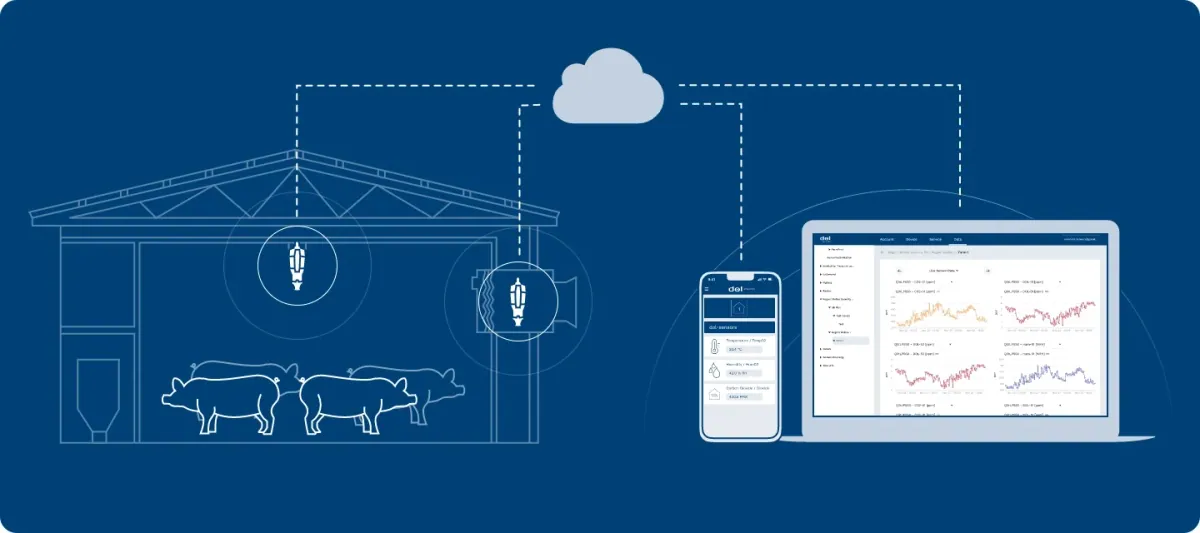
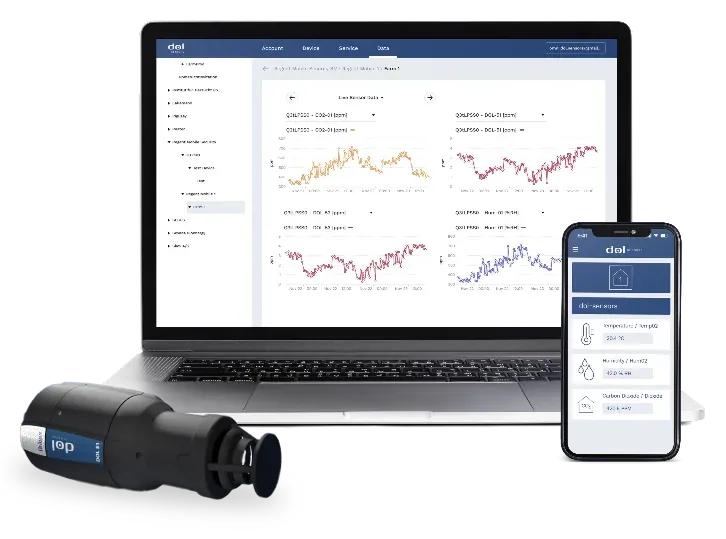
A combination of SQL Database for customer account management and Cosmos DB for sensor data and device configurations, behind a .NET back end on Azure with IoT Hub collecting the sensor data.
Taking over the cloud, web and mobile software for Dol-Sensors farm sensors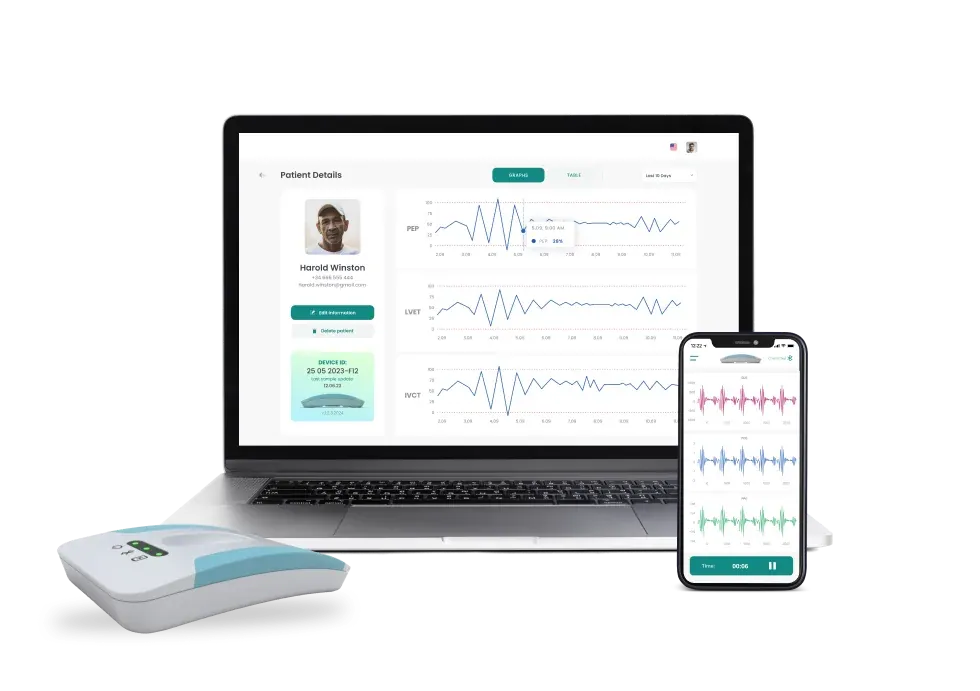
Azure SQL · Blob Storage
Recordings and indicators for a cardiac sensor
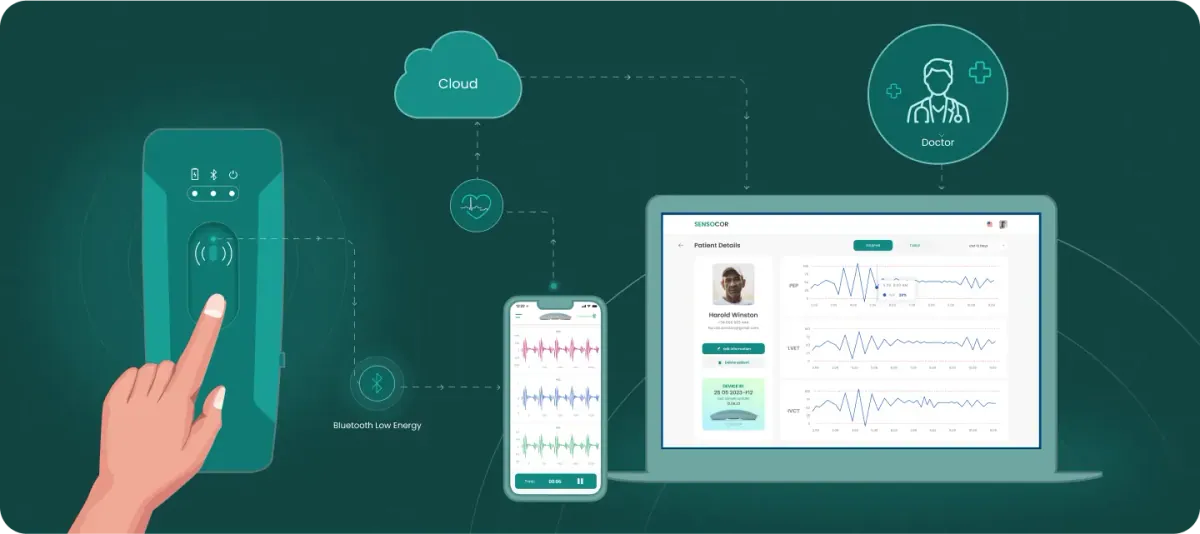
Recordings uploaded from the mobile app are stored in Blob Storage, while calculated indicators are stored in Azure SQL and presented to doctors in a web portal.
Sensocor: from a Bluetooth heart-signal sensor to a doctor's web portal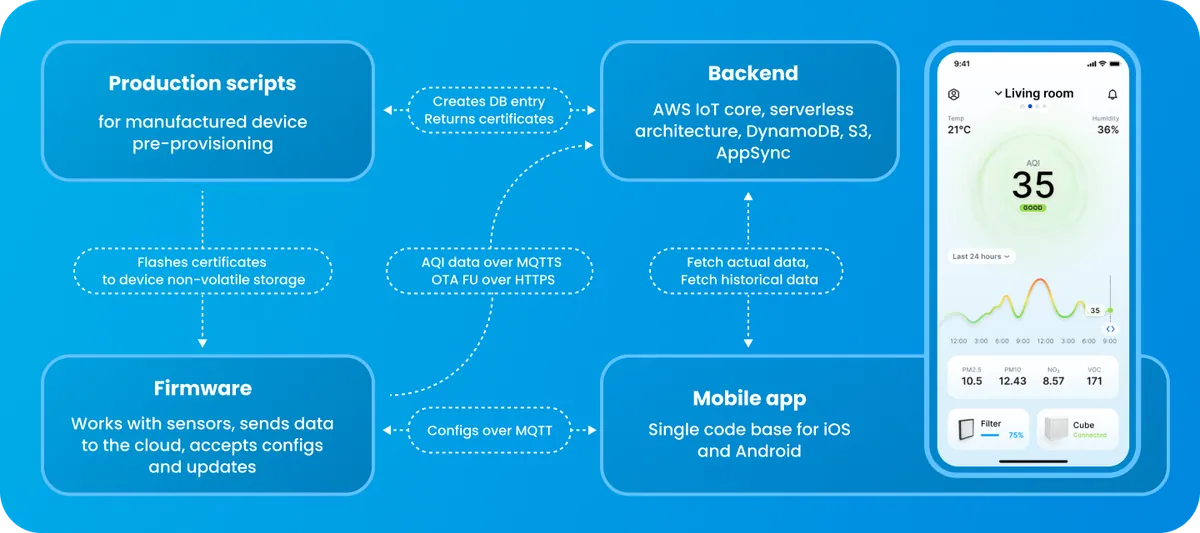
DynamoDB · S3
Serverless storage for an air-quality device
A serverless AWS back end where Lambda, DynamoDB, S3 and AppSync process and store readings, and production scripts create a database entry for each manufactured device.
Building an indoor air monitor and companion app across two device generations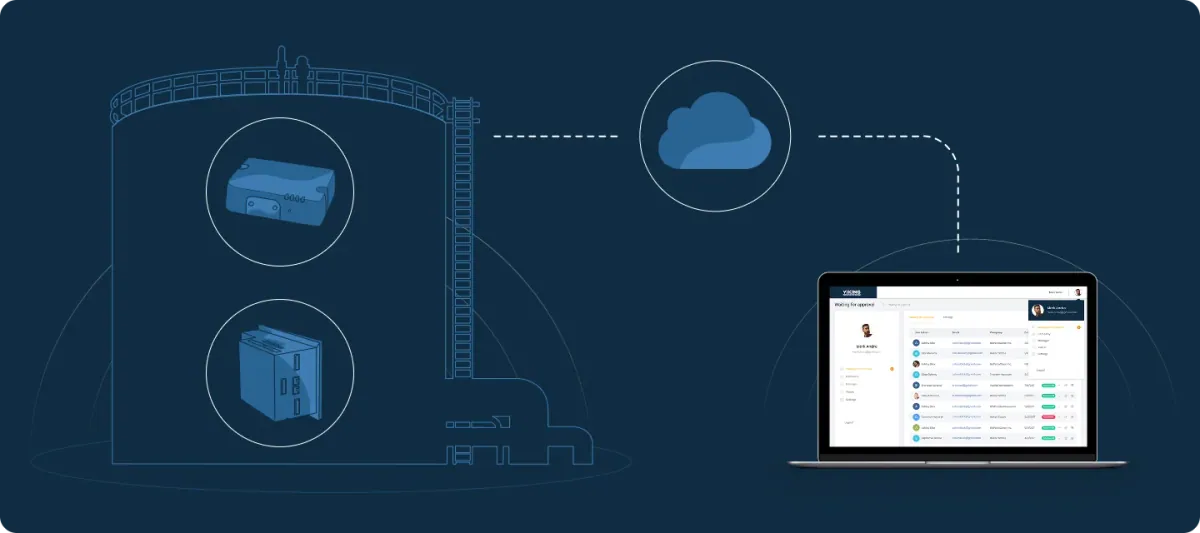
MongoDB · Redis
Cloud database behind SCADA dashboards
The web application receives sensor data through the gateway API and stores it in a cloud database that feeds user-built dashboards.
Extending a SCADA product with cloud monitoring and gateway updates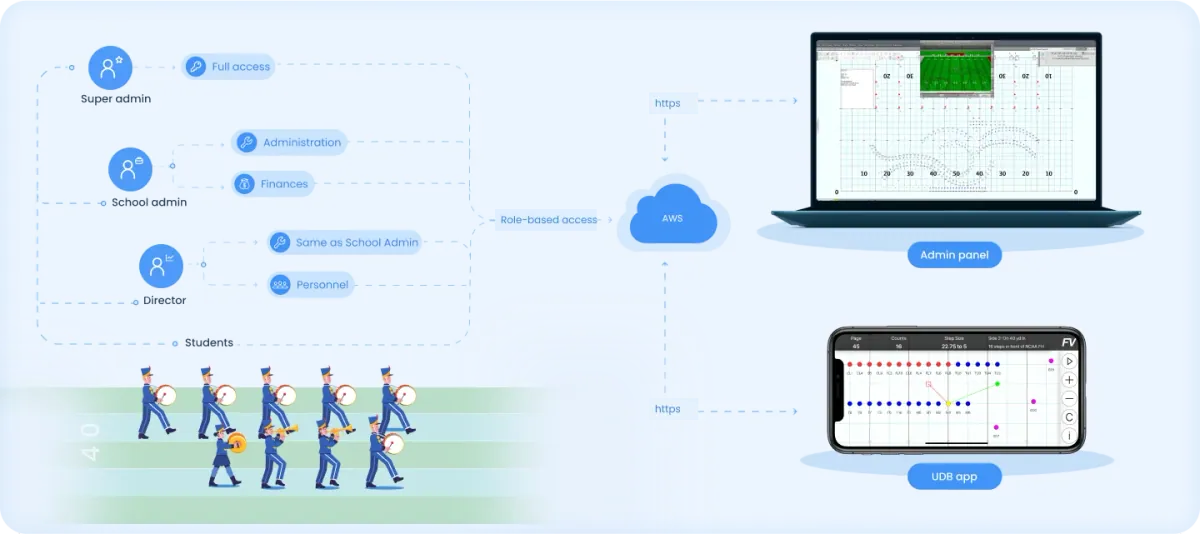
MongoDB · Redis
Back end for a drill app and admin panel
A Node.js back end on AWS with MongoDB and Redis serves the iOS and Android drill apps and the web admin and licensing panel.
Mobile and web apps for learning marching-band drill on the field
Related engineering insights
- Why Node.js suits IoT projects Node.js for connected systems, including how to choose a database for IoT data.
- IoT solution anatomy The layers of a remote IoT system, from device to data storage and applications.
FAQ
Database development questions
What does a database software developer do?
A database developer designs and implements databases: the data model, schemas, queries and indexes, the code that reads and writes the data, migrations between versions, and the tests and tuning that keep it reliable and fast.
What is website database development?
Website database development means designing and building the database behind a website or web application, and the code that reads and writes it: accounts, content, transactions or device readings. It covers the data model, queries and indexes, access control, backups and migrations.
What are the steps in database development?
Database development usually runs through eight steps: planning, gathering requirements, conceptual design, logical design, physical design, construction, implementation and rollout, and support. Small projects compress them, but skipping design is what most often makes a database slow or hard to change later.
What type of database is used in IoT?
Most IoT platforms combine stores. Relational databases such as Azure SQL, MySQL or PostgreSQL hold accounts and configuration; NoSQL databases such as Cosmos DB, DynamoDB or MongoDB hold device records and readings; time-series databases such as InfluxDB suit high-frequency sensor data. Our case pages describe Azure SQL with Cosmos DB, and DynamoDB in serverless AWS back ends.
What are SQL and NoSQL?
SQL is the language used to define and query relational databases, where data sits in tables with a fixed schema and transactions keep it consistent. NoSQL covers databases that store data in other forms, such as documents, key-value pairs, wide columns or graphs; they usually scale out more easily and allow a more flexible structure.
What’s included in database development services?
Consulting on the database system, data modeling and schema design, development of the database and the code around it, migration of existing data, performance testing and optimization, and support after launch. You can engage us for one of these or for all of them.
Can you migrate our existing database to a new system?
Yes. We review the current schema and data quality, design the target model, migrate in stages with checks before and after, and keep a rollback path. Older applications can keep working against the old data until the switch.
Do you build databases for connected products and IoT platforms?
Yes. We separate accounts, device records and configuration, and sensor readings, choose a store for each, and design them with the cloud back end and the firmware that produces the data. Our case pages include Azure, AWS and MongoDB-based platforms.
Tell us about your project
Start with the data and the questions it must answer
A first conversation covers what you store today, who uses it and where it hurts, not a database brand.
Bring us
- What the system stores, and where it lives today
- Who reads and writes the data, and how often
- The queries or reports that are slow or missing
- The part you want Indeema to own
Related services
- Custom web development When the database needs a web application on top of it.
- Cloud & Connected Systems When device data must be ingested, stored and served at fleet scale.
- Maintenance and product support When an existing system needs an owner after launch.
- IoT Product Engineering When the database is one layer of a connected product.