


Manufacturing
Engineering connected products for machines that keep running
Indeema helps industrial technology and equipment companies build the monitoring and diagnostics products that attach to machines already at work. Firmware, hardware, cloud and applications are engineered around a machine that keeps running.
Manufacturing software development for connected equipment starts at the machine: where the product takes its signal, where it has to be fitted and how one installation differs from the next.
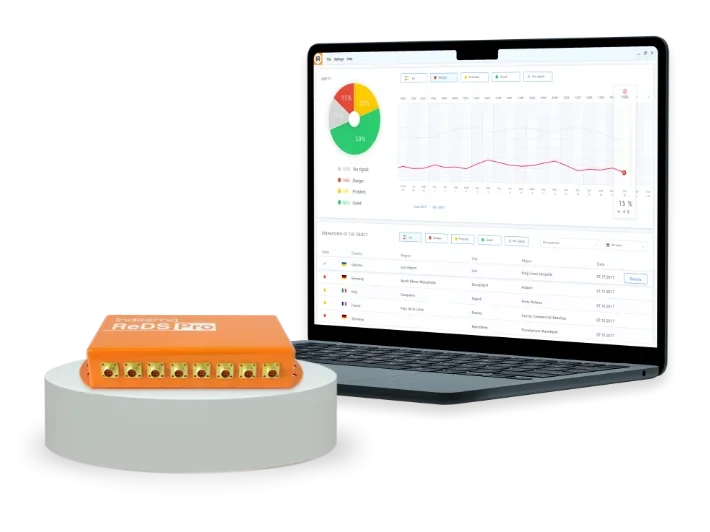
A multichannel sensing unit with its connectors, and the interface that shows what it measures.
The running machine
The machine was there first
It already has a place on the floor, a way of moving and neighbours that behave differently. A connected product does not redesign that machine. It has to meet it where it is.
RUNNING
- MECHANISMTAPwhere the signal comes from
- MOTOR ROOMMOUNTwhere the product lives
- NEXT MACHINEVARIETYwhat changes from one to the next
- 01
TAP
Where and how the product gets its signal.
- 02
MOUNT
Where the product physically has to live, and how it is installed.
- 03
VARIETY
What changes from one machine or installation to the next.
The three are not a sequence. Every machine raises all of them, in any order, and each one is settled from facts about that machine.
TAP
Take the signal the machine gives you
A product on an existing machine can only use what that machine exposes. The choice of tap point decides what the software can ever know.
- 01SENSOR
Vibration at the mechanism
Accelerometers on a rotating mechanism pick up how it moves. Their sensitivity and frequency range have to suit the machinery being watched.
- 02CURRENT
Current beside a meter
Clamps on the supply cable read the electrical load of a motor, next to a meter that is already there.
- 03CONTACT
A contact the machine already offers
Where a machine exposes a status output, such as an out-of-service signal, the product can take it as a further input.
- 04CHANNELS
Several channels into one unit
When more than one sensor feeds a unit, its interface has to read each channel on its own and keep it distinct.
The signal interface is engineered in Embedded & Firmware and the sensing hardware in Hardware & Electronics .
MOUNT
Fit it where the machine lives
A product on an existing machine is judged by how it is installed. It sits in an enclosure, runs cable to its sensors and is fitted by whoever turns up to do it.
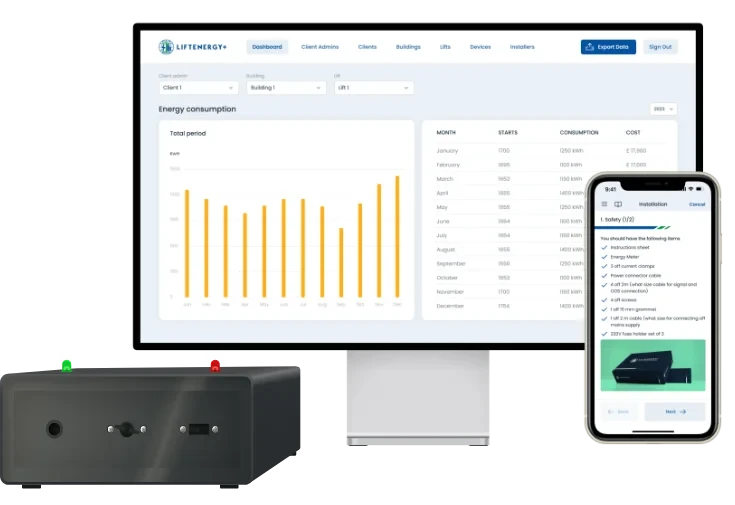
A monitoring device beside an existing meter, with its installation checklist on a phone.
- 1
Enclosure and cable
Boards and components are placed in an enclosure from mechanical drawings. Sensors are connected and cables routed before the unit is tested.
- 2
Position
A device can sit in a motor room beside an existing three-phase meter, using current clamps on the supply.
- 3
The installer
A checklist takes the person fitting the device through its parts, clamps and cables. That person is not always the engineer who designed it.
VARIETY
No two machines are alike
A product that works on one machine has to be set up for the next. What changes is known from the machine, not from the product.
- 01PER MACHINE
Sensor range
A vibration unit’s accelerometer range has to match the frequencies expected from the machinery. A different machine can need a different range and sensitivity.
- 02PER UNIT
Starting current
Lifts differ in how much current they draw when they start, so one trip threshold fits few of them. Adaptive thresholds adjust detection to each lift.
- 03PER INSTALLATION
Settings
Sensitivity, processing parameters and report format can be tuned to what a particular user needs from the product.
Per-unit behaviour is implemented in Embedded & Firmware and in Cloud & Connected Systems .
What this changes
The machine sets the engineering brief
These conditions move decisions earlier in the work, and into places a software-only plan would not look.
- 01
Choose the tap point before the architecture
Where the signal comes from fixes the sensor, the interface and what the software can ever display.
- 02
Design the enclosure and cable with the electronics
Fit is a hardware decision taken alongside the board, not left for installation day.
- 03
Treat installation as part of the product
Whoever fits a unit needs instructions and checks that live inside the product.
- 04
Make setup per unit a feature
Ranges, thresholds and sensitivity are settings with an owner, not constants in code.
- 05
Test against the machine’s own signals
Input-signal validation and load tests belong in quality assurance from the first build.
Products in practice
Built on machines like these
Two products, two kinds of machine, one pattern: the product was engineered around the machine it was fitted to.
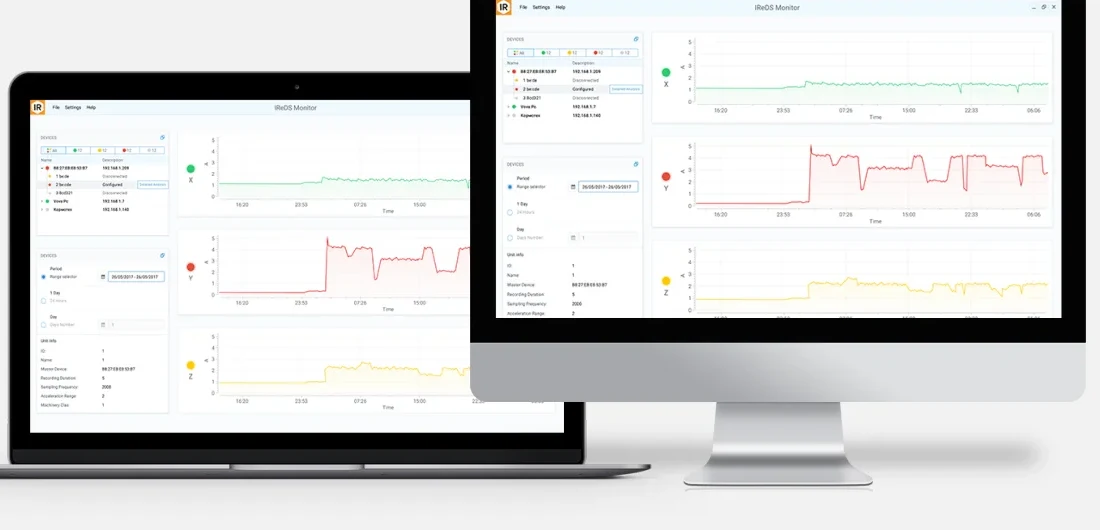
The vibration monitoring interface, with device status and trend traces.
- ROTATING MACHINERYiReDS vibration diagnostics
Indeema built a multichannel vibration-monitoring product from the sensor requirements to the finished unit: firmware, enclosure and cabling, desktop and web software, and testing.
- Sensing
- Frequency range and sensitivity chosen to suit the machinery; firmware reads each accelerometer channel and includes calibration and self-diagnostic routines.
- Software
- Desktop software for Linux, macOS and Windows, with processing either locally or in the cloud.
- EXISTING EQUIPMENTLift energy monitoring
Lifts are not factory machines, but the conditions are the same: equipment already in service, fitted by an installer, unlike the lift beside it. Indeema built a device that sits next to a lift’s existing meter, the firmware, a web portal and an installer app.
- Per unit
- Adaptive trip-detection thresholds account for each lift’s starting current.
- In service
- Devices are updated over the air through LTE or Wi-Fi.
Where the work continues
This page sets the conditions. The engineering sits elsewhere
Once a reading leaves the machine
What happens to the reading afterwards, across a fleet of such machines, is the subject of Industrial IoT & Intelligence .
Signal interfaces and per-unit behaviour
The embedded side is engineered in Embedded & Firmware .
Sensors, boards and enclosures
The physical product is engineered in Hardware & Electronics .
Installer and maintainer screens, per-unit settings in the cloud
The software around the device is engineered in Applications & Experience .
Device, apps and cloud as one product
When all layers are one scope, continue with IoT Product Engineering .
If these conditions are not yet written down, begin with Product Discovery & Technical Strategy . For a wider programme, see the article on implementing a smart manufacturing strategy .
Start at the machine
Bring the machine, the product and what you already know
We can map where the signal comes from, how the product is fitted and what changes between units before deciding what belongs in hardware, firmware, cloud or application software.
Bring us
- The machines, and the signal each one offers
- Where, and by whom, the product will be fitted
- How installations differ from one another