


Expertise / Maintenance & Support
Software maintenance and support services for connected products
Indeema keeps software useful after launch: fixing issues, keeping dependencies and operating systems current, and adding features as user needs change. For connected products, post-production support covers the whole system, so firmware already in the field, the companion app and the cloud behind them stay compatible as each one changes.
After Evolve the loop returns to Monitor. Use the arrow keys to move between the steps of the lifecycle.
Product in the field
App 3.2 · Firmware 2.5 · Cloud API v2
- LaunchHandover and runbooks.
- MonitorAlerts and reports.
- TriageSeverity and reproduction.
- FixCorrective maintenance.
- ReleaseTested against devices in the field.
- EvolveAdaptive and perfective work.
Overview
Software maintenance and support after launch
After launch, operating systems, libraries and cloud services keep changing under your product, and users keep asking for more. We keep it working through all of that. Software maintenance and support are just as essential as development: operating systems, libraries and cloud services keep changing, and user needs keep evolving after the first release.
In a connected product that work spans more than one code base. A new phone operating system can break the Bluetooth link to a device, a cloud dependency can reach end of life, and firmware already installed in the field has to keep working with every new app version. We maintain the firmware, the apps and the cloud services as one system.
Services
Software maintenance & support services
Maintenance fixes what breaks, keeps dependencies current and adds what users ask for, so the people already using the product keep using it.
At Indeema, maintenance is part of full-cycle software development, with established processes and the same engineering disciplines we use to build products. A software maintenance phase typically involves QA engineers, a project manager and developers, joined by firmware, mobile, cloud or DevOps engineers when the issue is in their layer. Response times for critical issues are agreed in your support plan, together with the hours and the coverage you need.
We support products we built and products developed by other vendors: back end and front end, mobile apps, firmware and hardware-related software, or all of them together. For pipelines, environments and infrastructure operations, see DevOps and release engineering.
Process
Maintenance process we follow
Collection of requirements
Whatever stage your project is in, we start by identifying what kind of support you need: back end or front end, apps, firmware and hardware-related software, or all-in-one, for systems we built or that are already in production after another vendor. Then we agree the number of hours, response times for each severity and whether work outside office hours is needed.
Documentation
Before support starts, we create a Protocol of Actions document that describes the technical aspects of the project, all the accesses, issues that can occur and the quick fixes for them. For a product taken over from another team, this is also where gaps in documentation, build instructions and access are found and closed.
Issues identification and timely response
As soon as we identify an issue or receive a request, the team starts working on it. The Protocol of Actions lets engineers find the information they need quickly and start fixing at once. Besides fixing critical issues, we set up monitoring and notifications that warn you about potential problems in advance.
Releases and reporting
Fixes and improvements are tested and released through an agreed process, including staged updates for devices in the field. You receive regular reports on fixed issues, new functionality and changes.
Maintenance services explained
Maintenance services explained
Software maintenance is usually divided into four types. Most support plans combine all of them; the balance changes as the product matures.
Corrective maintenance
The most urgent type: correcting errors that users report or that monitoring detects, in the source code, configuration or data. In a connected product a defect may sit in the app, the cloud or the firmware, so it is reproduced across the system before it is fixed.
Preventive maintenance
Work that reduces the chance of future failures: dependency and security reviews, refactoring fragile code, improving tests, monitoring and documentation, and removing obsolete or unused features before they cause problems.
Perfective maintenance
Using user feedback to implement new features and improve the software’s functionality, usability and performance, released in small, tested steps so the product evolves without destabilizing what already works.
Adaptive maintenance
Modifying code because something outside it changed: a new operating-system version, a software dependency or cloud service, a new hardware revision or a business policy. For connected products this includes keeping new app versions compatible with firmware already installed.
Embedded & Firmware
Why Indeema
Why choose Indeema for software maintenance
Peace of mind
With post-production support in our hands, you can concentrate on the core of your business rather than on keeping your software working.
Scalability
New operating-system versions and dependencies arrive on a regular basis. The support scope can grow from a few components to the whole system, and shrink again, as the product changes.
Market competitiveness
Users keep looking for new features. Planned perfective work keeps the product current, alongside the fixes that keep it stable.
Transparency
We provide regular reports on bug fixing, new functionality releases and modifications, and keep the documentation and accesses up to date so the product is never dependent on one person.
Connected products
What changes after launch in a connected product?
A connected product keeps changing after release, one layer at a time. Maintenance has to track each layer and the compatibility between them.
Device firmware
What changes after launchBug fixes, security patches, new hardware revisions, new features
What maintenance coversVersioned releases, OTA or service-visit updates, a recovery path for failed updates, compatibility with deployed devices
Mobile apps
What changes after launchNew iOS and Android versions, store policies, Bluetooth and permission behavior
What maintenance coversUpdates for current OS versions, regression tests against supported firmware, store releases
Cloud services
What changes after launchDependency and runtime end of life, provider changes, load
What maintenance coversDependency and security updates, monitoring, backups, performance work
Web portals and admin tools
What changes after launchBrowser and framework updates, new roles and reports
What maintenance coversFramework upgrades, fixes, new features for operators and support staff
Integrations
What changes after launchThird-party APIs and protocols change or are retired
What maintenance coversCompatibility updates and tests against the partner’s current version
Connected products
Where maintenance fits in a connected product
In a connected product, software maintenance and support is one layer of a single system: device, firmware, connectivity, cloud and app. These are the questions to settle before a support plan starts.
Define what is supported
List the components covered: cloud services, applications, firmware, integrations. For each, state the supported versions and how long compatibility is kept with devices already deployed.
Agree how issues are reported and prioritized
Set the channels, the information needed to reproduce a problem on a device, the severity levels and the response expectations. Agreed expectations prevent disputes when an incident occurs.
Keep dependencies current
Operating systems, libraries and cloud services change. Plan regular dependency and security reviews and how updates are tested against devices in the field before rollout.
Separate fixes from new development
Decide how bug fixes, small improvements and larger features are estimated and scheduled, so the product can evolve without destabilizing what already works.
Plan for handover and continuity
Documentation, access, build instructions and runbooks let another team take over. Test that handover material is enough to build, release and diagnose without the original authors.
The rest of the stack
- DevOps and release engineering Pipelines, environments, monitoring and OTA update jobs.
- Embedded & Firmware Firmware changes and the update mechanism on the device.
- Applications & Experience Mobile and web apps that work with the device.
- Cloud & Connected Systems The back end, APIs and device management.
Case studies
Products Indeema maintains and supports
Five projects whose case pages describe maintenance, takeover or long-term support work.
Azure · iOS · Android
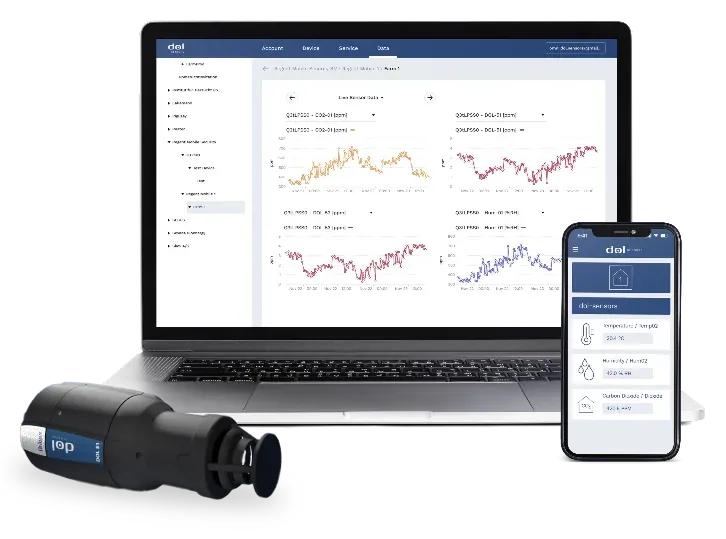
Taking over a farm-sensor platform
The client had a working system built with earlier partners and wanted a team to take over its software. Indeema reviewed the Azure cloud back end, tested the iOS and Android apps, reviewed the code, fixed critical bugs and updated the apps for current OS versions, and has kept maintaining and extending the platform while firmware stays with the client.
Taking over the cloud, web and mobile software for Dol-Sensors farm sensors
Flutter · OTA · GitHub Actions
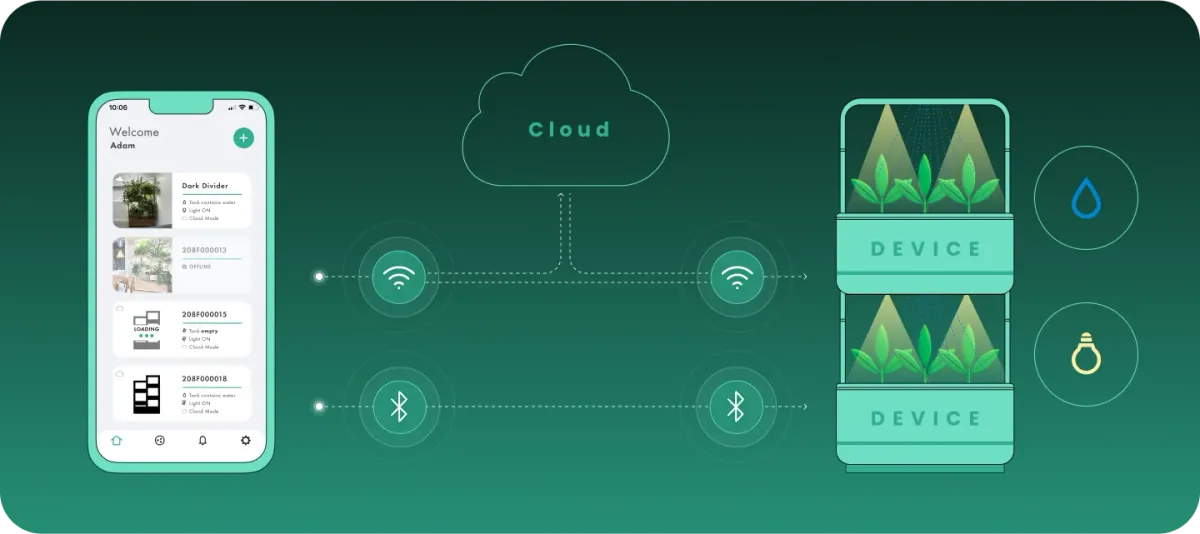
Extending an existing device app
The team reviewed existing code and legacy systems, helped the client’s team resolve firmware issues, upgraded the Flutter app and added Bluetooth control with OTA firmware updates. A full rewrite was judged unnecessary at that stage; the Django back end and AWS setup are maintained with GitHub Actions automation.
Adding Bluetooth setup and OTA updates to an indoor plant-care control app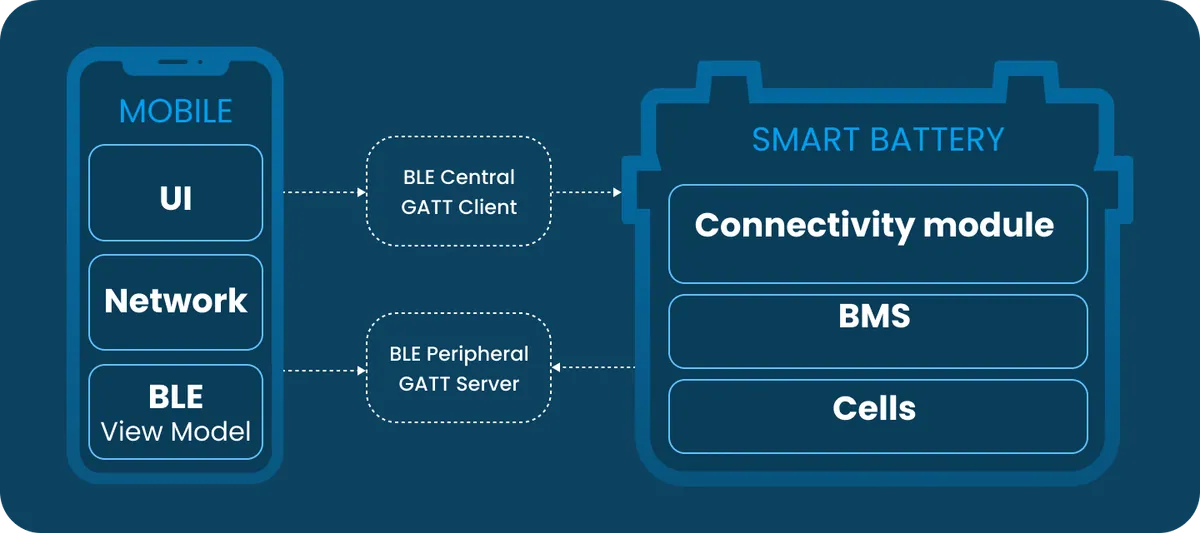
Swift · Kotlin · BLE
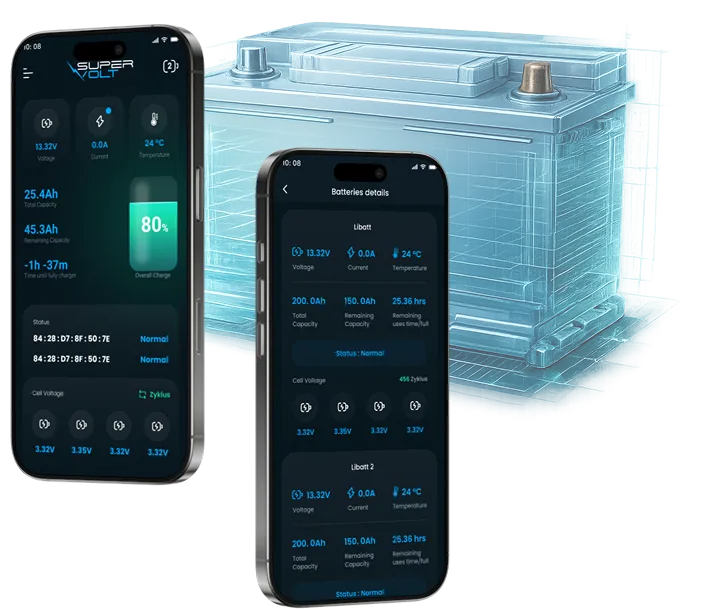
Modernizing a battery companion app
A code review of a legacy, tightly coupled app led to a rebuild in Swift and Kotlin that supports current iOS versions while working with batteries already in the field. Maintenance continues, adding support for new capabilities as the third-party BMS firmware evolves.
Rebuilding a Bluetooth companion app for RV lithium batteries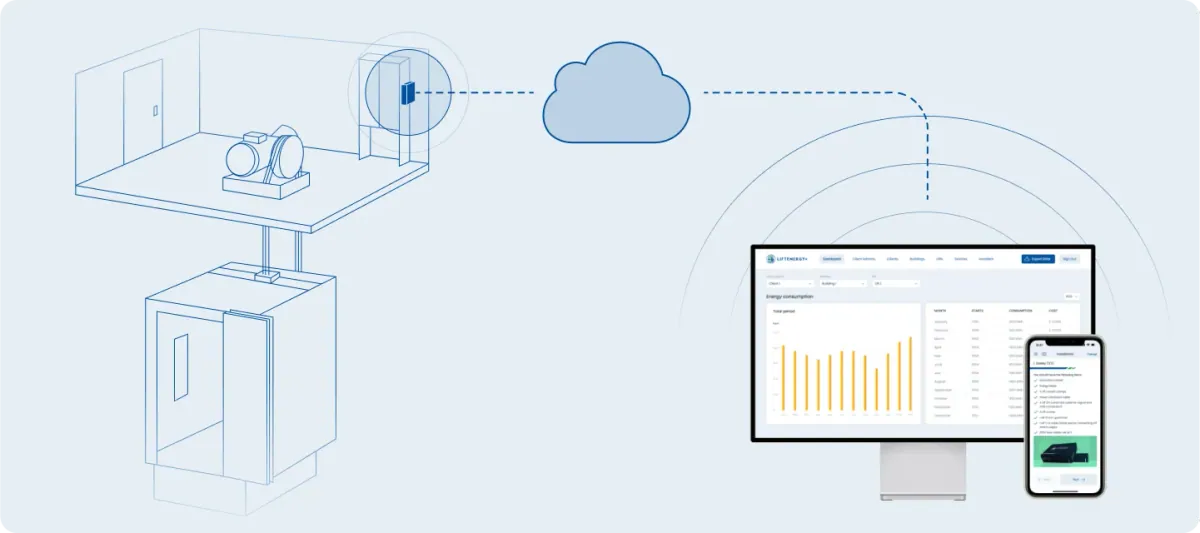
OTA · AWS IoT Core
Long-term maintenance of a monitoring device
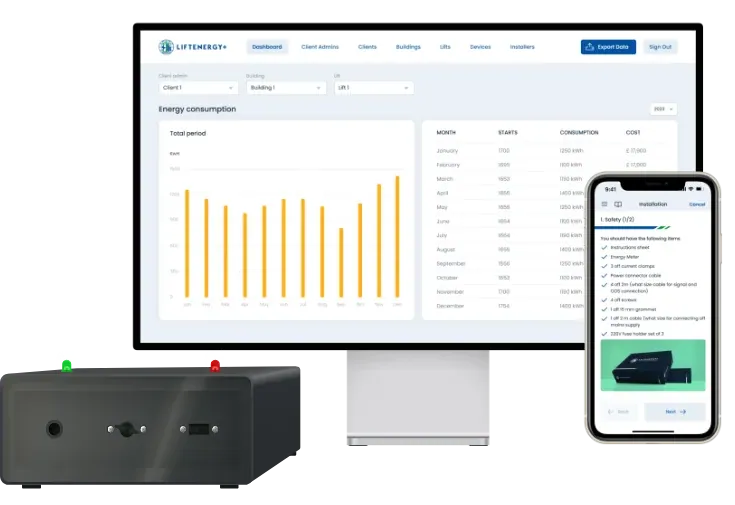
Indeema continues to maintain the whole lift-monitoring system, including regular over-the-air firmware updates to installed devices over LTE or Wi-Fi.
A lift energy and trip monitor, from meter interface to web portal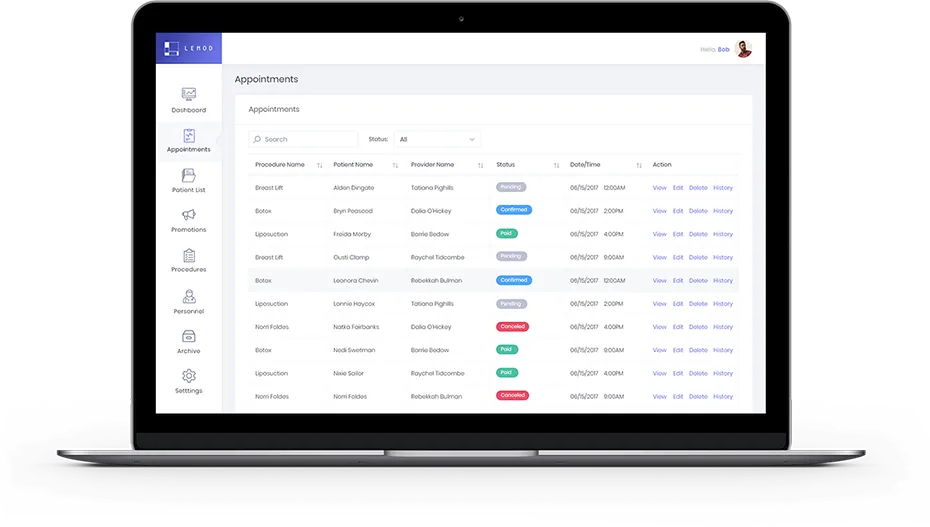
Angular · Node.js
Post-launch maintenance of a web platform
Indeema designed and developed the web platform, and its launch as an MVP in February 2019 was followed by ongoing maintenance.
A web platform for aesthetic practice loyalty and referral programs
Related engineering insights
- Software development team structure The roles a team needs, including after release.
FAQ
Software maintenance and support questions
What is the difference between support and maintenance?
The difference is mostly urgency. Support is reactive: answering requests and fixing issues that affect users now. Maintenance is planned: keeping dependencies and operating systems current, fixing lower-priority bugs, improving performance and adding features. Most plans cover both.
What do maintenance and support services include?
Typically: issue intake and triage, bug fixing, monitoring, dependency and security updates, updates for new operating-system versions, optimization, removing obsolete or unused features, improving existing ones, and releases with regular reports. The scope is agreed per component.
What is the cost of maintenance in software engineering?
It depends on the maintenance plan, the number and complexity of components, how many versions and devices must stay supported, the response times you need and whether coverage outside office hours is required. We estimate it after reviewing the product, usually as a budget of hours.
Who might need maintenance and support services?
Any team with software in production: companies whose original developers have moved on, products built by another vendor, startups after an MVP launch, and manufacturers with devices in the field that must stay compatible with new phones, apps and cloud services.
What are the types of software maintenance?
There are four types of software maintenance: corrective maintenance (fixing errors), adaptive maintenance (responding to external changes), perfective maintenance (improving and extending features) and preventive maintenance (reducing the risk of future failures).
What is post-production software support?
Post-production support is the work that starts once software is live: keeping it running, fixing issues users report, updating it for new platform versions and improving it from feedback. For connected products it also covers firmware already deployed and its compatibility with apps and cloud.
Do you support software developed by another vendor?
Yes. We start with a review of the code, architecture, documentation and accesses, then agree the support scope. One of our case studies is a cloud, web and mobile platform built with earlier partners that Indeema took over, fixed and continues to maintain.
How quickly do you respond to critical issues?
Response times are agreed in the support plan for each severity level, together with the hours covered and whether work outside office hours is needed. The Protocol of Actions prepared before support starts lets engineers begin on a critical issue without first searching for information.
Do you provide QA as part of post-release maintenance?
Yes. QA engineers are part of the maintenance team. Each fix and update is tested before release, including regression tests and, for connected products, tests against the firmware versions and devices that are still supported.
Can you maintain firmware on devices that are already in the field?
Yes, together with our firmware team. We release fixes and patches over the air where the device supports it, keep app and cloud changes compatible with older firmware, and plan a recovery path for updates that fail. Our case pages include regular OTA updates to installed devices.
What do you need to take over an existing product?
Access to the source code, build and deployment instructions, environments, cloud and store accounts, and any documentation or known issues. Where some of this is missing, the takeover starts by reconstructing it, so the product can be built, released and diagnosed without the original authors.
Tell us about your project
Start with what is in production and what keeps breaking
A first conversation covers the components you run, their versions and the issues you face today, not a generic support package.
Bring us
- The product and its components: firmware, apps, cloud, web
- Who built it, and the documentation and accesses you have
- Known issues and how they are reported today
- The coverage and response you expect
Related services
- DevOps and release engineering When pipelines, environments and monitoring need an owner.
- Cloud & Connected Systems When the back end needs development, not only maintenance.
- Embedded & Firmware When device firmware has to change or be rebuilt.
- Applications & Experience When the app around the device needs new work.
- Web development When a portal or admin tool needs new features.