


Insights / Applications / Product Experience
How to Create an IoT App: From Device Connection to Production
The steps behind an IoT app that works in the field: requirements, device data flow, protocols, provisioning, offline state, backend, front end, testing and team.


The short answer
To create an IoT app, design the system before the screens. Start from what the device measures or controls and what decision the user makes with it. Then define how data moves from device to cloud to app, choose the protocols (usually MQTT or HTTPS to the cloud, Bluetooth LE for local set-up), and plan provisioning, device state and offline behaviour. Build the backend and the mobile or web front end on that contract. Test against real hardware and real networks, and plan for firmware and app versions to change independently after launch.
Key takeaways
- An IoT app is one end of a system. The device, the connection and the backend decide most of what the user experiences.
- Agree the data contract between firmware, cloud and app before anyone designs screens.
- Pairing and provisioning are the first thing every user sees, and the most common place IoT apps fail.
- Show the last known device state honestly when the device is offline, instead of a spinner.
- Test with real devices on bad networks, and keep firmware and app versions compatible in both directions.
Why an IoT app is not an ordinary mobile app
A food-ordering app talks to one backend that the same team controls. An IoT app talks to physical devices that sleep, lose signal, run older firmware and sit in places nobody can reach. Most of the difficult work sits outside the app itself.
- Hardware integration: the app reads sensors and sends commands to actuators, through a radio and usually a cloud service.
- Real-time or near-real-time data: readings can be time-sensitive, so latency and alerting matter more than in a typical app.
- Intermittent connectivity: devices go offline. The app must show what it last knew and what is still pending.
- Volume and scale: many devices produce continuous data, which changes how the backend and database are designed.
- Security across layers: a weak device, a weak connection or a weak account model each expose the whole system.
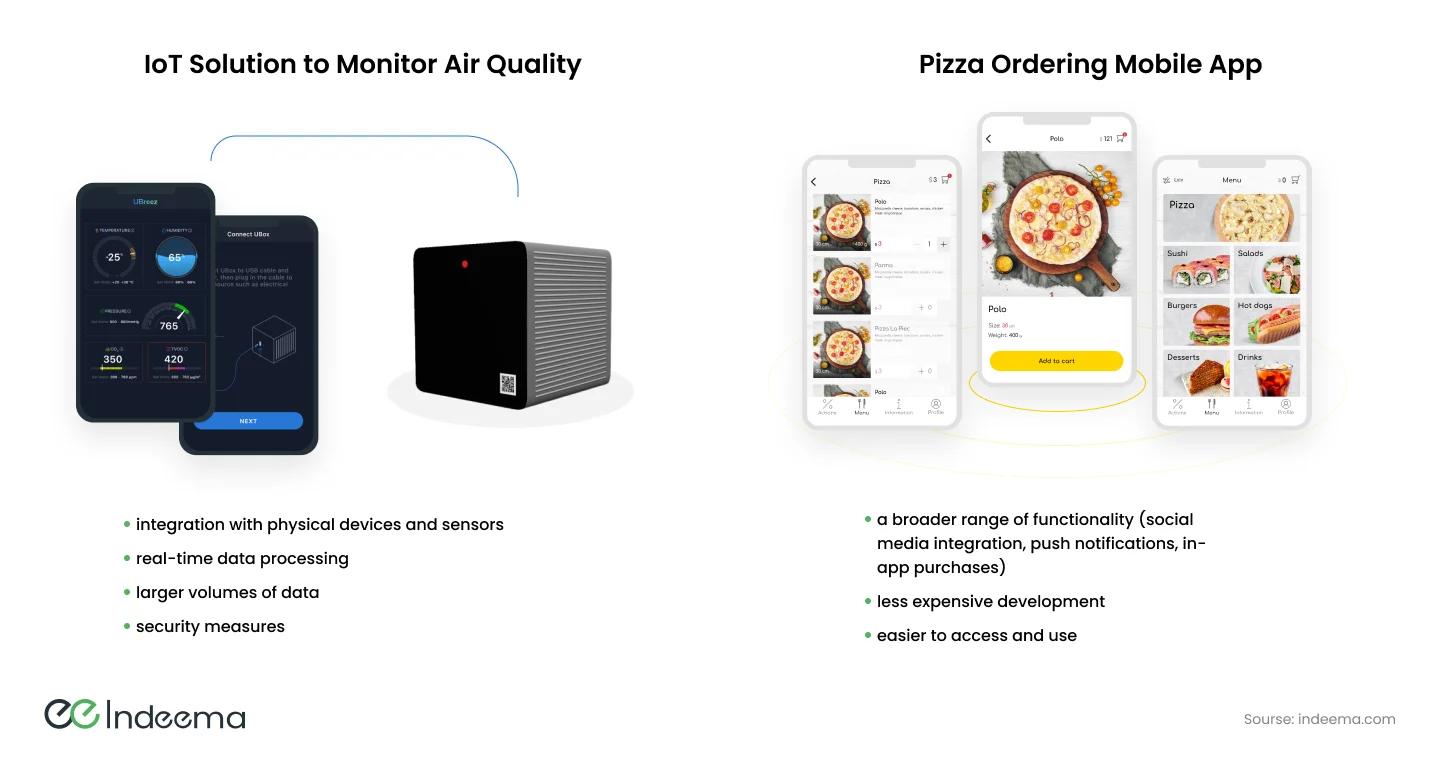
IoT apps are rarely tied to one industry. An app that manages solar energy use can belong to the energy sector, the smart home or a city programme at the same time. The engineering questions repeat across all of them.
The system behind the app
Almost every IoT app sits at the end of the same chain:
- DeviceFirmware reads sensors, drives actuators and keeps the core function running locally.
- ConnectionWi-Fi, cellular, or a hub or gateway for Bluetooth LE, Zigbee or Thread devices, carries messages to the cloud.
- IngestionA broker or IoT endpoint authenticates each device and accepts its messages, usually over MQTT or HTTPS.
- BackendServices store telemetry, keep the current device state, run rules and alerts, and expose an API.
- AppThe mobile or web app shows state and history, and sends commands back through the API.
Commands travel the same path in reverse; the app should confirm what the device actually did, not only what was requested.
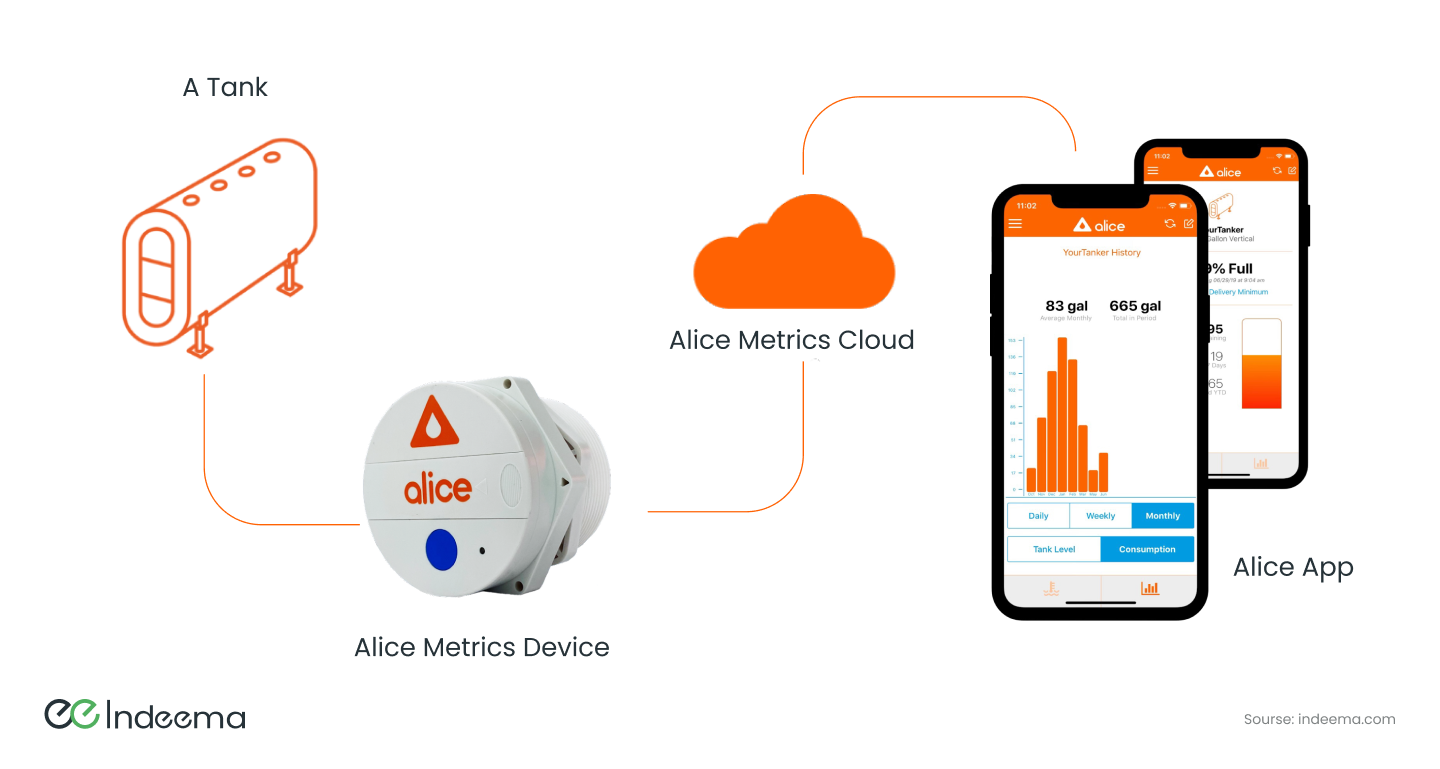
- Device state record
- The backend's copy of a device's last reported state and its desired state (often called a device shadow or twin). It lets the app show something useful when the device is asleep or offline, and reconcile commands when it reconnects.
Steps 1–3: requirements, feasibility and hardware capability
There are two common starting points, and they need different first steps.
| Starting point | First steps | Main risk |
|---|---|---|
| Revamping or expanding an existing product | Audit the existing hardware, firmware, middleware and cloud; decide which parts get local improvements and which need a full overhaul; plan a migration that keeps the current system running | Breaking devices already in the field |
| Building from scratch | Analyse business requirements; check technical feasibility; evaluate what the hardware can and cannot do | Designing an app the hardware cannot support |
1. Analyse the business requirements
Name the problem the app solves and who solves it with the app: a homeowner, a technician, a fleet manager. Write down the decision each user makes from the data. That focuses the feature list and keeps it smaller than the first draft. For how to run this phase across the whole product, see starting an IoT project.
2. Check technical feasibility
Match each requirement against what current technology can actually deliver within the power, cost and connectivity budget. A feature that needs live video from a battery device, or sub-second control over a cellular link, should be questioned here, not after the app is built.
3. Evaluate the hardware's capabilities
The app can only expose what the sensors, actuators and controller support. Confirm sampling rates, which commands the firmware accepts, how often the device can report without draining its battery, and whether it can receive updates over the air.
Step 4: design the data flow and choose the protocols
The data flow is the contract between firmware, backend and app. Define the message types (telemetry, events, commands, acknowledgements), their payload format and versioning, and how often each is sent. Then choose protocols to fit each hop.
| Protocol | Typical hop | Strengths | Watch for |
|---|---|---|---|
| MQTT | Device or gateway to cloud | Lightweight publish/subscribe; suits constrained devices and limited bandwidth; persistent sessions | Topic design and access rules per device; broker sizing as the fleet grows |
| HTTPS / REST | App to backend; simple devices to cloud | Universal tooling; easy to secure and cache | Polling cost and latency if used for live device state |
| CoAP | Very constrained devices on lossy networks | Small UDP-based request/response model | Less common tooling; often needs a gateway to the rest of the stack |
| WebSocket | Backend to app for live updates | Pushes state changes to an open screen without polling | Reconnection handling on mobile networks |
| Bluetooth LE | Phone to device, locally | Set-up, pairing and control without internet | Platform differences between iOS and Android; range |
Secure every hop. Use TLS between device and cloud, give each device its own credential, and make the backend authenticate and authorise a device before it accepts a single message. The app user's permissions should decide which devices they can see and command.
Step 5: provisioning, pairing and offline behaviour
Provisioning is the flow that connects a new device to the user's account and network. It is the first experience every customer has, and the step most often under-designed.
- The app discovers the device, often over Bluetooth LE or a temporary access point, or by scanning a code on the device.
- The user's network credentials are passed to the device securely, if it uses Wi-Fi.
- The device registers with the cloud using its own identity, and the backend links it to the user's account.
- The app confirms the device is online and reporting before the set-up screen closes.
Design for failure at every step: a wrong Wi-Fi password, a 5 GHz-only router, a device already linked to another account. Each needs a clear message and a way back.
Steps 6–7: choose the cloud platform and design the backend
Compare platforms on scalability, security model, device management features, cost at your expected fleet size, reliability and support. A managed IoT service from a major cloud provider handles device identity and message ingestion; you still build the product logic, data model and API.
Structure the backend as separate concerns: device connectivity and ingestion, telemetry storage, current device state, rules and notifications, user and access management, and the public API for the apps. Separating them, whether as services or as clear modules, lets each scale and change on its own. Choose languages for each part on its job. Firmware is usually C or C++; backend and app layers use whatever the team can maintain.
For the trade-offs between managed and self-run options, see how to choose an IoT platform.
Step 8: design the front end – mobile, web or both
A mobile app has access to Bluetooth, the camera, location and push notifications, and can keep working with cached data offline. A web app runs on any device with a browser and updates instantly for every user, but needs a connection and has limited access to phone hardware. Many products need both: a mobile app for owners and field staff, and a web dashboard for operators.
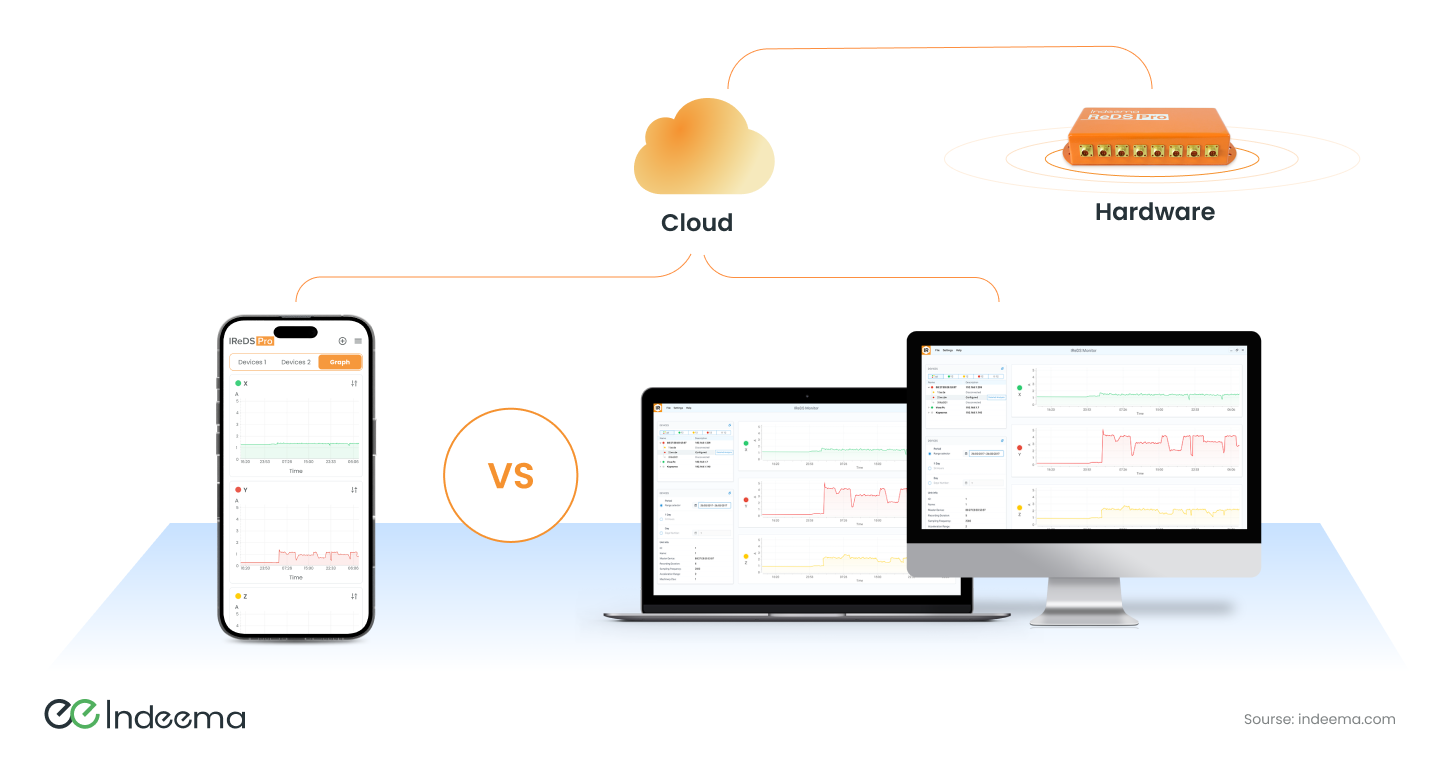
| Front end | Choose it when | Limits |
|---|---|---|
| Native mobile (Swift, Kotlin) | Heavy Bluetooth LE use, background work, or platform-specific features | Two codebases to keep in step |
| Cross-platform mobile | One team must ship iOS and Android with shared logic | Bluetooth LE and background behaviour still need native work on each platform |
| Web app or dashboard | Operators manage many devices from a desk, or users must not install anything | No local Bluetooth set-up; needs a connection |
Whatever the platform, design the interface for the device's real behaviour: wireframes for the set-up flow, clear states for offline and pending, alerts that say what to do next, and history views that load quickly when a device has months of data.
Steps 9–11: integrate, test, launch and maintain
Integration means implementing messaging between devices, the cloud and the app over the chosen protocols, with authentication and authorisation in place from the first build. Testing then covers more than the app:
- Functional: every command and alert against real devices, not only simulators.
- Network: weak Wi-Fi, mobile handover, the device going offline mid-command.
- Performance: many devices reporting at once; history screens with large data sets.
- Security: device identity, token handling in the app, access between accounts.
- Compatibility: every supported firmware version against every supported app version.
After launch, firmware, backend and app ship on different schedules. Version the message contract, keep old firmware working with new apps for a defined period, and plan over-the-air firmware updates, bug fixes and security patches as ongoing work, not a project phase.
The team an IoT app needs
Because the app is part of a system of hardware, software and networking, the team spans more disciplines than a typical app project. One person may cover several roles on a small project.
| Role | Owns |
|---|---|
| IoT architect | System architecture, data flows, protocols and integration between layers |
| Hardware engineer | Device electronics, sensors, prototypes and the path to production |
| Firmware engineer | Code on the device: sensing, connectivity, updates; often the same person as hardware on small teams |
| Backend / cloud engineer | Ingestion, storage, device state, rules and APIs |
| Mobile and web developers | The apps and dashboards people use |
| UX/UI designer | Set-up flows, device states and interfaces that work for the real user |
| DevOps engineer | Automated build, test and deployment of each component |
| QA engineer | Testing across devices, networks and versions |
| Security specialist | Threat model, device identity and secure communication |
| Project manager | Planning, coordination and keeping hardware and software schedules aligned |
Constant communication between these roles matters more than any single tool. The firmware and app teams in particular must agree the message contract early and change it together.
Engineering trade-offs
Native apps vs a cross-platform app
- You gain
- Native gives the most direct control of Bluetooth LE, background tasks and platform features.
- You pay
- Two codebases cost more to build and keep in step with firmware changes.
- Choose it when
- Native when local device control is the core of the product; cross-platform when most work goes through the cloud and one team must ship both platforms.
Managed IoT platform vs custom backend
- You gain
- A managed service provides device identity, ingestion and scaling quickly.
- You pay
- It ties you to a vendor's model and pricing, and services can be retired.
- Choose it when
- Use managed ingestion for most products, but keep the data model, device state and business logic in your own layer.
Local control vs cloud-mediated control
- You gain
- Local control over Bluetooth LE or the home network works without internet and responds faster.
- You pay
- It adds a second control path to design, secure and test.
- Choose it when
- Add a local path when the device must work during outages or set-up; use the cloud path for remote access, history and fleet features.
Before design starts
A short checklist that turns an app idea into something the device and backend can support:
- Write down each user, the decision they make from the data, and what must still work offline.
- List every message type between device, cloud and app, with its payload, frequency and version.
- Decide how a device is identified, provisioned and linked to an account.
- Define how the app shows offline, pending and failed states.
- Choose mobile, web or both from what users must do, not from habit.
- Plan how firmware and app versions stay compatible after launch.
Common mistakes
Designing screens before the data contract
The app promises data or controls the firmware cannot provide, and both sides are reworked.
Instead: Agree message types and device capabilities first, then design the interface around them.
Treating provisioning as a minor screen
Set-up fails on real home networks and becomes the main source of returns and support calls.
Instead: Design, test and measure pairing as a full flow with recovery paths.
Hiding offline devices behind a spinner
Users cannot tell whether a command worked, and repeat it.
Instead: Show last known state, its age, and the status of each pending command.
Testing only against simulators
Timing, radio and firmware-version problems appear after launch.
Instead: Keep a device lab with the supported firmware versions and test on poor networks.
Where we've built this
The same device-to-cloud-to-app chain shaped a heating-oil monitoring solution we built: a device on the tank reports consumption, and the app lets authorised users track usage and get a notification before they run low.
Case studyFirmware for a connected heating-oil tank gaugeA heating-oil monitoring product where a tank-mounted device, a cloud service and a mobile app had to work as one system for the customer.Questions engineers ask
How do you create an IoT app?
Start from the device and the user's decision, not the screens. Define the data flow between device, cloud and app, choose protocols such as MQTT, HTTPS and Bluetooth LE, design provisioning and offline behaviour, build the backend and front end on that contract, then test against real devices and networks.
What is an IoT application designed to do?
It lets people monitor and control connected devices. It shows what the devices measure, sends commands to them, raises alerts when something needs attention, and keeps a history that supports decisions.
Was this useful?
Where this shows up in our work
ExpertiseApplication engineering for the people who use connected productsWhen the open questions are pairing, device state, offline behaviour or how the app and firmware stay in step, our application engineers own that work with the firmware and cloud teams.Apply this to your product
Discuss your product app
Sources
- MQTT – the standard for IoT messaging accessed 1 October 2026
- RFC 7252 – The Constrained Application Protocol (CoAP) accessed 1 October 2026