


Insights / Embedded & Firmware
The Soul of Robots: ROS (Robot Operating System) in 10 Minutes
What the Robot Operating System is, how its nodes communicate, what ROS 2 changed, and where ROS helps or hurts a robotics product.

The short answer
ROS (Robot Operating System) is not an operating system. It is an open-source set of libraries, tools and conventions that runs on top of an ordinary OS, usually Ubuntu Linux, and lets a robot's software be built from small programs called nodes that exchange messages through topics, services and actions. New projects should use ROS 2: ROS 1 reached end of life in 2025. ROS 2 replaces the central master with peer-to-peer discovery over DDS, adds quality-of-service and security options, and is designed for production robots as well as research.
What ROS is and why it exists
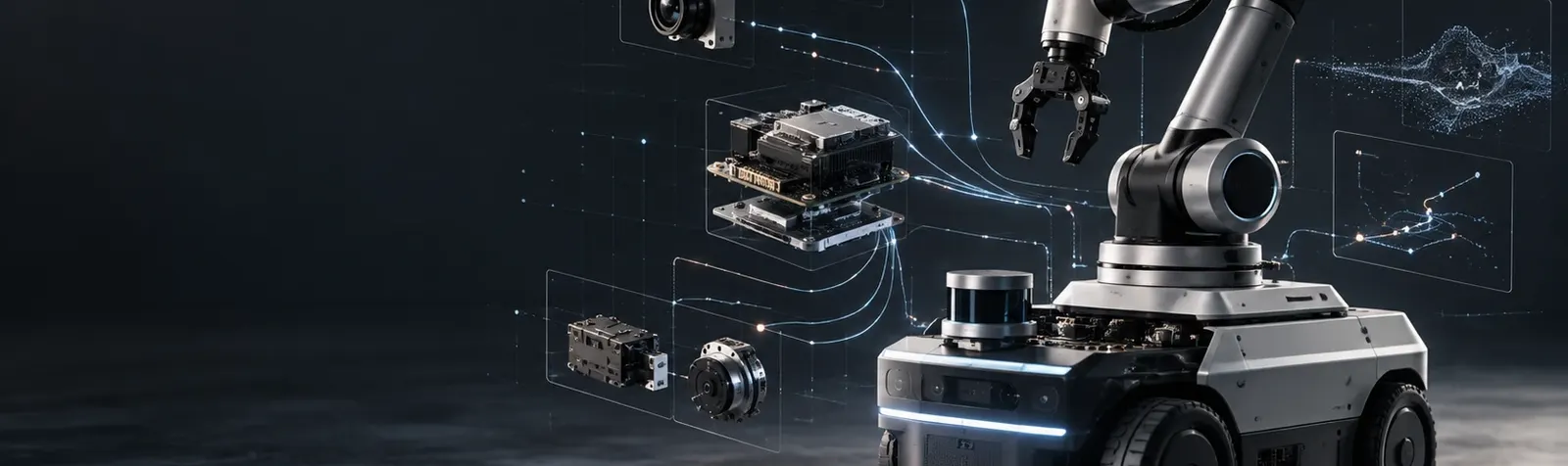
Building a robot means combining sensors, motors, cameras, perception, planning and control, work that needs many specialists. For a long time each robot started from its own architecture, with dedicated hardware and software written from scratch. Frameworks such as ROS changed that by giving teams shared building blocks.
- Middleware (in robotics)
- The software layer between a robot's hardware (sensors, manipulators, motors, cameras) and its higher-level functions (object recognition, mapping, planning) that lets the parts exchange data in a standard way.
ROS is that middleware. The smallest executable unit is a node. Nodes are grouped into packages, each focused on one task and installable on its own. A running ROS system is a computation graph of nodes exchanging typed messages, data structures built from basic types, arrays and other messages. The main languages are C++ and Python, through the client libraries rclcpp and rclpy in ROS 2.
How ROS nodes communicate: topics, services and actions
| Pattern | How it works | Typical use |
|---|---|---|
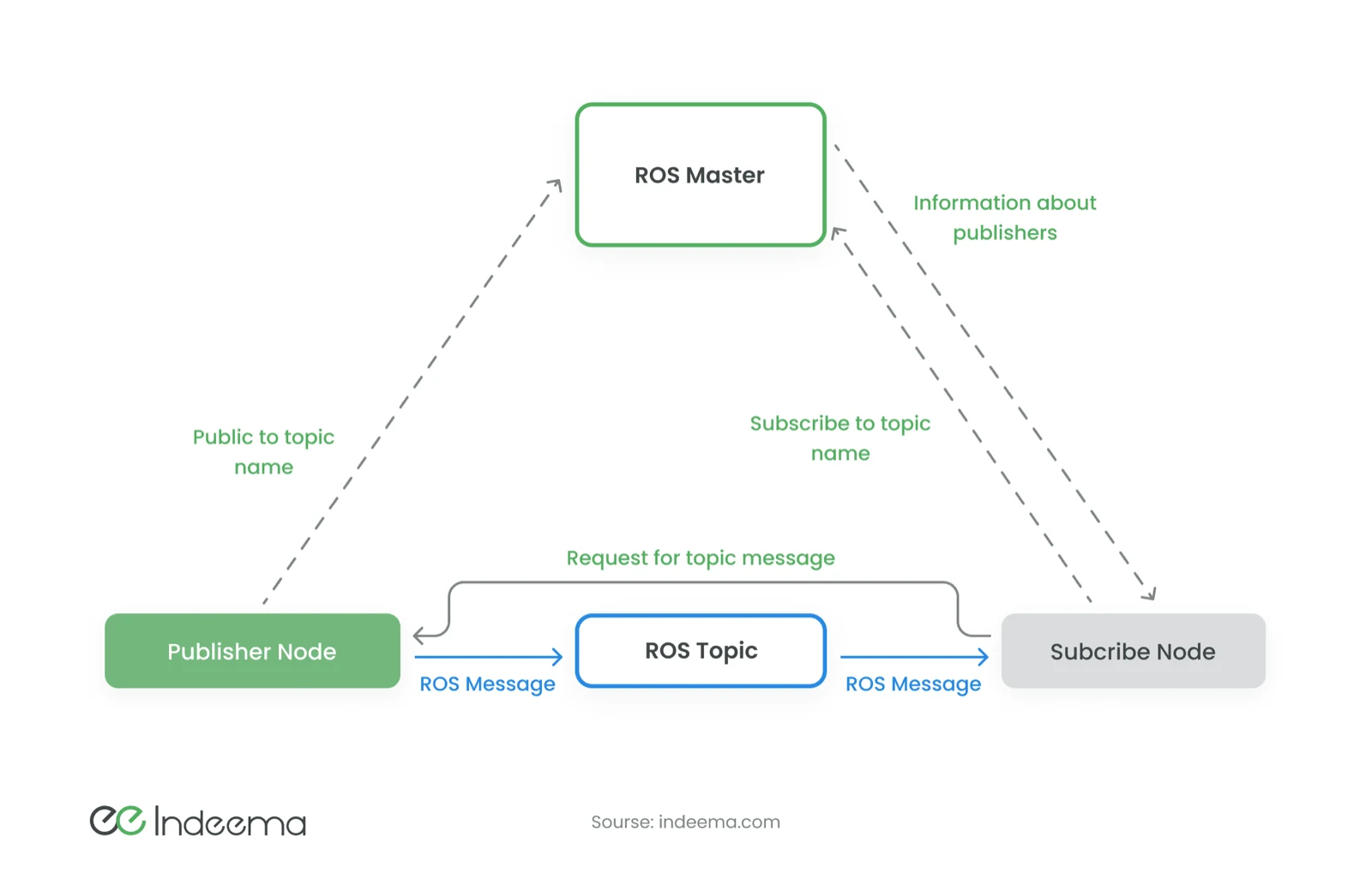
| Topic | Publish-subscribe, one-way and asynchronous: publishers send without waiting for subscribers | Continuous sensor streams such as camera frames, IMU readings or odometry |
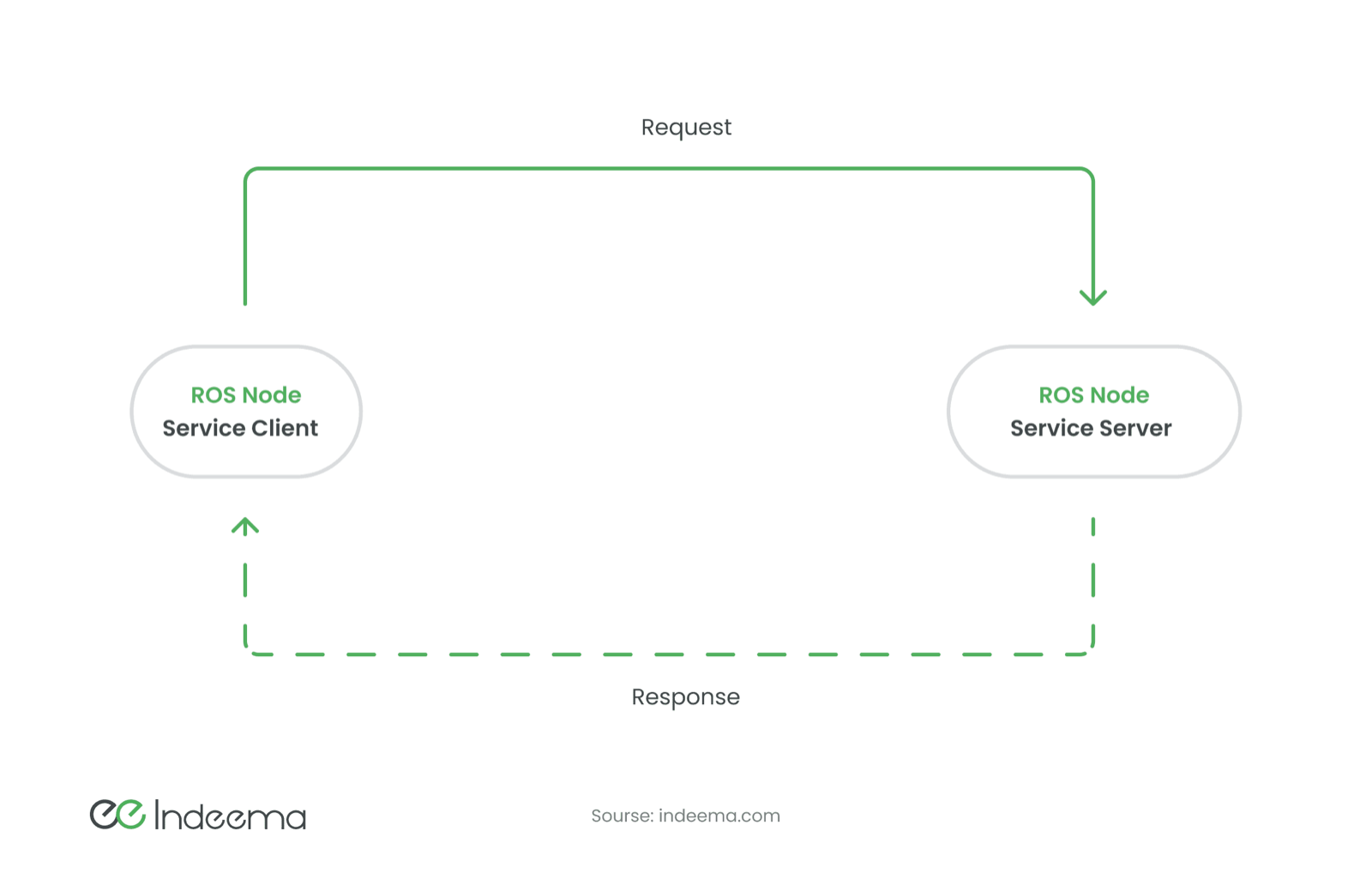
| Service | Request and response between a client and a server; the client waits for a single reply | Short queries and commands, such as reading a parameter or triggering a calibration |
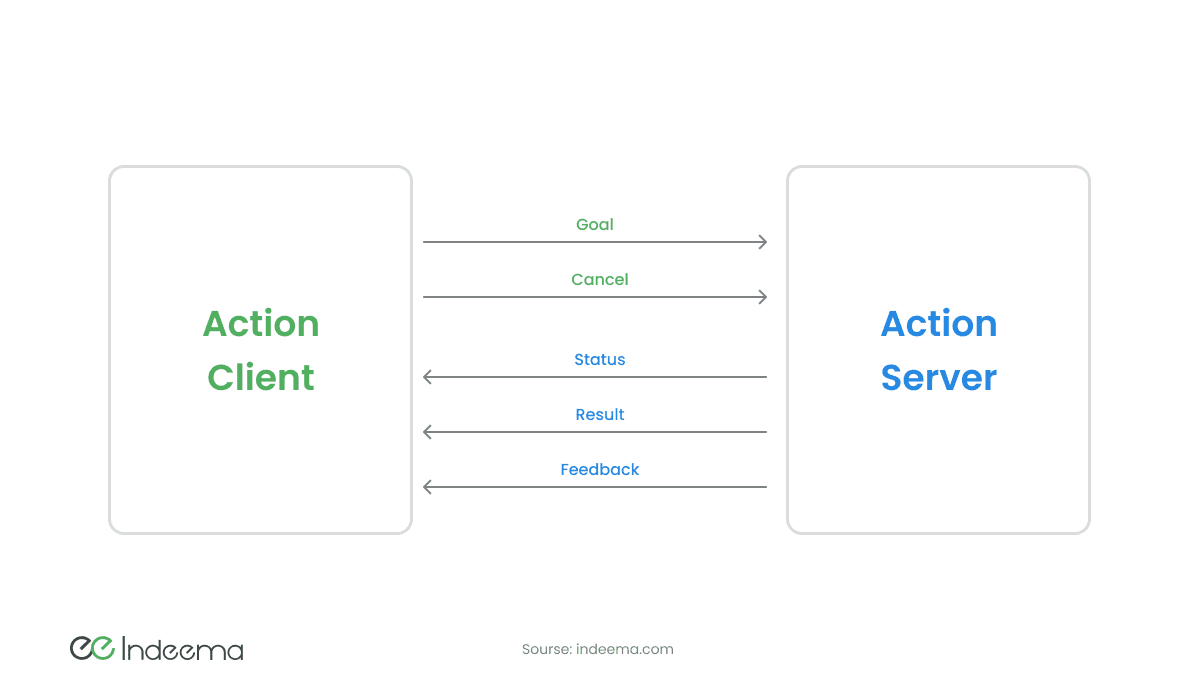
| Action | A goal, with periodic feedback and a final result, which the client can cancel | Long-running tasks such as navigating to a point or moving an arm |
With a service, the connection exists only for one request-response cycle.
An action extends the service idea: the goal plays the role of the request and the result the role of the response, with feedback and status messages in between so the client knows how the task is progressing.
ROS 1 vs ROS 2: what changed
In ROS 1, every system needed a master process, roscore. Publishers and subscribers registered with it, and once the master had introduced them, messages flowed directly between nodes. If the master stopped, new connections could not be made.
ROS 2 removes the master. Nodes discover each other over DDS (Data Distribution Service), an industry middleware standard, through a ROS middleware interface that lets different DDS implementations be swapped in.
| Aspect | ROS 1 | ROS 2 |
|---|---|---|
| Status | End of life since 2025 (last release: Noetic) | Actively developed, with long-term-support releases |
| Discovery | Central master (roscore) | Peer-to-peer discovery over DDS; no single point of failure |
| Communication tuning | Limited | Quality-of-service profiles for reliability, history and deadlines |
| Security | Not built in | Authentication, encryption and access control through SROS2 and DDS security |
| Node lifecycle | Ad hoc | Managed lifecycle nodes with defined states |
| Build tooling | catkin | ament with colcon |
The ecosystem that makes ROS useful
- RViz: visualises what the robot perceives and plans.
- Navigation and mapping: Nav2 for mobile-robot navigation and slam_toolbox for mapping and localisation.
- MoveIt: motion planning for robotic arms.
- Simulation: Gazebo, the open-source simulator integrated with ROS, for physically realistic testing before hardware exists. Other simulators can be connected too.
This ecosystem also works for hardware makers. A sensor or camera vendor that publishes a ROS driver and a visual model makes its product easier to adopt; a robot maker that chooses components with existing packages gets to a working system sooner. Researchers can develop only the module they study, in the language they know, and rely on community packages for the rest.
Strengths and limitations of ROS
| Property | Strength | Limitation |
|---|---|---|
| Open source | Free to use in research and commercial products; large contributor base | Many forks and poorly documented packages; quality varies |
| Modularity | Specialists work on separate nodes, in their own language | Each node costs resources, and serialising messages adds overhead |
| Scaling | Same software across many identical robots; containers simplify deployment and cloud simulation | Distributed systems need network and QoS tuning to stay predictable |
| Community | Forums, courses and books for almost any question | Undocumented changes between versions; upgrades need real effort |
| Learning curve | One framework covers perception to control | Needs Linux, build systems, simulation and robotics fundamentals at once |
The engineering implication: ROS sits above the real-time layer
ROS 2 runs on a general-purpose computer and is well suited to perception, mapping, planning and coordination. Hard real-time motor and flight control usually stays on a separate microcontroller or flight controller, with ROS talking to it over a defined interface. For microcontrollers, micro-ROS brings a subset of ROS 2 to the device side. Deciding where that boundary sits is one of the first architecture choices in a ROS-based product. The same split between ROS and the real-time layer applies in drone software development and in autonomous physical systems.
Should you build on ROS?
- Use ROS 2 for anything new; plan a migration for any ROS 1 system still in service.
- Choose a current LTS distribution and a DDS implementation, and pin both.
- Keep timing-critical control on a dedicated controller and define its interface to ROS early.
- Prefer maintained packages with active releases; review any community package before depending on it.
- Simulate in Gazebo before hardware is ready, and keep the simulation in your test pipeline.
- Enable ROS 2 security for robots that run on shared or untrusted networks.
Questions engineers ask
What does ROS stand for?
Robot Operating System. Despite the name it is not an operating system but open-source middleware, libraries and tools that run on top of an OS such as Ubuntu Linux.
Is ROS free?
Yes. ROS is open source, and its core packages use permissive licences such as Apache 2.0 and BSD that allow commercial use. Check the licence of each additional package you depend on.
Is ROS 2 a programming language?
No. ROS 2 is a framework. You write nodes in a programming language, most often C++ or Python, using the rclcpp and rclpy client libraries.
Was this useful?
Where this shows up in our work
SolutionAutonomous & Intelligent Physical Systems EngineeringSplitting a robot or drone between a real-time controller and a higher-level computer, and making the two work together reliably, is the autonomous physical systems work we do across firmware, electronics and AI.For how the same perception, planning and control split applies to drones, see UAV and drone systems engineering.
First published
Apply this to your product
Talk through your device architecture
Sources
- ROS 2 documentation: Distributions accessed 1 October 2026
- REP 2000: ROS 2 Releases and Target Platforms accessed 1 October 2026