


Insights / Smart Home / Consumer IoT
How to Build a Smart Home: A Guide to the Smart Home Ecosystem
The six elements of a smart home ecosystem, the AI layer that now runs across them, and how to split work between local devices and the cloud.

The short answer
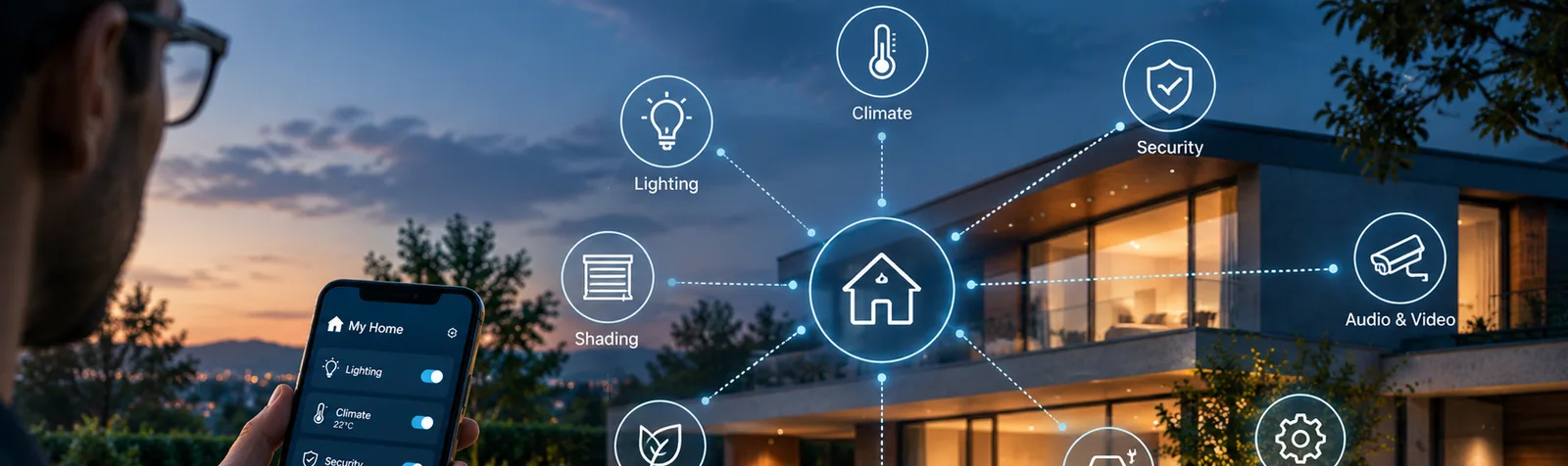
A smart home ecosystem is a set of devices and systems connected over a local network and the internet so they can sense, decide and act together. To build one, start from what the home must do for its residents, then connect six elements: connectivity, sensors, automation, energy management, the software layers (apps, firmware and middleware) and cloud services. AI now runs across all six, learning routines, forecasting energy and spotting anomalies, so decide early what runs on devices and hubs and what runs in the cloud. This guide is for teams designing a connected product line or equipping a building.
Key takeaways
- Start from what the home must do for the people in it, then choose devices, not the other way round.
- Pick connectivity per device: Wi-Fi for bandwidth, Thread or Zigbee for battery sensors, Bluetooth LE for set-up, and decide your Matter position early.
- Keep control and safety functions local; use the cloud for remote access, history and analytics.
- Treat AI as a layer across the whole home: small models on devices and hubs for presence, anomalies and voice; cloud models for forecasting and learning across a fleet.
- Security and privacy need an owner from the first design session, not after launch.
What is a smart home ecosystem, and why is it more than a set of gadgets?
A home becomes smart when its devices work together: a leak sensor closes a valve, the heating knows nobody is home, the lights follow the time of day. Each device on its own app is just a remote control. Building that cooperation takes several disciplines at once: hardware, firmware, apps, cloud and, increasingly, AI and data engineering.
Whether you are equipping a building or designing a connected product line, the questions are the same: what the home must do for its residents, which devices and networks deliver it, and which layer owns each decision. This guide covers the ecosystem as a whole; companion articles go deeper into device hardware and the app layer.
How does a smart home work?
Devices and systems share a local network and, usually, an internet connection. Sensors report what is happening, a controller or hub decides what it means, and actuators such as relays, motors and valves act on it. People see the result and change settings through an app, a wall panel or their voice.
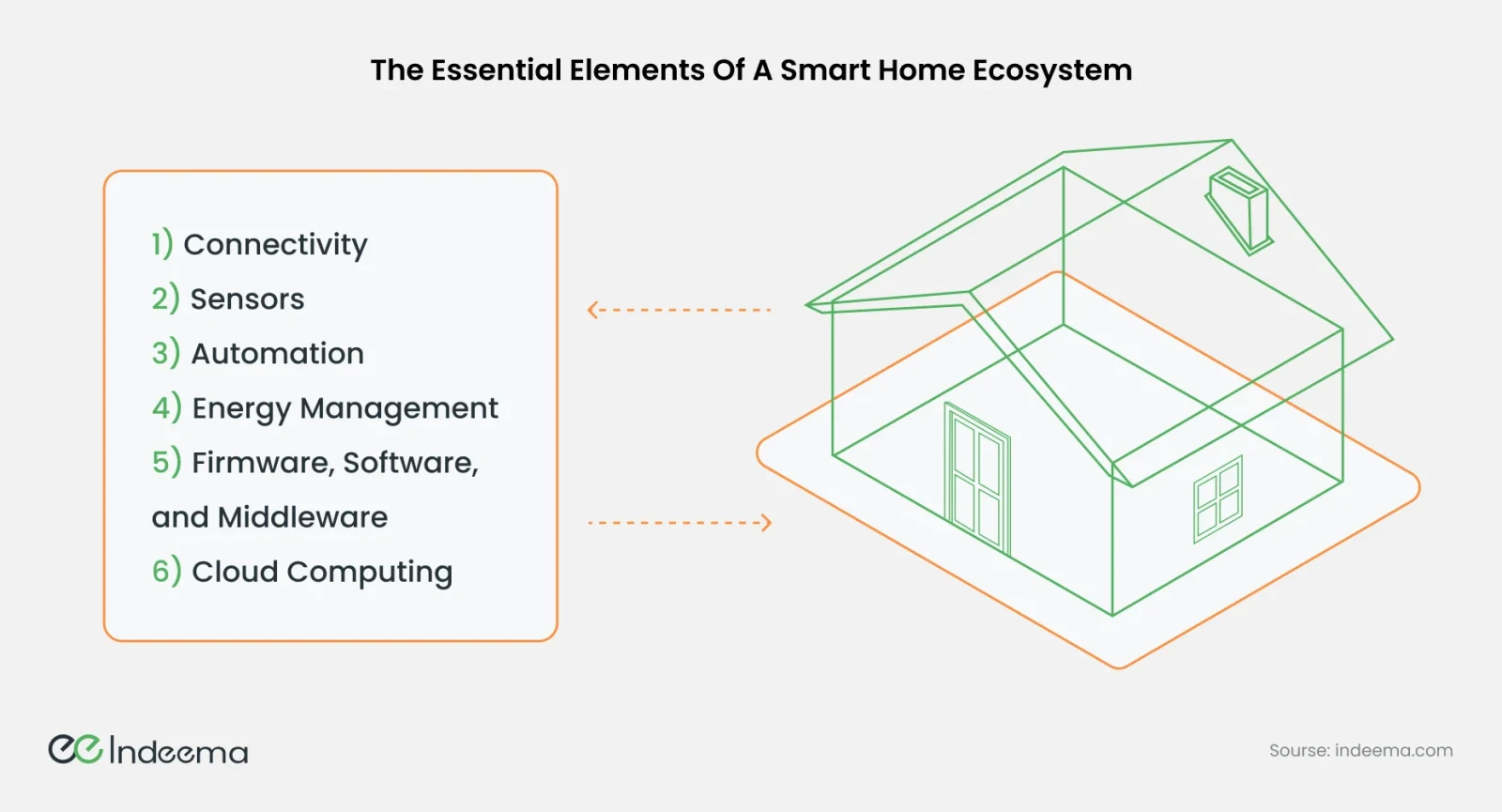
What residents get from it is easy to list: convenience and remote control, energy efficiency, security and remote monitoring, early warning of smoke, gas or leaks, routines tailored to each person, connected entertainment, and easier control for people with limited mobility. Each benefit depends on the six elements below working together.
1. Connectivity: how the home is linked
However many devices a home has, they act as one system only when they are connected. Reliable networking is what makes a command execute promptly, whether it opens a camera feed or changes the thermostat.
Wired networks suit fixed systems such as centralised lighting control or wall-mounted thermostats, but they are practical mainly when a building is being designed or renovated. For most homes, wireless protocols carry the load, each suited to a different job.
| Protocol | Best for | Power | Network | Watch out for |
|---|---|---|---|---|
| Wi-Fi | Cameras, video doorbells, TVs, appliances: anything that moves real bandwidth | High | Star, through the home router | Battery drain; coverage in every corner of the building |
| Bluetooth LE | Locks, wearables, speakers, set-up of new devices | Low | Point-to-point, mesh optional | Short range; remote access needs a hub |
| Zigbee | Lighting, switches, climate sensors | Low | Self-healing mesh | Needs a coordinator or hub; compatibility between brands varies |
| Z-Wave | Security systems, locks, energy management | Low | Self-healing mesh | Needs a controller; frequency bands differ by region |
| Thread | Low-power sensors and devices; the main network for Matter devices | Low | IPv6 mesh | Needs a Thread border router, often built into a hub or speaker |
Matter sits on top of Wi-Fi, Thread and Ethernet and uses Bluetooth LE for set-up. It gives devices from different brands a common language, so a home is no longer locked into one maker's ecosystem. For anyone building devices today, deciding the Matter and Thread position early is part of the connectivity plan.
2. Sensors: the home's senses
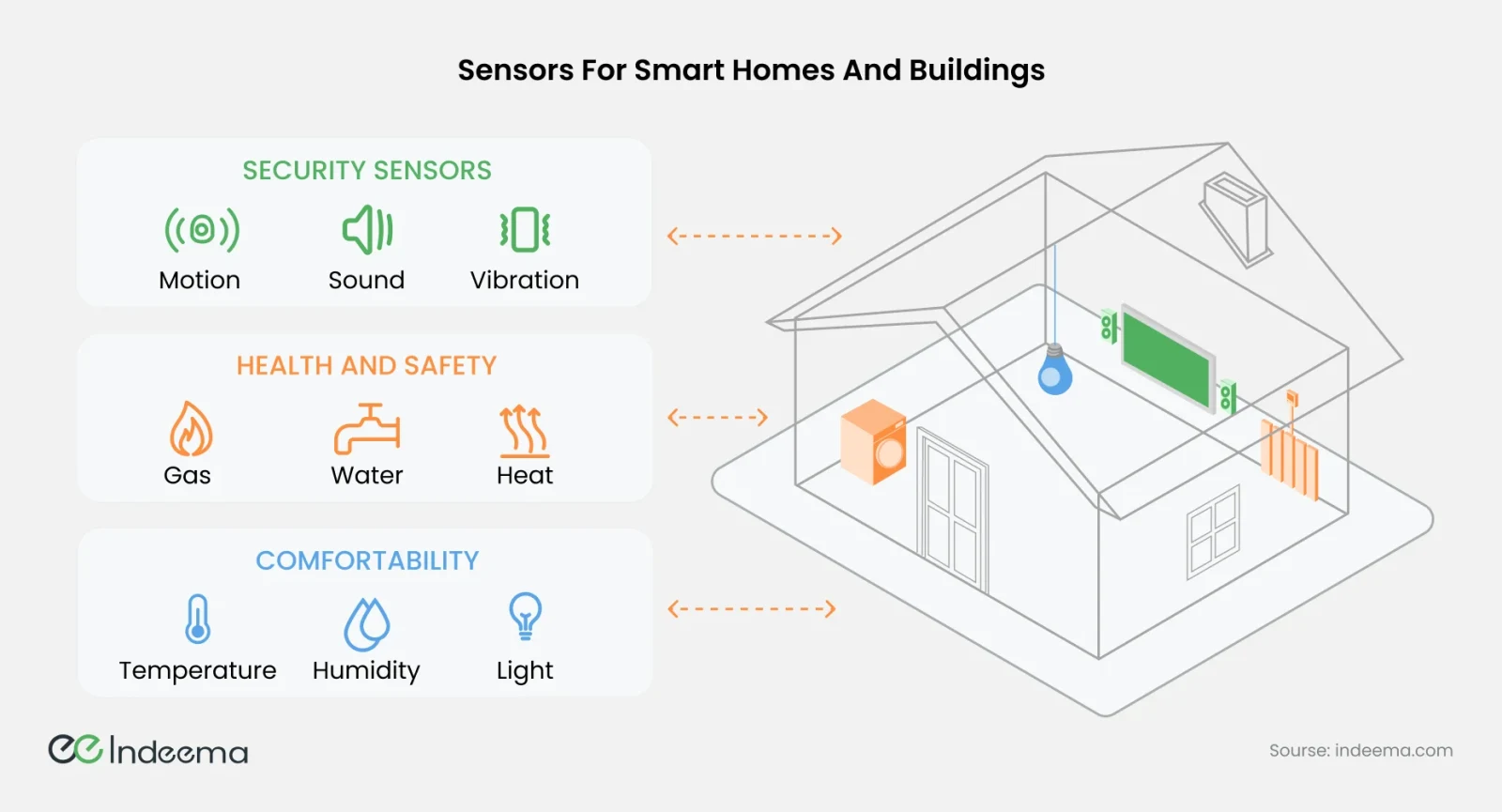
Automation, personalisation and security all depend on data, and sensors collect it. Before choosing hardware, decide which functions the home must perform; the sensors follow from them.
| Job | Sensors | What they enable |
|---|---|---|
| Security | Cameras and video doorbells, door and window contacts, motion, sound, vibration and shock | Intrusion and tamper alerts, remote viewing, arming by presence |
| Health and safety | Gas and smoke, heat, CO₂, water leak and flood | Early warning and automatic responses, such as shutting off water |
| Comfort and savings | Temperature and humidity, light, occupancy, proximity | Climate and lighting that follow who is in the room, and lower energy use |
With these readings, the home can adjust lighting, climate and security to where people actually are. For how individual sensor types work, see our guide to the most common IoT sensors.
3. Automation: turning readings into actions
Data alone does not make a home smart. Automation acts on it: schedules and triggers adjust lights, thermostats and locks, and one command can run a whole routine across many devices.
- Convenience and time: repetitive tasks such as switching lights, setting temperatures and locking doors happen on their own.
- Security: systems arm and disarm by presence or schedule, and learn what is normal so unusual activity stands out.
- Natural language: voice assistants control devices, answer questions and, with language models, hold a conversation.
- Personalisation: the system learns each household member's preferences for lighting, temperature and entertainment.
Rules are the starting point; learning systems that anticipate rather than react are the next step. We explore that shift in predictive smart homes.
4. Energy management
Every connected device draws power, from the fridge to the smartwatch charger. A smart home can use that energy more carefully than a conventional one, saving money and reducing emissions.
Energy monitoring is the foundation. Sensors, meters and analytics show what the home is using right now and over time, so residents can see which devices consume the most and change how they use them. Learning algorithms can then adjust settings automatically.
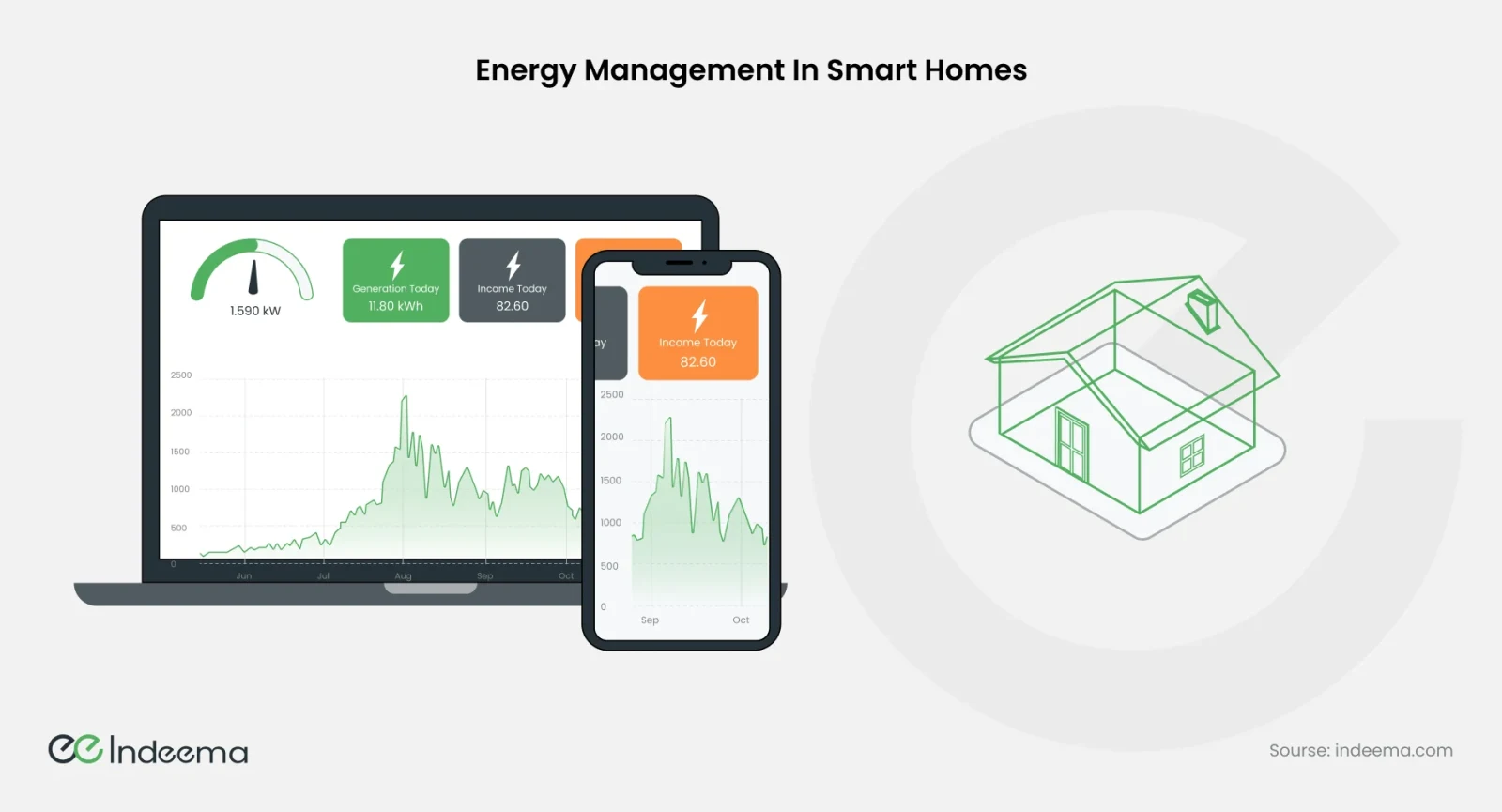
Homes with solar panels, wind turbines or batteries add another layer: storing surplus energy, exporting it to the grid, and shifting consumption according to price signals from the utility.
5. Firmware, software and middleware
Three software layers turn hardware into a working home. Each has its own owner and its own failure modes.
- Applications and user interfaces: mobile apps, web portals and wall panels. They let people set preferences and automation rules, control devices remotely and read visualisations of energy, occupancy and other data. Here, usability matters as much as functionality.
- Firmware: low-level software inside each device that controls sensors, actuators and controllers, manages communication and responds to commands. Firmware updates fix faults, close security holes and add features, so the update path is part of the design.
- Middleware: the layer that lets devices, apps and services from different makers talk to each other. It standardises communication and applies security controls such as authentication and encryption between devices and apps.
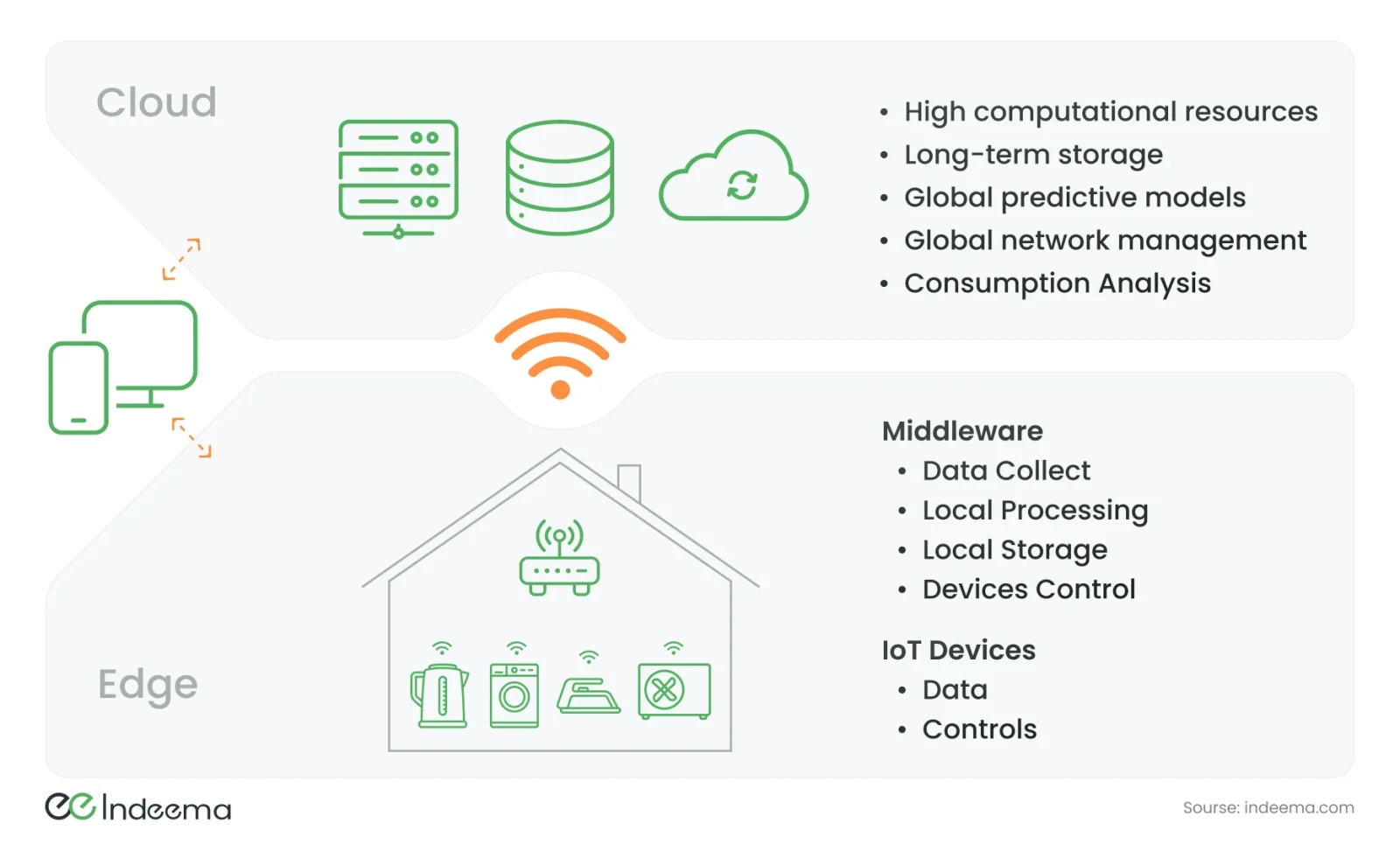
| Layer | Typical responsibilities |
|---|---|
| IoT devices | Produce data and carry out controls |
| Edge middleware on a hub or gateway | Collect data, process it locally, store it locally, control devices |
| Cloud | Heavy computation, long-term storage, predictive models across many homes, network management, consumption analysis |
| Apps | Talk to the hub at home and to the cloud when away |
6. Cloud services
The cloud ties the ecosystem together beyond the walls of the home.
- Data storage: history from many devices for energy tracking and pattern analysis. Off-site storage also protects evidence, which matters for cameras that an intruder may target first.
- Data processing: analytics and recommendations that are too heavy for a home hub.
- Synchronisation: an action on one device or app is reflected everywhere, so every user sees the same state.
- Scale: capacity grows as homes add devices and as a product's fleet grows.
The cloud also concentrates the most private data a household has. Bring a security specialist into the design from the start, encrypt data, and establish trust at the device level so a compromised account or server cannot simply command the home.
How does AI make a smart home smarter?
Rules make a home automatic; AI makes it adaptive. Instead of a resident writing "if there is motion after 22:00, dim the hall light", the system learns when the household sleeps, notices when something is off and explains what it did. AI is not a seventh element. It is a capability that runs across the six: sensors supply the data, connectivity moves it, firmware and hubs run models locally, the cloud trains and updates them, and the app makes the result understandable.
| AI job | Typical model | Where it runs | Why there |
|---|---|---|---|
| Presence and activity | Small classifiers on radar, motion or sound features | On the device or hub | Instant, works offline, and raw audio or video never leaves the home |
| Anomaly detection | A model of normal water flow, power draw or temperature per home | Hub first, cloud for history | Catches a leaking valve or a failing appliance before it becomes damage |
| Energy forecasting | Forecasts from consumption history, tariffs and weather | Cloud | Needs weather and price data and long history; results return as schedules |
| Natural-language control | Wake word and intent on the device; a language model in the cloud | Split | The model interprets the request; the hub executes it through its own device model and permissions |
| Fleet learning | Models trained on telemetry from many homes | Cloud, shipped to devices over the air | Improves detection across the installed base of a product, not one house |
Forecasting is where AI already earns its place in energy-aware homes. On the Solar Manager platform, production analytics collected over time are combined with weather forecasts in an AI model that predicts the energy each PV installation will produce, so consumption, storage and export can be planned around it.
Language models change the interface most visibly: a resident describes an outcome and an assistant turns it into a plan across devices. Treat that plan as a proposal that the hub executes through its own device model; the app roadmap covers how. For the shift from reacting to anticipating, see predictive smart homes.
Which devices make a home smart?
Smart homes are modular: they can start small and grow. Most begin with a handful of device categories, each built from the same elements in a different mix.
| Device | What it does | Relies on |
|---|---|---|
| Thermostats | Learn temperature preferences and allow remote control | Temperature and occupancy sensing, energy data, app |
| Voice assistants and smart speakers | Control devices, answer questions, often act as a hub or Thread border router | Microphones, natural language processing, connectivity |
| Lighting | Brightness, colour and schedules for any occasion | Mesh radio or Wi-Fi, scenes, light and presence sensing |
| Cameras and video doorbells | Live video, motion detection, alerts | Wi-Fi bandwidth, on-device or cloud video processing |
| Locks | Keyless entry by phone or PIN, temporary access for guests | Bluetooth LE plus a hub, secure identity, offline operation |
| Plugs | Make ordinary appliances switchable and measurable | Relay, power metering, Wi-Fi or mesh radio |
| Appliances | Remote control, status and running at off-peak times | Embedded controllers, connectivity, energy data |
To see these elements assembled in one working system, from devices and firmware to an IoT platform, app and dashboard, see our connected home demo.
Engineering trade-offs
Wired vs wireless connectivity
- You gain
- Wired links are stable, fast and need no batteries.
- You pay
- They are practical mainly during construction or renovation, and costly or impossible to add later.
- Choose it when
- Wire fixed lighting, panels and thermostats in new builds; use wireless everywhere else.
Local processing vs cloud processing
- You gain
- Local logic is fast, private and keeps working offline.
- You pay
- Hubs need more capable hardware, and logic must be updated safely in the field.
- Choose it when
- Run control, scenes and safety locally; use the cloud for history, remote access and analytics across homes.
One brand's ecosystem vs a Matter-based mix
- You gain
- A single ecosystem is simpler to set up and support at first.
- You pay
- It locks the home or the product into one maker's roadmap.
- Choose it when
- Support Matter where you can, so devices from different makers can join the same home later.
On-device AI vs cloud AI
- You gain
- On-device models answer instantly, keep raw audio and video at home and keep working offline.
- You pay
- They need hardware headroom and a safe way to update models in the field.
- Choose it when
- Run detection and wake words locally; use the cloud for forecasting, language models and learning across many homes.
How do you build a smart home ecosystem, step by step?
The sequence that keeps a smart home coherent as it grows:
- Define what the home must do for its residents: security, safety, comfort, energy, accessibility.
- Map each function to sensors, actuators and devices.
- Choose connectivity per device type, and decide your position on Matter and Thread.
- Decide what runs locally on devices and hubs and what runs in the cloud.
- Decide which decisions AI makes, where each model runs, what data it needs and how models are updated and monitored, like firmware.
- Plan the software layers: apps, firmware with an update path, and the middleware between them.
- Design security and privacy in from the start: device identity, encryption and clear data rules.
- Start with a core set of devices and add more as needs grow; test that new devices join without breaking existing automations.
Common mistakes
Buying or designing devices before defining functions
The home ends up with overlapping apps and devices that do not work together.
Instead: List the functions first, then choose devices and networks that serve them.
Making every function depend on the cloud
An internet outage leaves lights, heating or locks unresponsive.
Instead: Keep core control on devices and hubs; treat the cloud as an enhancement.
Ignoring how firmware will be updated
Security holes stay open and new features cannot reach installed devices.
Instead: Plan secure over-the-air updates as part of the first design.
Adding AI after the hardware and data model are fixed
Devices lack the compute, telemetry or labelled data a model needs, so AI features stay a demo.
Instead: Plan data, compute headroom and over-the-air model updates in the first architecture.
Where we've built this
We built an ecosystem like this for a company expanding from water-leak detection into a complete smart home: a universal hub for lighting, locks, fire alarms and heating, energy graphs per device, BLE onboarding in the app and an AWS back end with OTA updates.
Case studyExtending a leak-detection product into a connected smart-home hubA full smart home ecosystem built for a client: a hub integrating many devices, firmware, cloud back end, energy graphs and a mobile app working together.Questions engineers ask
What is a smart home ecosystem?
A set of connected devices, networks, software and cloud services that share data and work together, so a reading from one device can trigger an action on another without the resident managing each device separately.
What steps are necessary in developing a smart home?
Define what the home must do, map those functions to sensors and devices, choose connectivity, decide what runs locally and what runs in the cloud, plan apps, firmware and middleware, build in security, then start with a core set of devices and expand.
How does a smart home work?
Devices share a local network and usually an internet connection. Sensors report conditions, a controller or hub decides what to do, actuators carry it out, and people monitor and adjust everything through an app, a panel or their voice.
How do you make smart home devices from different brands work together?
Choose devices that share a standard, increasingly Matter over Wi-Fi or Thread, and use a hub or middleware layer to bridge the rest. Keep control logic on the local hub so automations still run when the internet or one maker's cloud is down.
How is AI used in a smart home?
AI learns household routines, detects presence and unusual events such as leaks or failing appliances, forecasts energy use and solar production, and lets people control the home in natural language. Time-critical detection runs on devices and hubs; forecasting, language models and learning across many homes run in the cloud.
Was this useful?
Where this shows up in our work
SolutionConnected Product Engineering: One System, Not Isolated PartsWhen the challenge is making devices, firmware, cloud, apps and AI behave as one smart home product, our connected product engineering teams own the system end to end.For the commercial side of the sector, from installers to multi-brand homes and retail ecosystems, see Smart Home & Consumer IoT.
First published
Apply this to your product
Discuss your connected product
Sources
- Connectivity Standards Alliance – Matter accessed 1 October 2026
- Thread Group – What is Thread accessed 1 October 2026