


Expertise / Applications
Android mobile app development services for connected products
Indeema provides custom Android app development: consulting, design, Kotlin development, testing on real devices, Google Play release and support. Many of the apps are companion and field apps for connected products, built to keep a reliable Bluetooth or Wi-Fi connection across the wide range of Android hardware.
Overview
Custom Android app development
Android app development means building applications for devices that run Google’s Android operating system: phones and tablets from many manufacturers, and also rugged handhelds, kiosks and custom devices with a screen. Indeema builds high-performance, easy-to-use Android apps in Kotlin, usually with Jetpack Compose, and maintains apps written in Java.
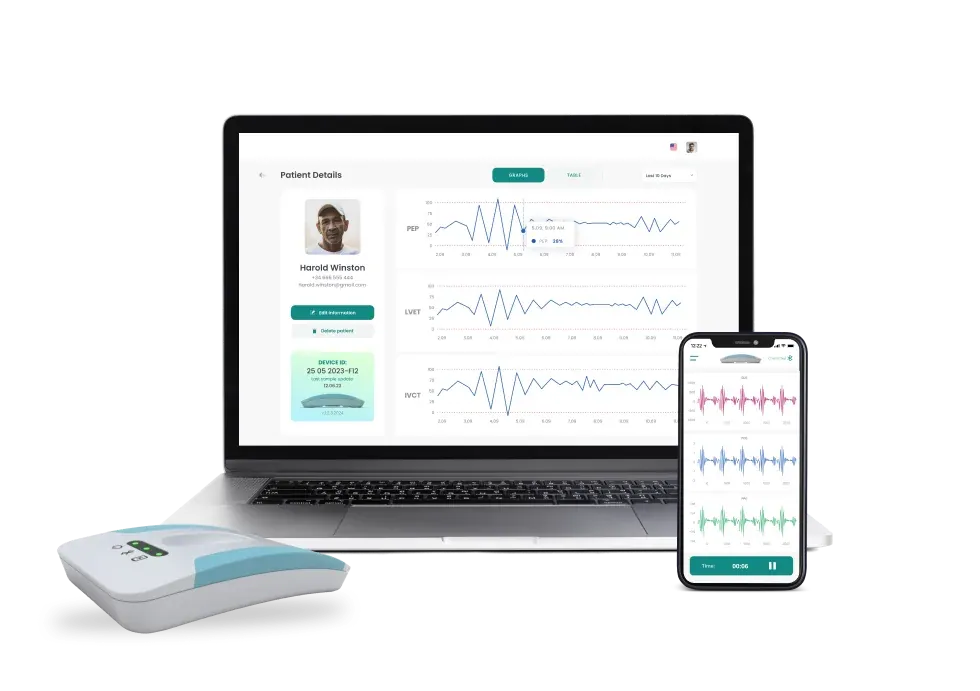
Much of our Android work is for connected products: apps that pair with a device over Bluetooth Low Energy, configure it, show live and historical readings, upload data to the cloud and start firmware updates. On Android, the hard part is making that connection behave the same way on every phone model and operating-system version your users have.
Services
Our Android app development services
Seven services covering the whole lifecycle of an Android app. Engage us for one of them or for all of them.
Android app development consulting
We help adjust your app idea to the expectations of Android users, choose the minimum Android version and the devices to support, select the architecture and stack, and design a roadmap for development.
Solution ideation
Defining the app’s mission, target audience, the pain points it will tackle and its value proposition, so the app meets real market needs.
Mobile UX/UI design
Convenient interfaces and rewarding user experiences that follow Material Design conventions, explain each permission request and show device state and connection quality clearly.
UI/UX design for connected systemsAndroid mobile app development
High-performance, scalable Android apps in Kotlin with Jetpack Compose, built to run reliably across the phones and tablets your users have.
Android app development for IoT
Android apps that let users interact with connected devices: Bluetooth LE pairing and control, Wi-Fi provisioning, sensor data, alerts and firmware updates from the phone.
IoT app developmentMobile app testing
Testing against all the requirements, including functionality, performance, compatibility, usability and security, on a matrix of real devices and Android versions, with the pairing, reconnection and update flows included.
Maintenance and support
Ongoing maintenance keeps your Android app relevant: timely updates for new Android releases, bug fixes, new features, code-quality improvements and regular security checks.
Maintenance and product support
Key benefits
Key benefits of Android app development
Compatibility with different devices
One Android app can serve phones, tablets and foldables, and Android also runs on rugged handhelds and custom devices that field and industrial products use.
A large, diverse user base
Android is used on a very large share of the world’s smartphones, across price ranges and regions, so an Android app widens the audience a product can reach.
Google Play release controls
Internal, closed and open testing tracks and staged rollouts let a new version reach a small group first and be halted if a problem appears.
Easy to customize
Android is an open platform that gives developers room for customization, from deep system integration to adapting the app as business requirements change.
Process
Our Android app development process
Research
Users, market and the device or service the app works with; for a connected product, the device protocol and the cloud API.
Analysis and planning
Scope, minimum Android version, the device matrix, architecture and a release plan with milestones.
UI/UX design
User flows, prototypes and screens that follow Android conventions and cover permission and offline states.
App development
Kotlin and Jetpack Compose in short iterations, with working builds you can install and review.
Testing
Automated and manual tests on real devices and Android versions, including pairing, reconnection and update scenarios.
Deployment and support
Google Play release with staged rollout, crash monitoring, then updates and new features over time.
Native Android or cross-platform
When should an Android app be native?
Native Kotlin development gives direct control over Bluetooth, background execution and manufacturer differences. A shared code base saves duplicated work when iOS needs the same features at the same time.
Device diversity
Native Android (Kotlin): Direct handling of manufacturer-specific Bluetooth and battery-optimization behavior
Cross-platform: Plugins abstract the platform; vendor-specific issues still need native fixes
Background work
Native Android (Kotlin): Foreground services and scheduled work under full control
Cross-platform: Usually a plugin or native module; must be tested per platform
User interface
Native Android (Kotlin): Jetpack Compose and Material Design components
Cross-platform: One design adapted to Android and iOS conventions
Team and code base
Native Android (Kotlin): A dedicated Android code base; iOS is a separate project
Cross-platform: One shared code base for both platforms, plus native modules
Best fit
Native Android (Kotlin): Android-first or Android-only products, custom and rugged devices, deep system integration
Cross-platform: The same features on Android and iOS at once, with limited device-specific code
Need both platforms? Read cross-platform app development for the shared-code-base option and iOS app development for the native Apple side.
Technologies
Android technologies we use
The stack follows the product and the existing code. We modernize Java apps to Kotlin step by step rather than rewriting what works.
Kotlin and Jetpack Compose
Language and UIThe main language and declarative UI toolkit for new Android apps and for reworked ones.
In practice: Sensocor: from a Bluetooth heart-signal sensor to a doctor's web portal · Mobile and web apps for learning marching-band drill on the field
Java
Existing appsMaintained, extended and migrated to Kotlin when an app already uses it.
In practice: Mobile and web apps for learning marching-band drill on the field
Bluetooth Low Energy
Device connectionDiscovery, protected pairing, data streaming and firmware updates over BLE, kept in its own layer away from the interface.
In practice: Sensocor: from a Bluetooth heart-signal sensor to a doctor's web portal · Rebuilding a Bluetooth companion app for RV lithium batteries
MVVM architecture
ArchitectureView models separate device communication, network and presentation so each can be tested on its own.
In practice: Sensocor: from a Bluetooth heart-signal sensor to a doctor's web portal
Retrofit, Room and Dagger
LibrariesNetworking, local storage for offline use, and dependency injection.
In practice: Mobile and web apps for learning marching-band drill on the field
Connected products
Where an Android app fits in a connected product
In a connected product the Android app is one layer of a single system: device, firmware, connectivity, cloud and app. These are the decisions to settle before scope is fixed.
Choose the device and version range
Android runs on a wide range of hardware and operating-system versions. Decide the minimum supported version and the test devices that represent real users, because Bluetooth and background behavior vary between manufacturers.
Plan background work deliberately
Battery optimization and background limits can stop long-running connections. Decide which device interactions need a foreground service, which use scheduled work, and how the user is told when the system limits the app.
Handle connectivity and permissions
Bluetooth, location, nearby-device and notification permissions differ across Android versions. Define the request flow, the explanation shown to the user and the behavior when a permission is denied or later revoked.
Define testing on real devices
Emulators do not reproduce vendor radio stacks. Agree a device matrix, the pairing and reconnection scenarios to run, and the pass criteria before release.
Set the release and update process
Decide staged rollout, crash monitoring, compatibility with firmware versions and who responds when a new operating-system release changes behavior.
The rest of the stack
- Applications & Experience The whole application layer of a connected product: mobile, web and design.
- Embedded & Firmware The device side of the app-to-device contract.
- Cloud & Connected Systems The services and APIs the app talks to.
- IoT Product Engineering Device, cloud and applications as one scope.
Why Indeema
Why Indeema Software for Android development
Relevant experience
Our Android engineers build apps for connected products, such as healthcare sensors, energy systems and cameras, as well as consumer apps with web back offices.
The right focus
We balance your business goals with your users’ needs to build Android apps that create value.
End-to-end Android development
Consulting, product strategy, UX/UI design, development, testing, delivery and maintenance, with firmware and cloud engineers in the same team.
Transparent processes
Full transparency about every detail of the project: plans, progress, trade-offs and quality.
Case studies
Android apps Indeema has engineered
Four native Android projects described on our case pages.
Kotlin · Compose · BLE
Patient app for a cardiac sensor
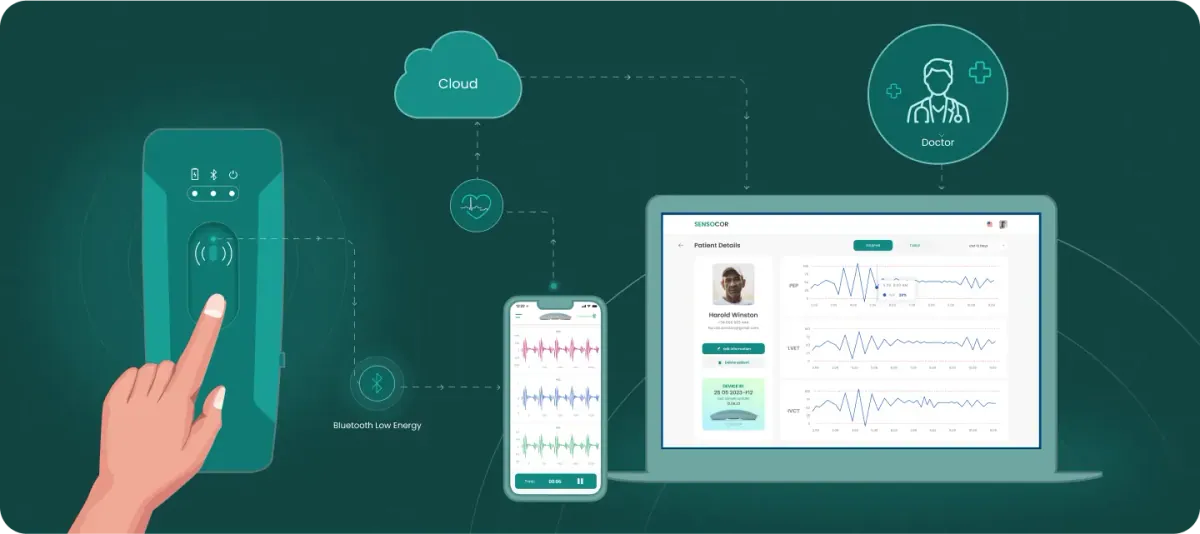
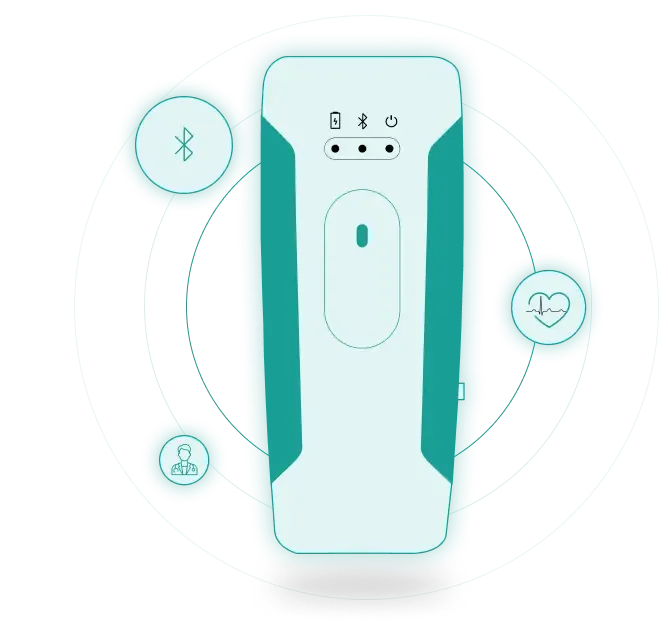
The Android app was reworked in Kotlin with Jetpack Compose and MVVM. It discovers and pairs with the sensor over Bluetooth Low Energy, controls measurements, displays signals, uploads recordings to the cloud and runs firmware updates.
Sensocor: from a Bluetooth heart-signal sensor to a doctor's web portal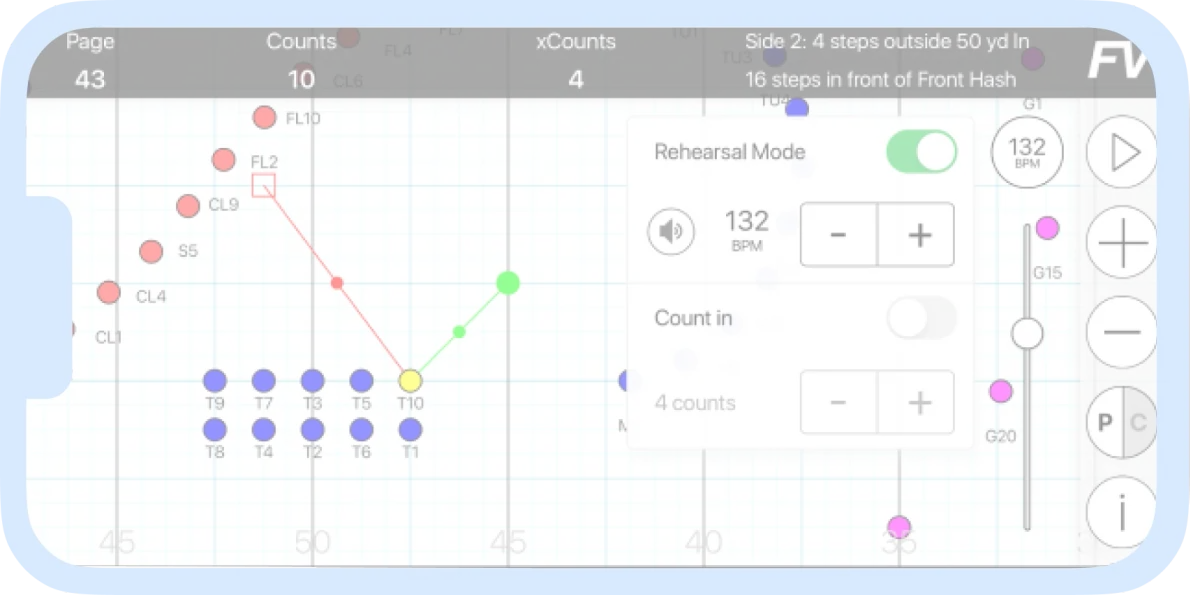
Kotlin · Compose
Drill app for marching bands
Native Android and iOS apps with a web admin panel. The Android project moved from Java to Kotlin 2.0 and Jetpack Compose.
Mobile and web apps for learning marching-band drill on the field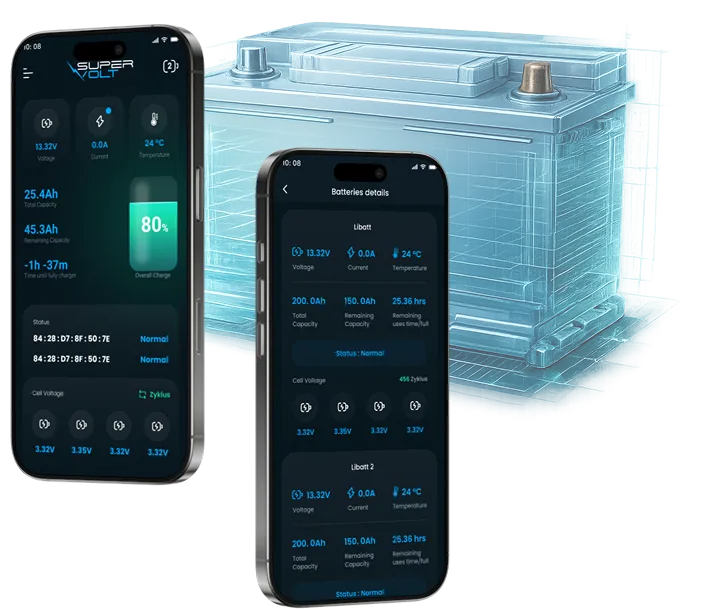
Kotlin · BLE
Companion app for RV batteries
A new native app written from scratch in Kotlin (with a Swift iOS version) that reads the battery management system over Bluetooth LE.
Rebuilding a Bluetooth companion app for RV lithium batteries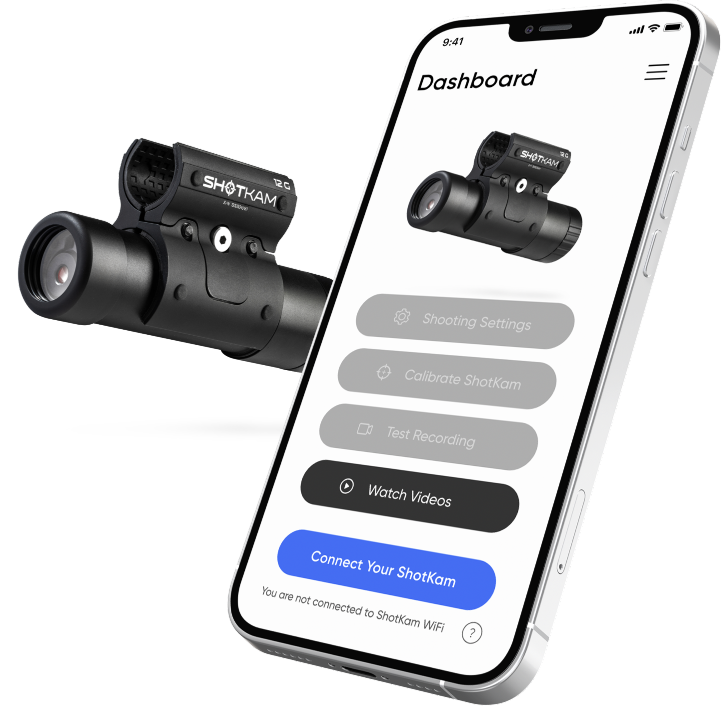
Kotlin
Wi-Fi camera companion app
Redesigned Android and iOS apps for connecting to a camera wirelessly, playing back clips and adjusting camera settings, built natively.
Redesigning the companion app for a Wi-Fi shot-recording camera
Related engineering insights
- How to create an IoT app Device connection, architecture and security for an app that controls hardware.
- IoT mobile app examples How connected devices and their apps work together in practice.
FAQ
Android app development questions
Do you sign an NDA to keep your client’s Android app idea confidential?
Yes. We sign an NDA before discussing the details of your idea.
Is it possible to modify my Android application once it is launched?
Yes. Our Android team can add new features or change your app after launch, and release the update to a test group or a percentage of users first through Google Play.
What are the advantages of Android app development services?
Android apps reach a very large, diverse user base, can be customized deeply and run on many kinds of hardware, including rugged and custom devices. A specialist team also handles the device and version diversity that makes Android testing demanding.
Why might my company need Android application services?
An Android app lets you reach the many customers and field staff who use Android devices, and gives you an efficient way to collect and use product and customer data. For a connected product it is often the main way people set up and control the device.
What are custom Android mobile application development services?
Custom Android apps are designed for a specific set of users and feature functions built for specific business needs, rather than adapted from a template or a generic product.
Do you provide Android app development consulting?
Yes. Consulting covers whether Android, iOS or a cross-platform app fits, the minimum Android version and device matrix, architecture, how the app connects to your device and back end, and a development roadmap. It also works as a review of an existing app.
Which Android versions and devices do you support?
We agree a minimum Android version and a device matrix with you, based on your users’ phones and any dedicated hardware, and test the app on real devices from that matrix, because Bluetooth and background behavior differ between manufacturers.
Can an Android app connect to our device over Bluetooth and update its firmware?
Yes. We implement BLE discovery, protected pairing, data exchange and firmware updates, designed together with the firmware so an interrupted update can recover. Our case pages include an Android app that pairs with a medical sensor and updates its firmware over Bluetooth LE.
Can you modernize an existing Android app?
Yes. We start with a code review, then refactor or rebuild in stages. We have moved Android apps from Java to Kotlin and Jetpack Compose and reworked a sensor app with an MVVM architecture.
Should we build a native Android app or a cross-platform app?
Choose native Android for Android-first products, custom or rugged devices and deep system integration. Choose cross-platform when Android and iOS need the same features at once and device-specific code is limited. We recommend one after reviewing what the app must do with the device.
Tell us about your project
Start with what the app must do across your users’ devices
A first conversation covers the device range, the connection to your product and the release plan, not a technology pitch.
Bring us
- Your app idea, or the existing app and its code
- The device and how it connects, if there is one
- Who will use the app, and on which phones or handhelds
- The part you want Indeema to own
Related services
- iOS app development When the same product needs a native iPhone app.
- Cross-platform app development When one code base should serve Android and iOS.
- MVP development When the first release has to prove the product.
- Maintenance and product support When an existing app needs an owner after launch.