


Insights / IoT / Connected Products
Start Your Connected Product from a Working AI Device Hub
A working hub baseline lets your team spend the budget on what makes the product different.

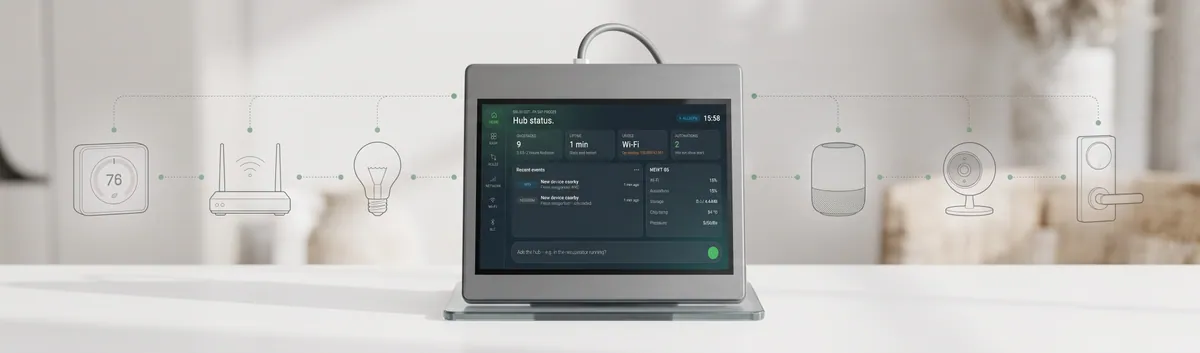
The short answer
Building an IoT hub from scratch usually starts with the same routine layer: connectivity, onboarding, display, web dashboard and LLM integration. The Indeema AI Device Hub is a working baseline, so your team starts from a hub that already runs and spends the budget on what makes your product different.
Key takeaways
- Hub projects keep rebuilding connectivity, onboarding, display UI, web dashboard and LLM integration before any product feature exists.
- Starting from a working hub means a product you can show earlier and a budget aimed at differentiation.
- A 10-minute demo on real hardware shows what you reuse as is and what would be built for you.
- The LLM only proposes; a person approves, and the hub works fully without it.
- The hub is a prototype and a starting point, not a finished product.
Why hub projects start slow, and what it costs the business
A hub, a gateway or a control panel is rarely the product itself. It is the device that makes the product work: it connects the sensors and equipment, shows their state and lets a person or a rule act on it. That is why companies that make smart home, building equipment, agritech or industrial retrofit products keep arriving at the same project, and at the same starting point.
If you are planning an IoT hub, a gateway or a control panel, the start of the project looks familiar. Before anything sets your product apart, the team builds:
- connectivity with failover
- Wi-Fi, BLE (Bluetooth Low Energy) and Home Assistant onboarding
- the display UI and the web dashboard
- configuration, OTA (over-the-air) updates and backup
- LLM (large language model) integration
None of this is what your customers pay for, and all of it has to work before they see a first useful feature.
What this does to the project
For the business, the cost is not only engineering hours. It shows up in four places:
- A late first demo. Customers, partners and your own management see a plan and the plumbing, not the feature that makes your product different.
- Your best engineers on routine work. Embedded, cloud and UI specialists spend the first months on layers that every hub needs.
- Decisions made on paper. Choices about failover, onboarding and how far an LLM may act are made before anything runs, and the wrong ones surface late, when they are expensive to change.
- A budget spent before the product starts. By the time the team reaches domain analytics or custom AI, much of the budget and patience is already used.
A working baseline removes this early stage. That is the idea behind the Indeema AI Device Hub.
What the AI Device Hub does on day one
The Indeema AI Device Hub is a prototype that runs today on real hardware. It is built on an ESP32-P4 with a 1024×600 touch screen, in one desk or wall enclosure. It connects over Ethernet, Wi-Fi and LTE, and uses BLE for nearby sensors. Power it on and it connects, shows live data, serves a web app and answers questions about its own state in plain words.
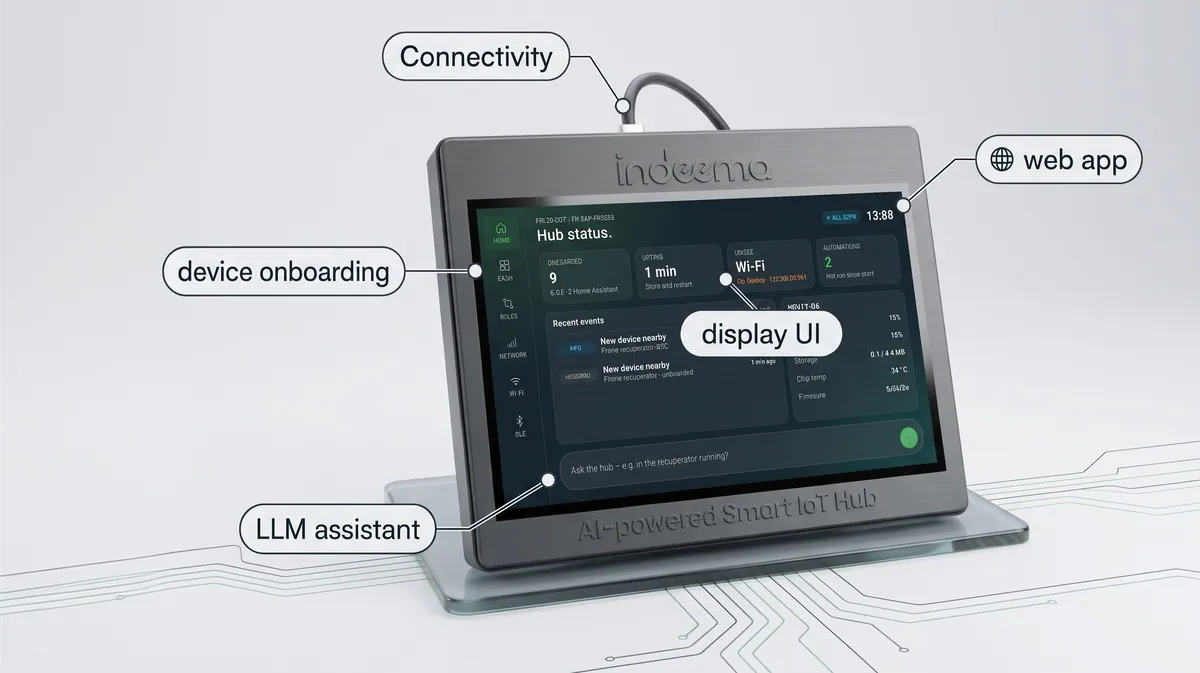
The display has screens for home, dashboard, rules, network, Wi-Fi and BLE. Tap a dashboard widget and you get its 24-hour or 7-day graph.
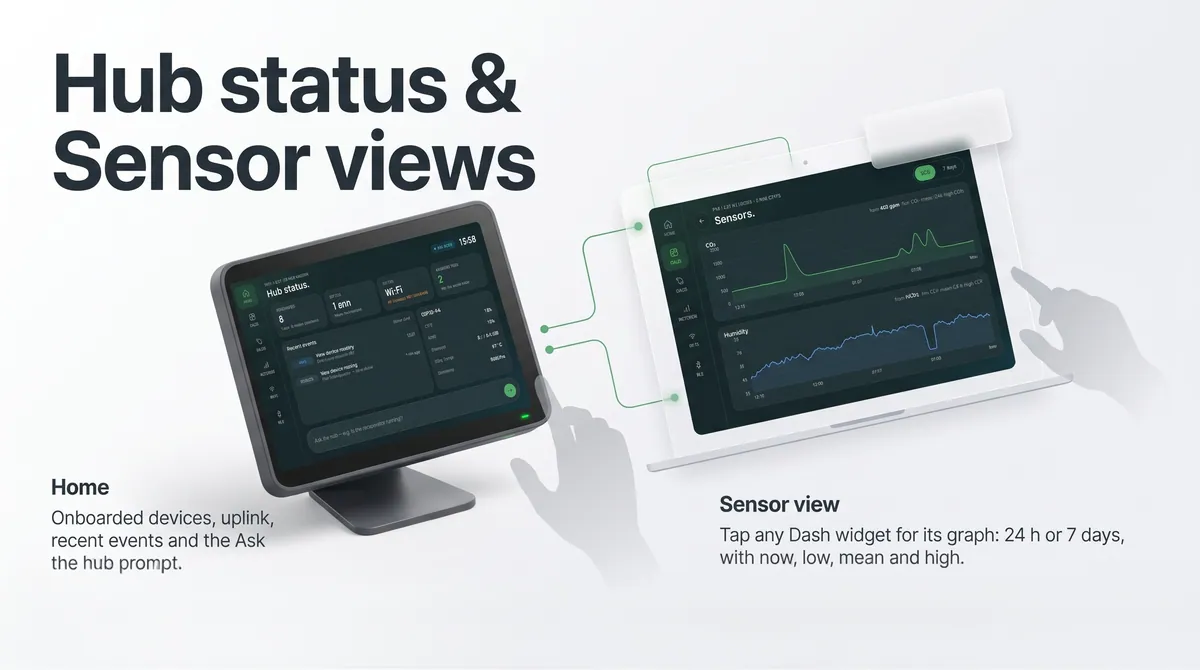
In the web app you edit the dashboard once and it syncs to the hub. You can also search and analyse devices and manage automations.
Home Assistant takes about two minutes. Create a token, paste it into the hub, and choose which entities to bring in. They then appear on the dashboard, in sensor graphs, in rules and in the assistant’s answers.
Your budget goes into your product, not the routine layer
Starting from the hub, the routine layer already works: connectivity and failover, Wi-Fi, BLE and Home Assistant onboarding, the display UI and web dashboard, configuration, updates and backup, and the LLM integration. Your project begins with what makes the product yours: domain analytics, custom AI, integrations, regulatory approvals, and your own branding and features.
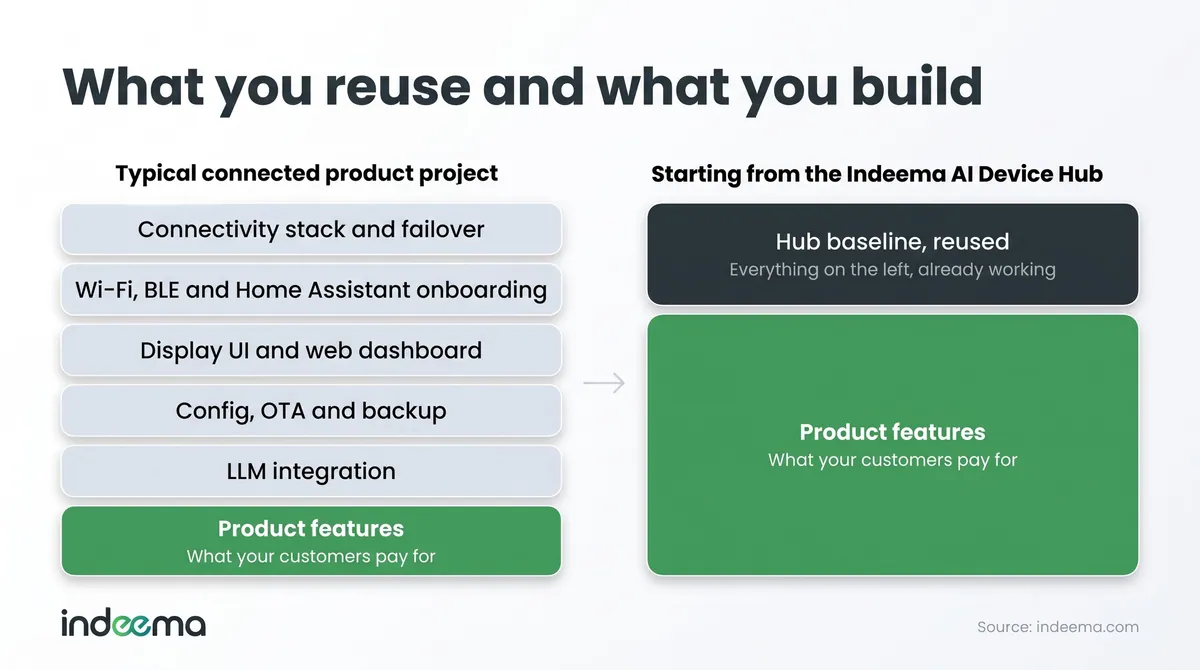
The routine work is reused, so more of the budget goes to features that set the product apart.
What a working baseline means if you are building an IoT hub from scratch
If you are building a hub from the ground up, the first decision is not which chip or which cloud. It is where your first budget goes. Starting from a working hub changes that decision in four ways.
- A product you can show earlier. Your first conversations with customers and partners happen on a hub that runs, not on a plan.
- Budget aimed at differentiation. Connectivity, onboarding, the display, the web app and the LLM layer stop being line items you pay for before the first useful feature. The effort goes to analytics, custom AI, integrations and your branding.
- Fewer unknowns early. The questions that usually surface late, such as how a device joins, what happens when the network drops and how far the AI may act, already have working answers on the prototype. You accept them or change them.
- A clearer build-or-reuse decision. In the 10-minute demo we separate what you reuse as is from what is built for you, so the scope of your project follows your product and not the infrastructure around it.
For a product owner, that means a first scope built around the features customers pay for. For a CTO, it means an architecture you can inspect on real hardware before you commit to it.
It does not mean a finished product. The hub moves the starting line; the work that makes the product yours, and the path to production, is still ahead.
See your product on real hardware early
We run a 10-minute demo on the hub itself. We power it on, walk through the dashboard, rules and network screens, pair a device you bring, then ask a question and type a rule in plain words. In the last two minutes we map what you saw to your product: what is reused as is and what we would build for you.
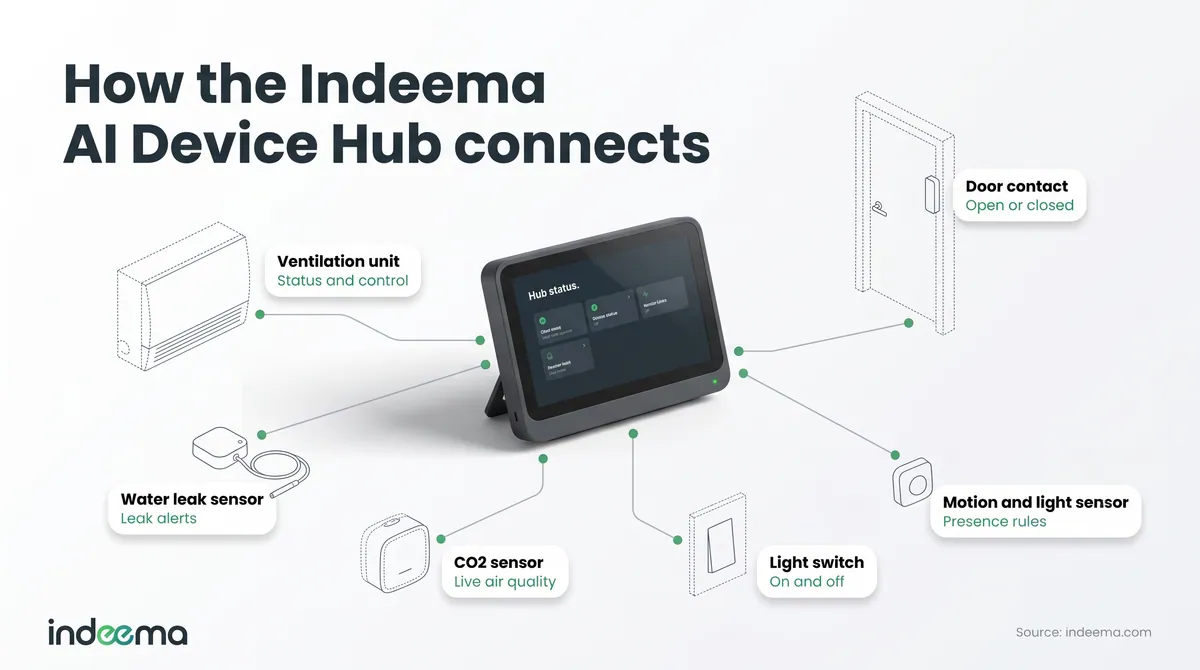
Everything in that demo is the starting point. Your first conversation about the product happens on working hardware.
AI that stays in your control
The hub uses an LLM in a few places where words are easier than menus: asking about devices, events and history, setting up a new device, turning a stated goal into a rule, and explaining what most likely caused a critical event.
Three design choices keep the AI in a small role:
- The hub works fully without the LLM.
- The LLM is called only on request or when a new device appears.
- Every proposal is approved by a person, and the model never enables an automation on its own.
The model answers in structured JSON, which the hub treats as a proposal and not as a command. If you want to work out where AI belongs in your own product, see our AI for IoT systems service.
Connectivity that keeps working on patchy networks
Sites with patchy networks need more than one way out. The hub has Ethernet, Wi-Fi and LTE, with failover by priority and live status, signal, latency and loss for every link. In the demo we unplug Ethernet, and the hub switches to Wi-Fi and then to LTE.
What you still build, and what the hub is not
The hub is a prototype and a starting point, not a finished product. The product features are yours and ours to build: domain analytics, custom AI, integrations, regulatory approvals and your own look and branding. Our IoT product development team takes the result from there to production.
One limit is worth knowing now. The hub identifies and maps many devices automatically, but some need a firmware module, closed protocols are only partly automatic, and cloud-locked devices may not work at all.
Who it fits, and how to start
It fits companies that make products for smart home and building equipment, agritech and industrial retrofit, and want a hub, gateway or control panel with a practical AI layer.
Indeema is a Connected Product Engineering company with 16+ years of experience, 200+ completed projects and 230+ engineers across hardware, embedded, cloud, AI, mobile, QA and DevOps.
Book a 10-minute live demo on the hub and see what you would reuse as is. Next in the series: where this kind of hub fits, vertical by vertical.
Was this useful?
Where this shows up in our work
ExpertiseIoT Product Engineering & Development ServicesFor the wider connected product engineering behind a hub, from hardware and firmware to cloud and apps.Apply this to your product