


Mobile application / Camera product
iOS camera applicationMobile app design and engineering
An iPhone camera app built for manual creative control
A camera product whose users needed more control of the iPhone capture experience, including focus, exposure, zoom and supported accessories.
Bring camera settings, capture controls, presets and media handling into a mobile workflow that users can operate directly on the phone.
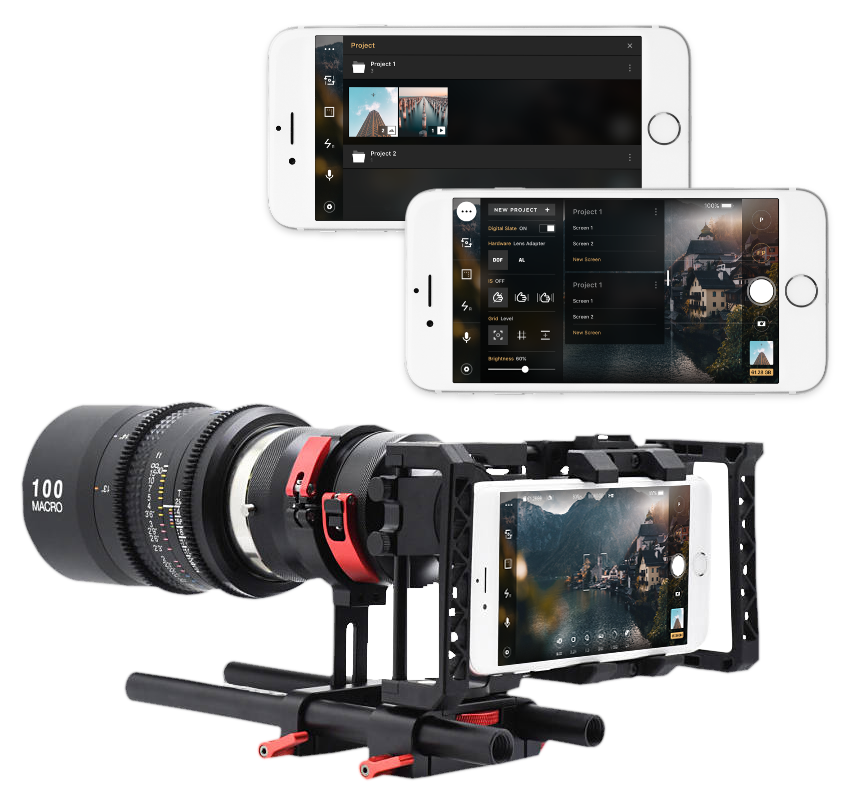
- Product
- iOS camera application
- Buyer
- Product teams extending phone cameras with dedicated capture workflows
- Engagement
- Mobile app design and engineering
- Indeema scope
- iOS camera application, Manual capture controls, Media and preset workflows
The product need
What had to become possible
Bring camera settings, capture controls, presets and media handling into a mobile workflow that users can operate directly on the phone.
Ownership, made clear
Where the work started and what Indeema owned
Starting system
Phone camera platform
The application was built for the iPhone camera and its available iOS capture capabilities.
Accessory support
Support the listed anamorphic and depth-of-field lens adapters and external microphones.
Indeema owned
iOS camera application
Design and develop the mobile interface and capture workflows for the camera product.
Manual capture controls
Provide focus, exposure, shutter-speed, ISO, zoom and white-balance settings through direct interface controls.
Media and preset workflows
Support customizable presets and file management for captured photos and videos.
Worked with
iOS capture APIs
Use iOS media and camera frameworks for capture, playback and camera-setting workflows.
Camera accessories
Account for the lenses and external audio hardware listed as product use cases.
Product constraints
What made the engineering difficult
- 01
Expose controls without hiding the capture
Make focus, exposure and zoom adjustments available through quick controls, sliders and on-screen reticles.
- 02
Support different capture setups
Handle the camera and accessory support described for lenses and external microphones.
- 03
Keep media usable after capture
Provide file organization and playback workflows for the photos and videos created in the app.
Engineering judgement
Decisions that shaped the product
Put manual settings close to the viewfinder
Use direct controls and reticles so users can adjust focus and exposure while composing a shot.
Make common settings repeatable
Use customizable presets for camera settings rather than asking users to repeat the same setup each time.
Treat capture and media as one workflow
Pair the camera controls with playback and file management instead of stopping at the shutter action.
Delivered product capability
What the product can do
- 01
Manual camera settings
Adjust focus, exposure, shutter speed, ISO, zoom and white balance from the app.
- 02
Capture presets
Save reusable configurations for different shooting setups.
- 03
Photo and video handling
Manage and share captured media from the application.
Product change
What changed for the product team
The camera product gained a dedicated iOS interface for setting up a shot, adjusting capture behavior and managing the resulting photos and videos.
For a team turning phone hardware into a focused camera product, the case shows how native capture APIs, direct controls and media workflows can be shaped into one application experience.
Technology, in context
Swift · AVFoundation · AVKit · OpenGL ES · Metal · RxSwift
A comparable product problem?
Beastcam iOS camera app
Bring the product context, the system that already exists and the engineering decision you need to make.